637
Special Utility Features
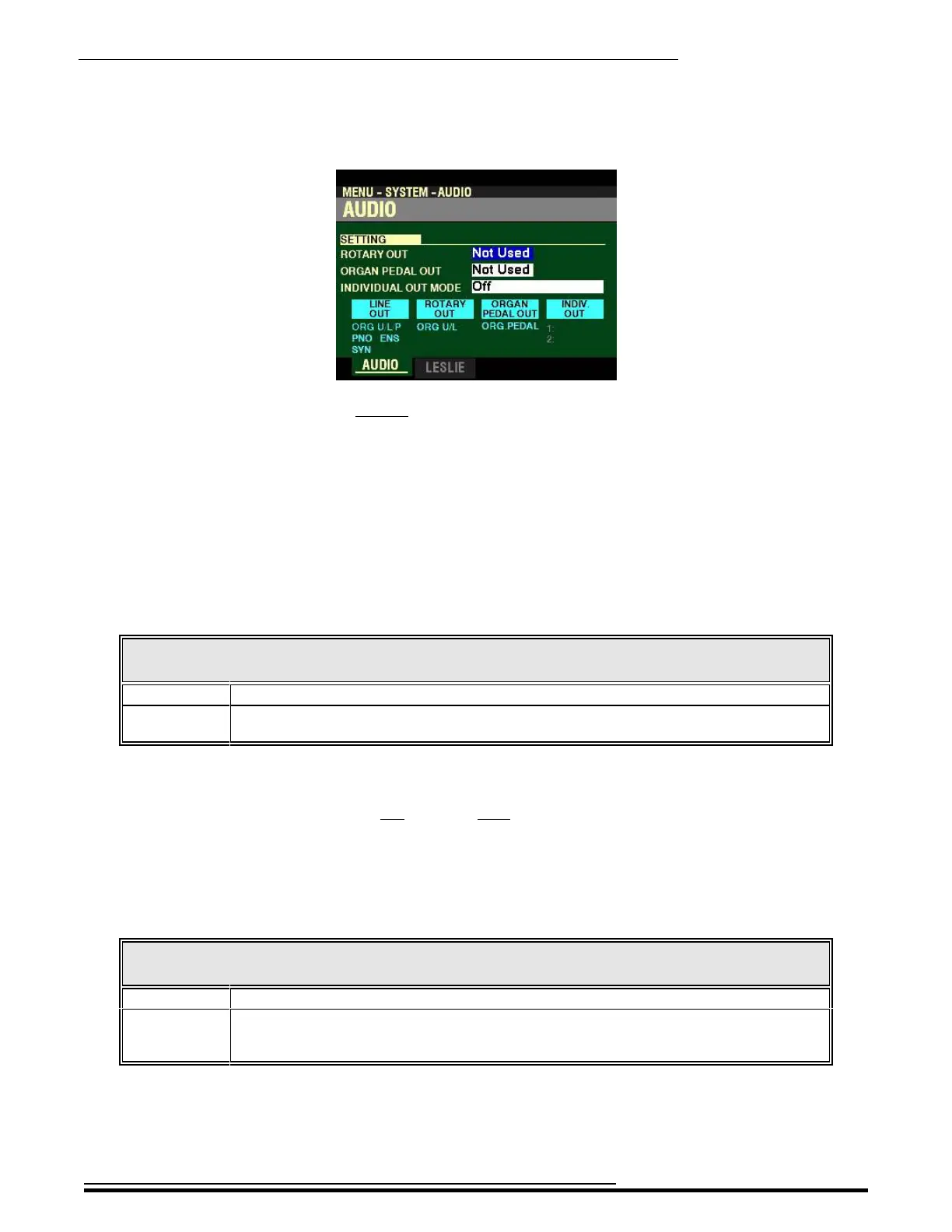
4. Press the ENTER button. The Information Center Display should now look like this:
You are now in the AUDIO FUNCTION Mode.
t SETTING
This FUNCTION Mode Page allows you to see which audio connections are active. The following
paragraphs explain this in more detail.
ROTARY OUT
This Parameter allows you to select the status of the ROTARY OUT jack. The data chart below shows the
options you can select.
ROTARY OUT Settings
Parameter Description
Not Used No audio signal will be sent from the ROTARY OUT jack
Used ORGAN Tone Wheel and Transistor Organ tones will be sent out from the ROTARY OUT
jack. The ORGAN tones will not be sent out from the LINE OUT jacks.
Turn the VALUE knob to make your selection.
NOTE: This Parameter does not affect the Pipe ORGAN tones.
ORGAN PEDAL OUT
This Parameter allows you to select the status of the ORGAN PEDAL OUT jack. The data chart below shows
the options you can select.
ORGAN PEDAL OUT Settings
Parameter Description
Not Used No audio signal will be sent from the ORGAN PEDAL OUT jack.
Used The PEDAL tones from the ORGAN Section will be sent out from the ORGAN PEDAL OUT
jack. Use this jack to connect a powered sub-woofer to increase the bass, or to bypass the
Leslie for the PEDAL tones.
Turn the VALUE knob to make your selection.
HA<O> SKX PRO Reference Guide



 To Next Page