413
CUSTOM SETS - Leslie
t CABINET
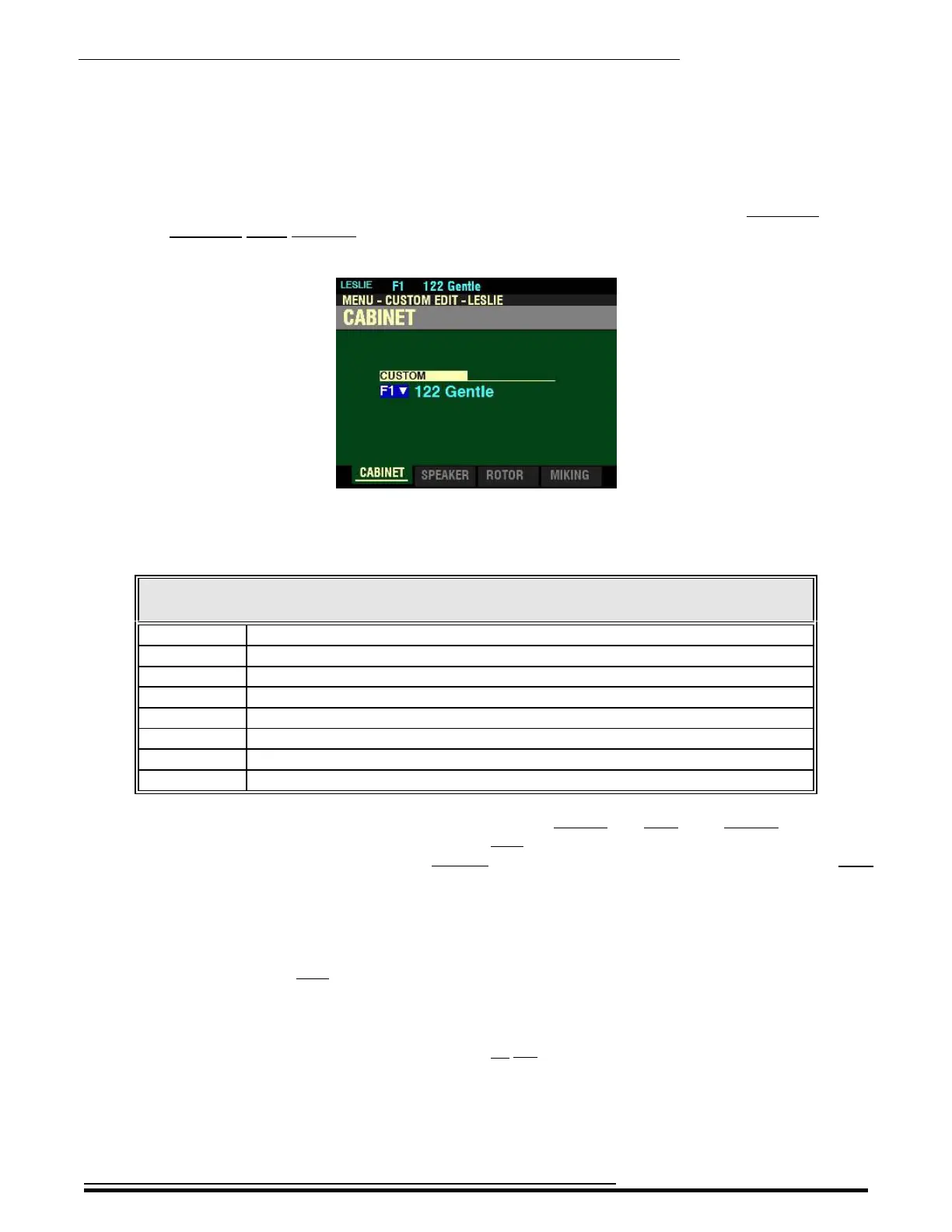
If you followed the instructions shown on the previous page, you should now see the CABINET Screen
of the CUSTOM EDIT -LESLIE FUNCTION Mode Page. The box underneath “CUSTOM” should be
highlighted.
This Parameter allows you to select a Cabinet Number. The data chart below shows the options you can
select.
CUSTOM LESLIE CABINET OPTIONS
Cabinet Name Description
122 Gentle Replicates 122 cabinet (Large body, peaking horn driver) heard from a distance, rear.
122 Wild Replicates 122 cabinet heard from a closer distance, front.
31H-Type Replicates 31H cabinet heard from a distance, rear.
147 Gentle Replicates 147 cabinet (Large body, wide range) heard from a distance.
147 Wild Replicates 147 cabinet heard from a closer distance, front.
145 Gentle Replicates 145 cabinet (Middle body, slightly narrow range) heard from a distance, rear.
145 Wild Replicates 145 cabinet heard from a closer distance, front.
PR-40 Replicates a Hammond tone cabinet.
There are two categories of Custom Leslie Cabinets - Factory and User. The Factory Cabinets are
factory-programmed and cannot be changed. User Cabinets are those which you create and Record.
In the Information Center Display, Factory Cabinets are designated by the letter “F” and User
Cabinets are designated by the letter “U.” There are 8 Factory Cabinets and, you can create and
Record up to 8 User Cabinets, making a total of 16.
Turn the VALUE knob to make your selection.
SPECIAL NOTE: User Cabinets are not shown in the Information Center Display unless you create
and Record them. Creating and Recording Custom Cabinets will be covered later in this chapter.
NOTE: As explained on page 187, the design of Hammond tone cabinets represented the sound quality
desired by the Hammond Organ Company and do not contain rotating tremulants as do Leslie Speaker
cabinets.
HA<O> SKX PRO Reference Guide



 To Next Page