595
MIDI
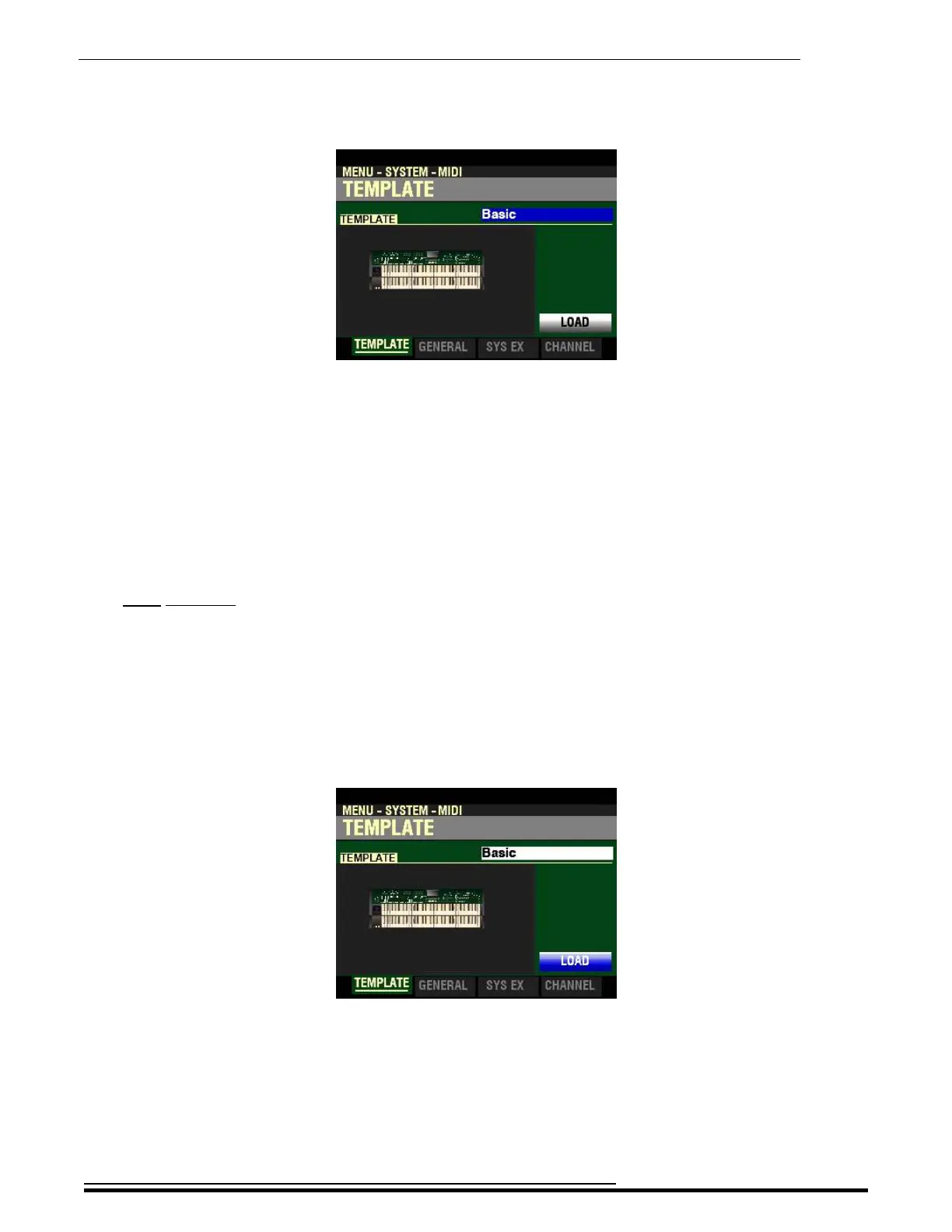
If you followed the instructions on the previous pages, you should now see screen shown below. The
box to the right of “TEMPLATE”should be highlighted.
t TEMPLATE
What Is a “MIDI Template?”
Because MIDI can be used with such a wide variety of devices - such as synthesizers, sound modules,
sequencers, etc. - there are a number of features associated with MIDI, such as Program Change, Controller
Change, etc., that allow each MIDI setup to be optimized for the best results in each application. However,
making all of these settings manually can be quite time-consuming and error-prone.
Therefore, your SKX PRO contains a number of pre-formatted settings for the various MIDI parameters
which represent the most ideal settings for each MIDI environment. A group of these settings is called a
MIDI Template.
This Parameter Menu Page allows you to select the MIDI Template you want to use.
To select a MIDI Template, do the following:
1. Use the VALUE knob to see the various Template settings.
2. When you have made your selection, press the DIRECTION “q” button to highlight the
“LOAD” box:
3. Press the ENTER button. The MIDI parameters will be set according to the Template you
selected.
IMPORTANT NOTE: For a complete listing of the MIDI Templates for the SKX PRO, please consult
the next two pages. In addition to the specific Parameter settings, the chart also contains explanations for
the performing environment each Template is designed for. Therefore please read the descriptions
carefully to determine the best setting for your particular setup.
HA<O> SKX PRO Reference Guide



 To Next Page