311
PIANO / ENSEMBLE Voice Sections
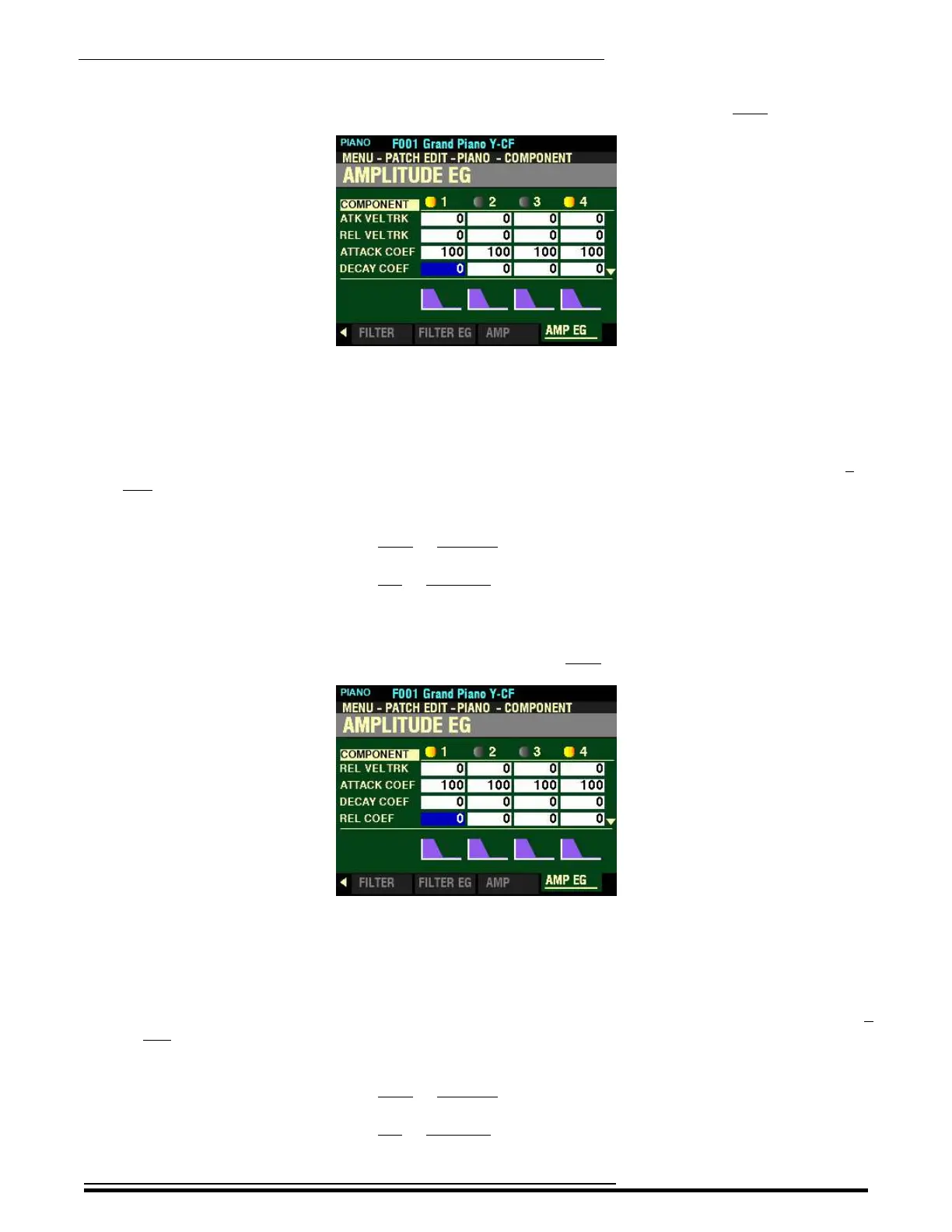
From the screen shown on the previous page, press the DIRECTION “q” button once.
The box to the right of “DECAY COEF” should be highlighted.
DECAY COEF
This Parameter allows you to adjust the Decay Contour for each envelope zone. You can select from 0 to
127. A higher value creates a linear taper suitable for an “upward” level. A lower value creates an
exponential taper suitable for a “downward” level.
Turn the VALUE knob to the right to increase the Decay Contour.
Turn the VALUE knob to the left to decrease the Decay Contour.
NOTE: The Decay Coefficient controls both Decay and Slope.
From the above screen, press the DIRECTION “q” button once.
The box to the right of “REL COEF” should be highlighted.
REL COEF
This Parameter allows you to adjust the Release Contour for each envelope zone. You can select from 0
to 127. A higher value creates a linear taper suitable for an “upward” level. A lower value creates an
exponential taper suitable for a “downward” level.
Turn the VALUE knob to the right to increase the Release Contour.
Turn the VALUE knob to the left to decrease the Release Contour.
HA<O> SKX PRO Reference Guide



 To Next Page