13
Introduction
IMPORTANT - PLEASE READ
u POWER - AUTO OFF
The SKX PRO has a special feature called AUTO POWER OFF which automatically turns the power to the
instrument “OFF” if no keys or buttons are pressed for 30 minutes. This is done for safety reasons and
under most normal conditions we do not recommend disabling this feature; however, you can select
whether or not the instrument will automatically turn “OFF” by doing the following procedure:
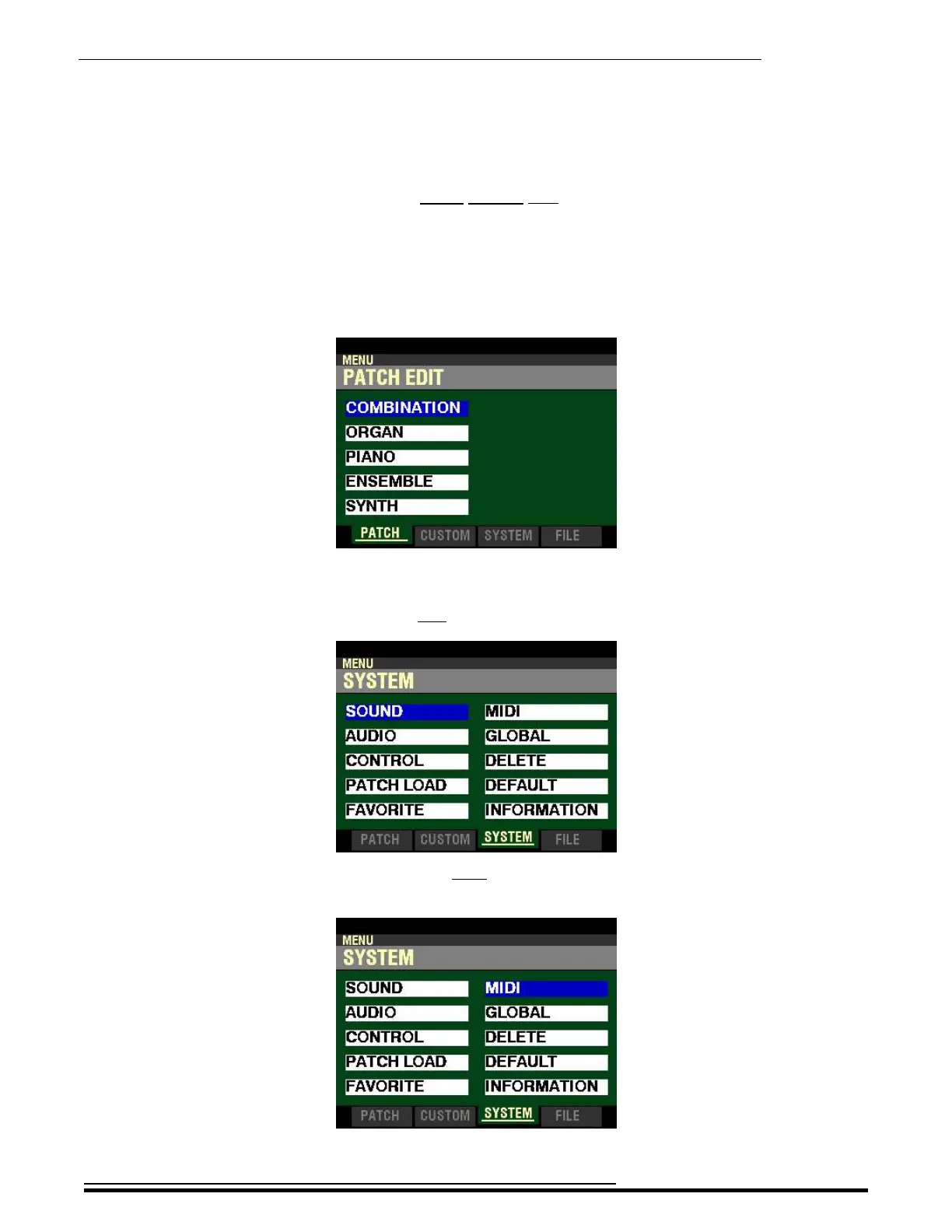
1. From any of the PLAY Mode Pages, press the MENU/EXIT button. The Information Center
Display should now look like this:
The “COMBINATION” box should be highlighted.
2. Press the PAGE “u” button two times to highlight the “SOUND” box.
3. Press the DIRECTION “u” button once. The Information Center Display should now look like
this:
HA<O> SKX PRO Reference Guide



 To Next Page