212
ORGAN Voice Section
Accessing the Ace Organ Type using the MENU/EXIT button:
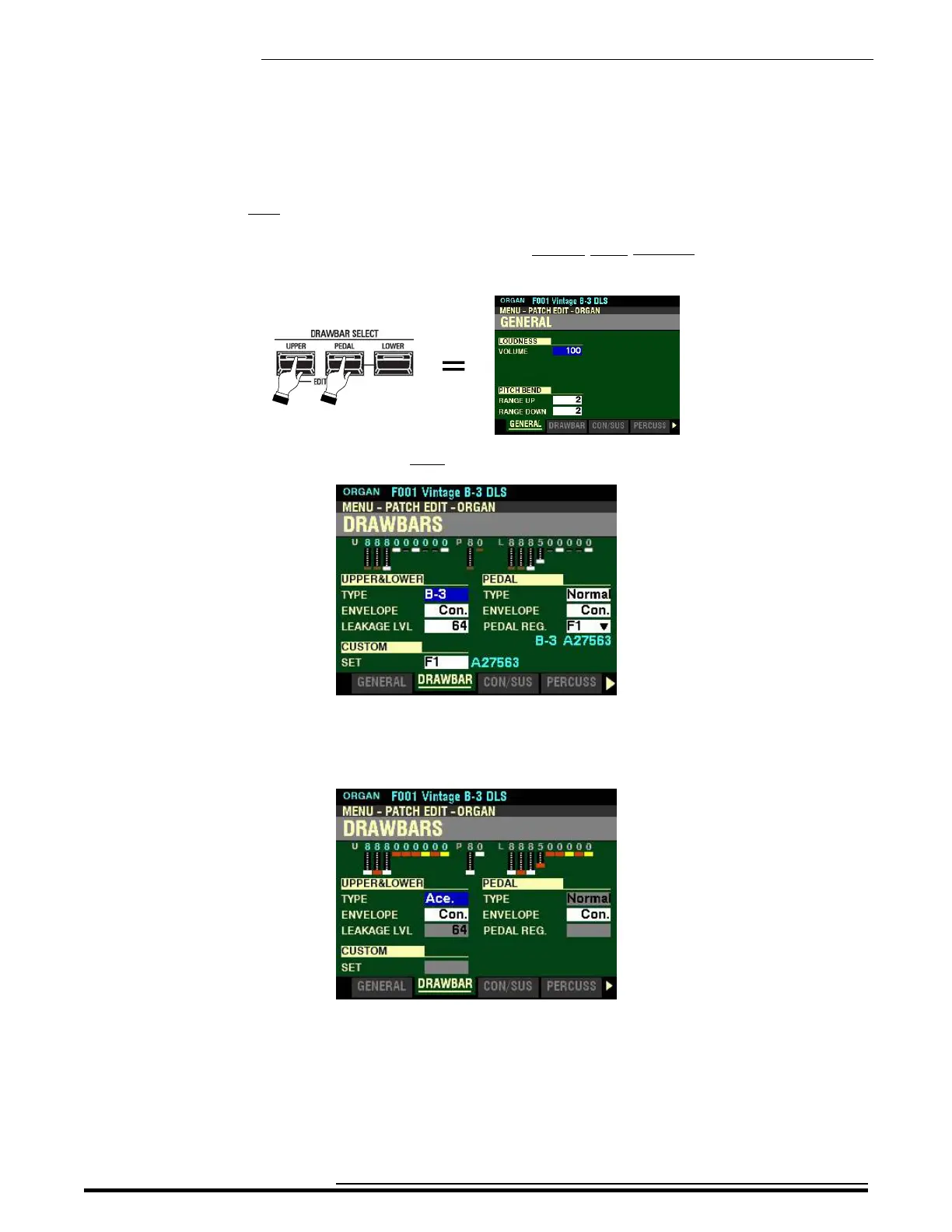
1. If you have not already done so, access the PATCH EDIT -ORGAN FUNCTION Mode Page.
The quickest way to do this is to use the Shortcut shown below:
2. Press the PAGE “u” button once. The Information Center Display should now look like this:
The box to the right of “TYPE” should be highlighted.
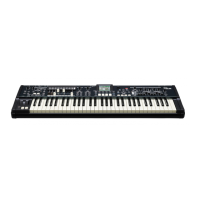
3. Turn the VALUE knob so the Information Center Display shows the following:
You can now use the Drawbars to control vintage Japanese combo organ tones.
HA<O> SKX PRO Reference Guide



 To Next Page