47
Allocating Voice Sections
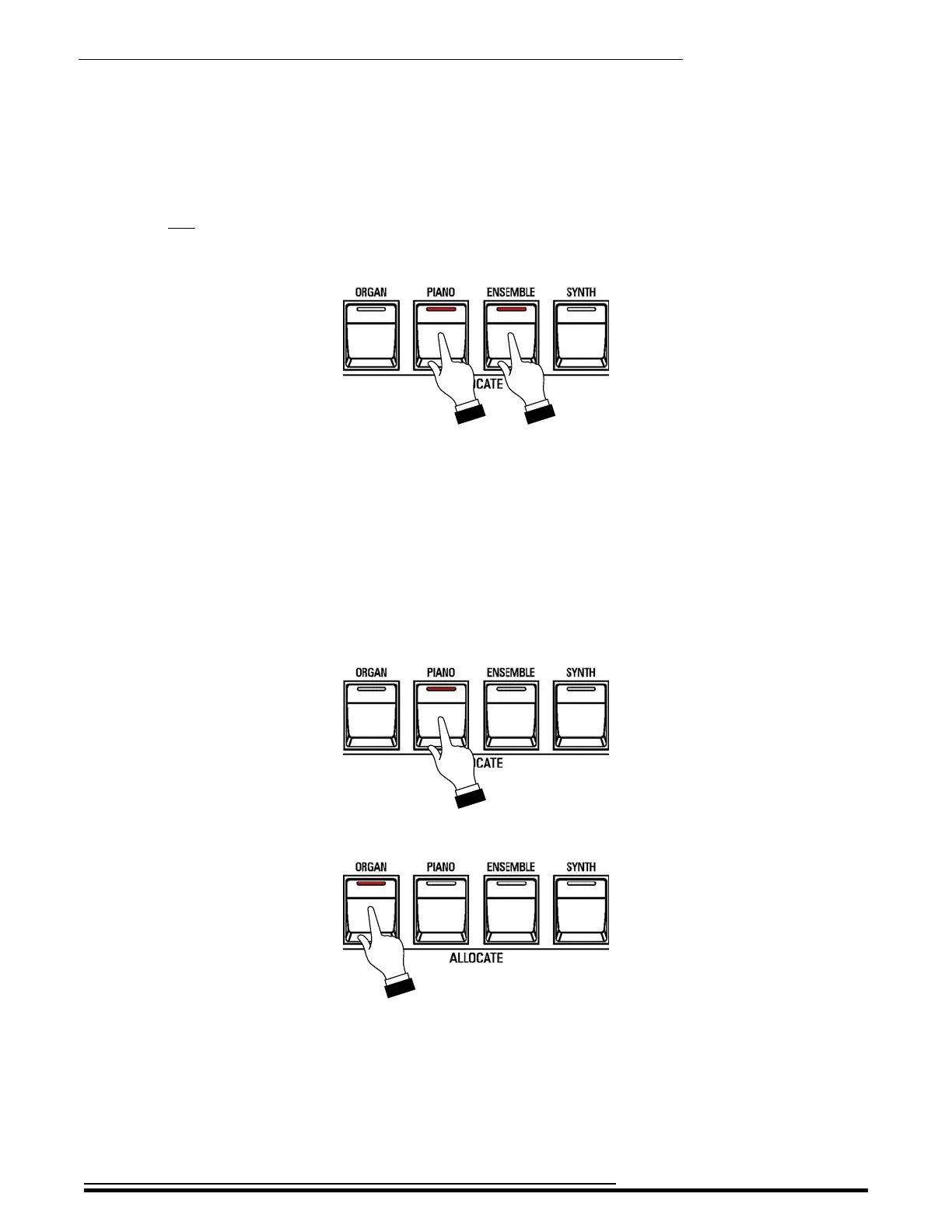
u Using two or more Voice Sections simultaneously
TRY THIS:
1. For this example, turn all four white ALLOCATE buttons “OFF.”
NOTE: If one or more of the ALLOCATE buttons is registered for LOWER (green LED), press the button
two times to turn it “OFF.”
2. Press the PIANO and ENSEMBLE buttons together. The LEDs will light.
3. Play some notes on the UPPER Keyboard. You will now hear the ENSEMBLE Voice together
with the PIANO Voice.
u Adding Voice Sections together
In normal operation, if you Press a white ALLOCATE button while another one is already “ON,” the first
button will turn “OFF,” leaving only the Voice Section you just selected.
TRY THIS:
1. For this example, turn all four white ALLOCATE buttons “OFF.”
2. Press the PIANO button. The LED will light.
3. Now press the ORGAN button.
Notice the LED of the PIANO button has turned “OFF.” This feature allows you to make quick
registration changes in the midst of playing with a single button press.
However, there may be times when you will want to use the Voice Sections together or add Voice
Sections together without taking your fingers from the keys. You can do this by setting the
ALLOCATE buttons to be additive instead of cross-canceling, as they are in this example.
To do this, follow the instructions on the next page.
HA<O> SKX PRO Reference Guide



 To Next Page