48
Allocating Voice Sections
TRY THIS: - To make the ALLOCATE buttons Additive:
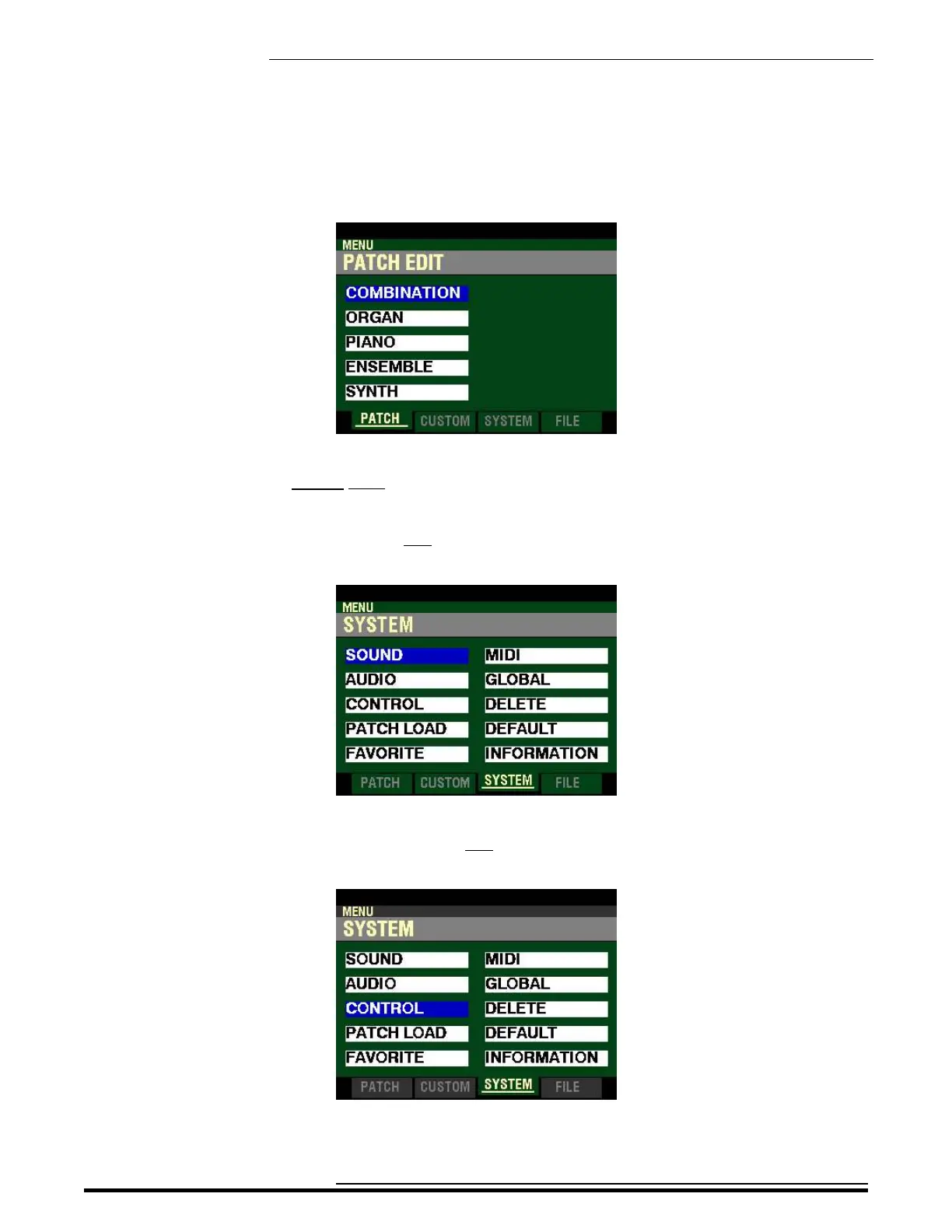
1. From any of the PLAY Mode Pages, press the MENU/EXIT Button. The Information Center
Display should now look like this:
This is the PATCH EDIT Menu, which will be the first one displayed. The “COMBINATION”
box should be highlighted.
2. Press the PAGE “u”button two times. The Information Center Display should now look like
this:
3. Press the DIRECTION “q” button two times. The Information Center Display should now
look like this:
HA<O> SKX PRO Reference Guide



 To Next Page