393
CUSTOM SETS - Tone Wheel
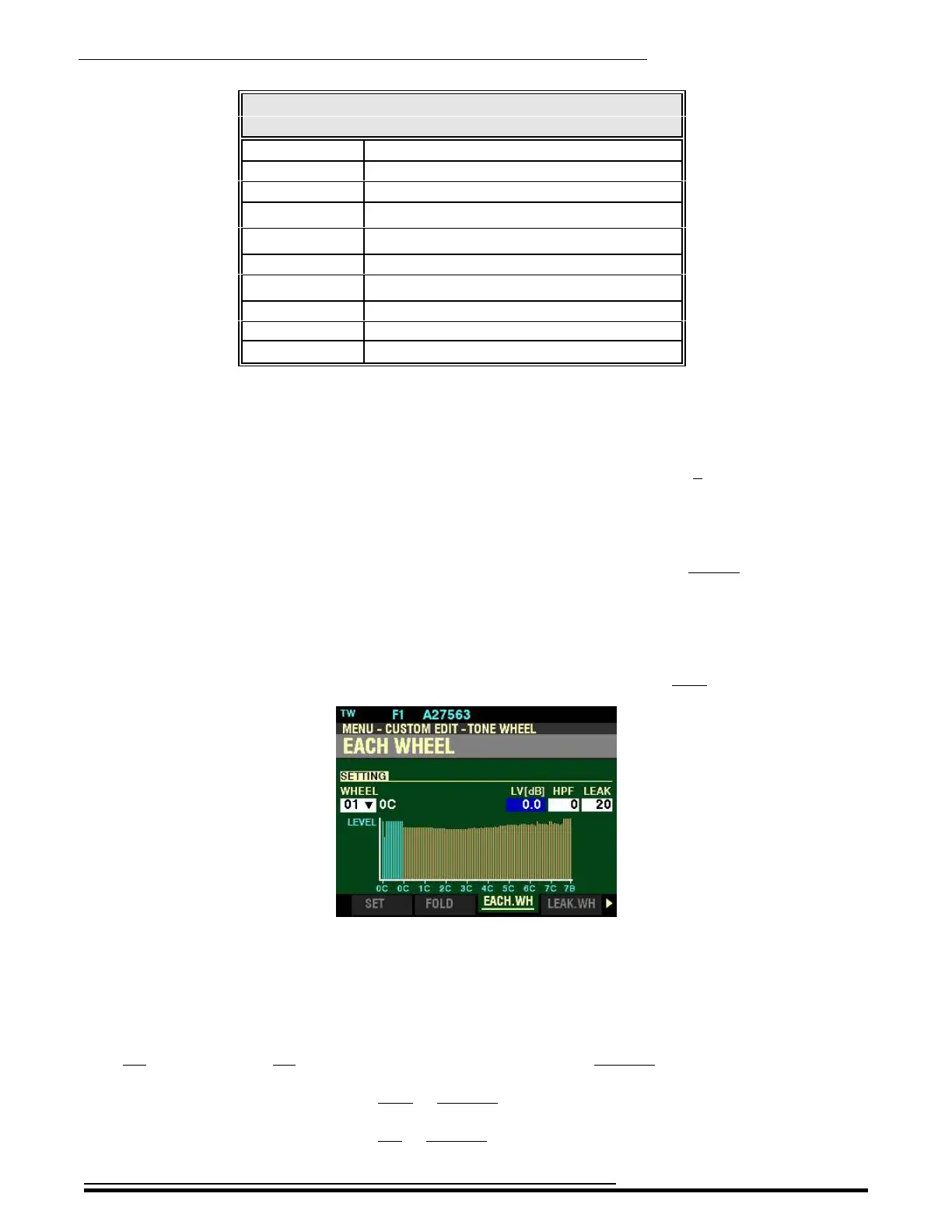
EACH WHEEL Options
Drawbar Tone Wheels
Pedal Drawbars Wheels 01 ~ 67
16' Wheels F01 ~ 61
5 a’ Wheels 20 ~ 80
8' Wheels 13 ~73
4' Wheels 25 ~ 85
2 b *Wheels 32 ~ F92
2' *Wheels 37 ~ F96
1
3
/
5
*Wheels 41 ~ F96
1 a *Wheels 44 ~ F96
1' *Wheels 49 ~ F96
+ - The Lower note limit of this Drawbar is determined by the Drawbar FOLD BACK setting.
* - The Upper note limit of this Drawbar is determined by the Drawbar FOLD BACK setting.
NOTE: Wheels F01 through F12 and F92 through F96 are designated F as a reminder they are
additional wheels added on later Hammond models. For a more complete explanation of this, please
consult page 386.
NOTE: As explained previously, Wheels 01 through 12 (shown in blue on the screen) are special wheels
producing complex tones for the lowest octave of the PEDAL tones. They cannot be assigned to the
UPPER or LOWER Keyboards.
After you have selected a Tone Wheel to edit, you can change the characteristics of that Tone Wheel.
This is explained starting below.
From the screen shown on page 392 , press the DIRECTION “u” button once.
The box underneath “LV(dB)” should be highlighted.
LV(dB) - Tone Wheel Level
This Parameter allows you to adjust the volume or level of the selected Tone Wheel. You can select from
-20 (lowest level) to +2 (loudest level). The numbers represent decibels, or units of volume.
Turn the VALUE knob to the right to increase the level of the selected Tone Wheel.
Turn the VALUE knob to the left to increase the level of the selected Tone Wheel.
HA<O> SKX PRO Reference Guide



 To Next Page