538
Equalizer
u EQUALIZER
This FUNCTION Mode Page allows you to adjust the settings for the Equalizer in each Voice Section.
NOTE: You can customize the tone quality of your Hammond SKX PRO either by adjusting the frequency
curves of each Voice Section separately or using the MASTER EQUALIZER to tailor the sound of all Voice
Sections simultaneously. Pressing and Holding the MASTER EQUALIZER button will Shortcut to the
MASTER EQUALIZER FUNCTION Mode but not to the EQUALIZER FUNCTION Modes for the individual
Voice Sections. For more information about the MASTER EQUALIZER please consult the SPECIAL
UTILITY FEATURES chapter of this Guide starting on page 642.
t Accessing the EQUALIZER FUNCTION Mode Page for the ORGAN Voice Section using the
MENU/EXIT button:
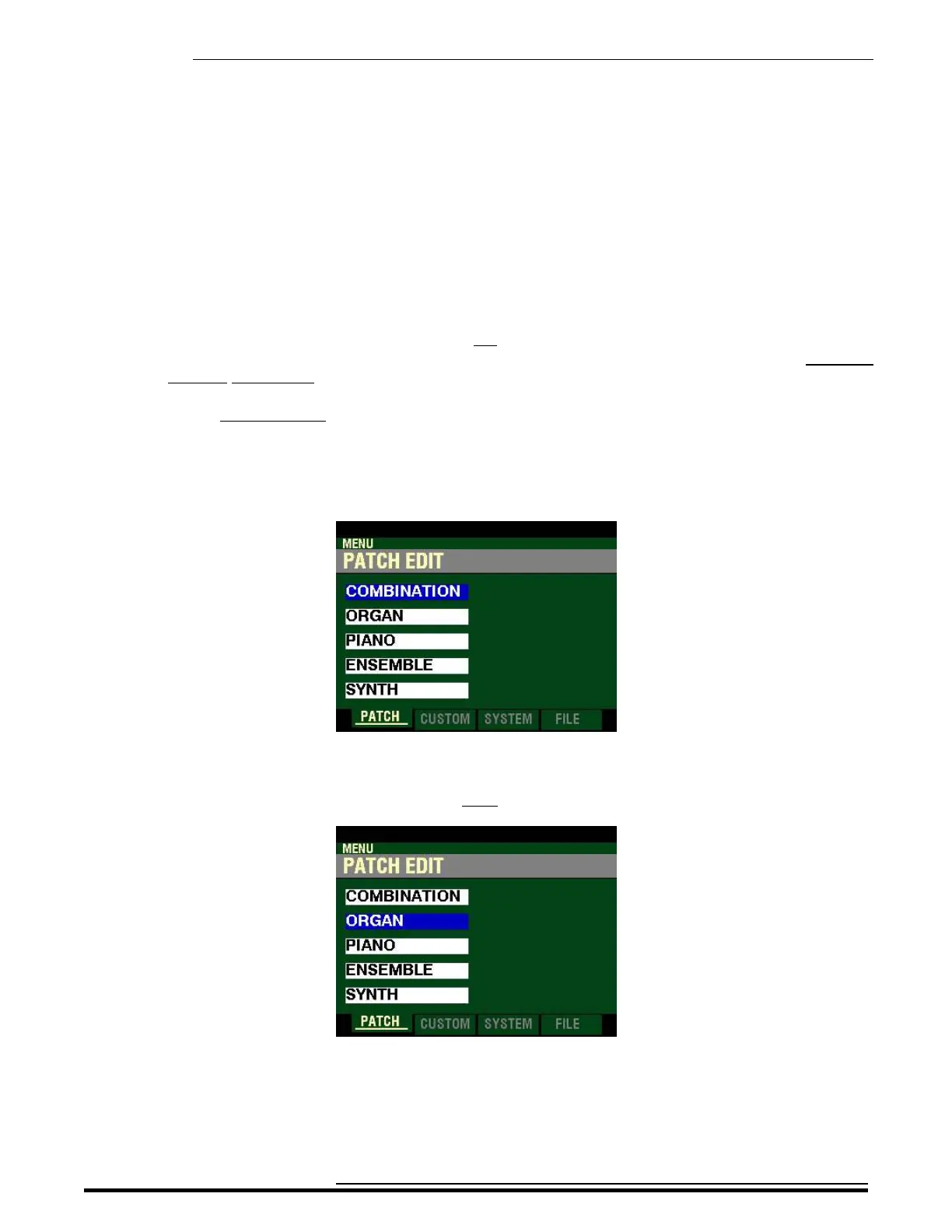
1. From any of the PLAY Mode Pages, press the MENU/EXIT button. The Information Center
Display should now look like this:
The “COMBINATION” box should be highlighted.
2. Press the DIRECTION “q” button once to highlight the “ORGAN” box.
HA<O> SKX PRO Reference Guide



 To Next Page