55
Combinations
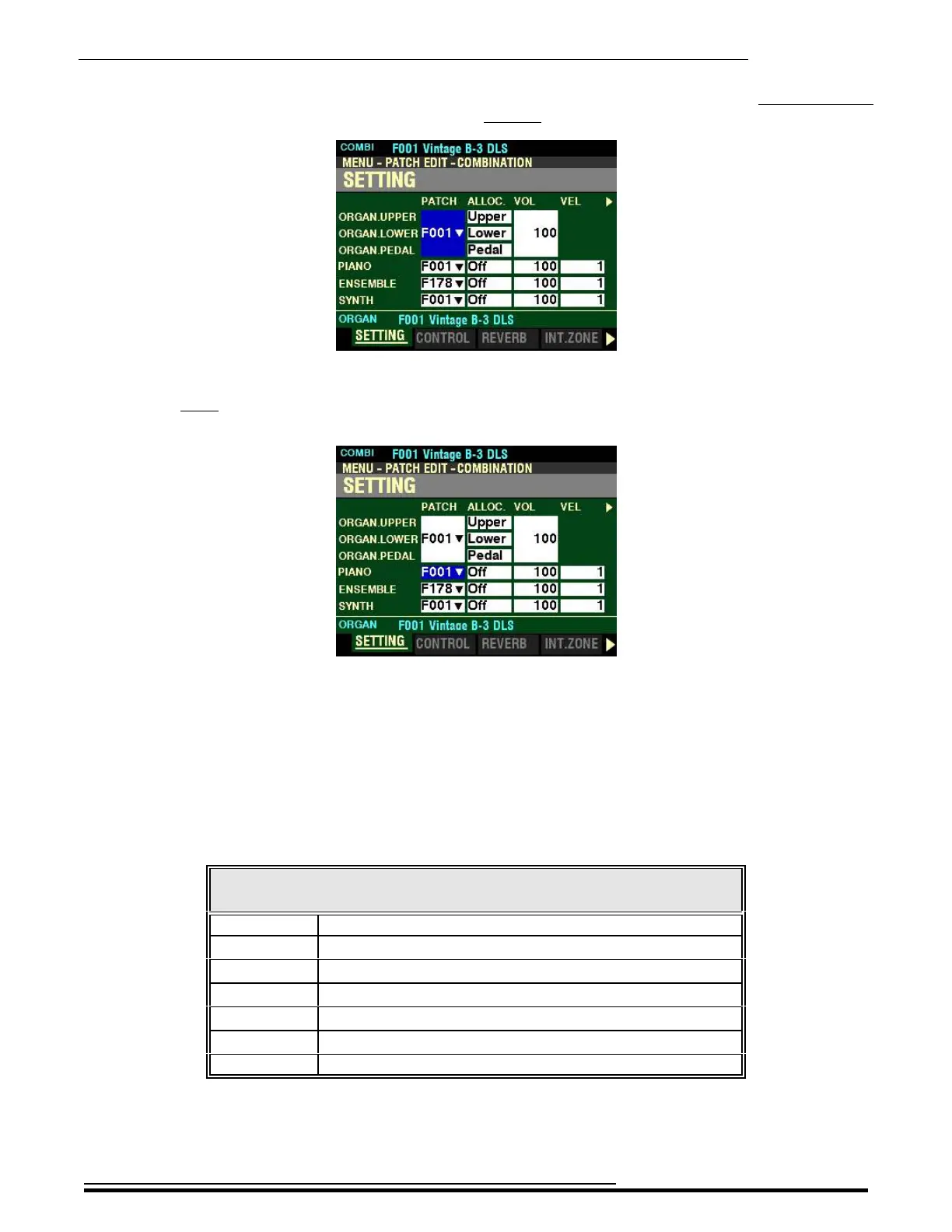
If you followed the instructions on the previous pages, you should now see Page 1 of the COMBINATION
FUNCTION Mode. The large box to the right of the ORGAN Parts should be highlighted.
Because some Combination Parameters do not affect the ORGAN Voice Section, press the DIRECTION “q”
button once to highlight the Parameters for the PIANO Voice Section. This will permit an easier
explanation of each of the Parameters.
SETTING
This Page allows you to adjust the basic Parameters for each Voice Section. All of these Parameters can
be Recorded to a Combination.
PATCH
This Parameter allows you to select Patch Numbers for the currently selected Combination.
The data chart below shows the options you can select.
SETTING - Patch Numbers
Number Description
B001 ~ B100 Bundles 1 through 100.
F001 ~ F100 Factory ORGAN Patches 1 through 100
U001 ~ U100 User ORGAN Patches 1 through 100
F001 ~ F300 Factory PIANO / ENSEMBLE Patches 1 through 300
U001 ~ U400 User PIANO / ENSEMBLE Patches 1 through 400
F001 ~ F100 Factory MONO SYNTH Patches 1 through 100
U001 ~ U100 User MONO SYNTH Patches 1 through 100
Use the DIRECTION “p” and “q” buttons to move up and down among the Voice Sections.
Turn the VALUE knob to make your selection.
HA<O> SKX PRO Reference Guide



 To Next Page