251
PIANO / ENSEMBLE Voice Sections
t GENERAL Parameters
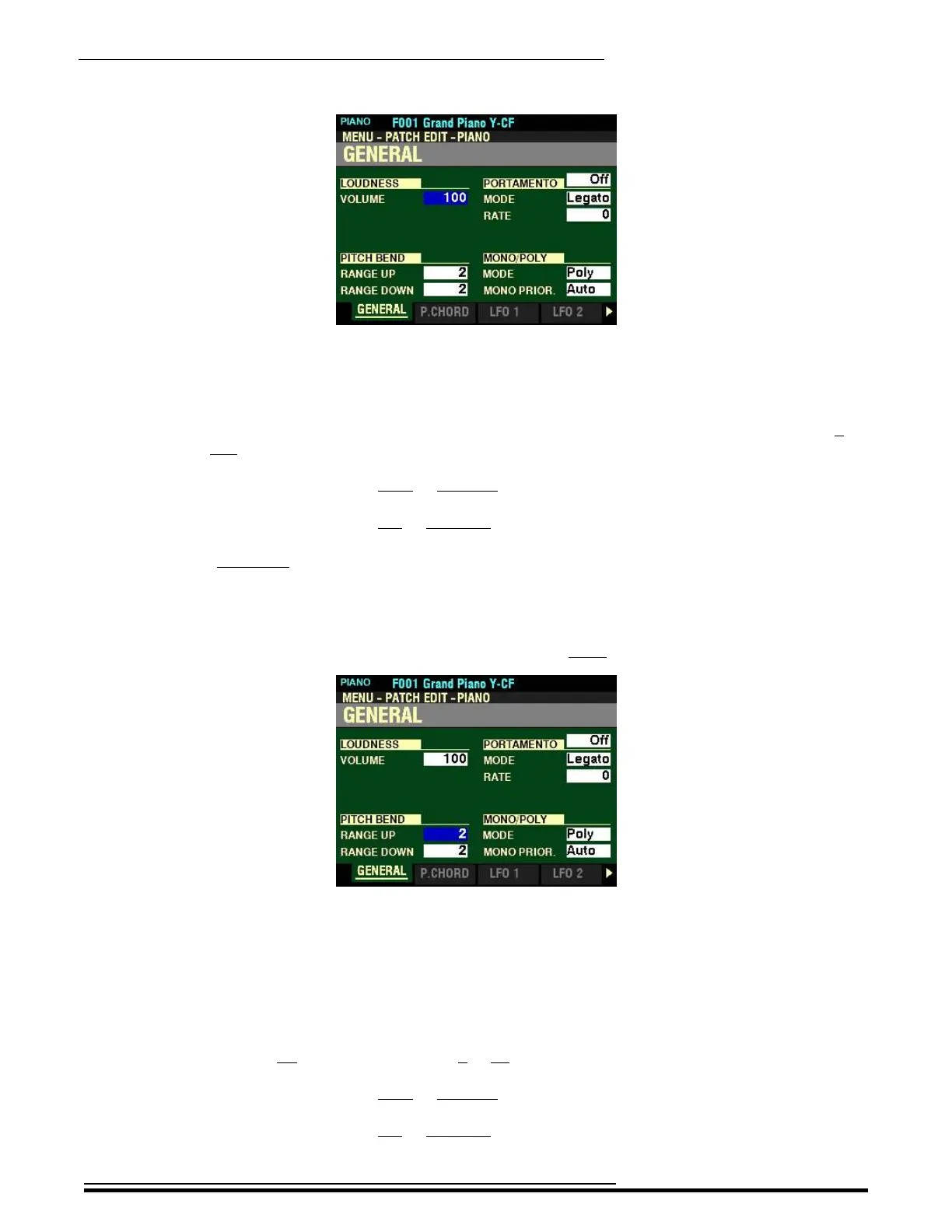
LOUDNESS
VOLUME
This Parameter allows you to adjust the maximum level of the selected Patch. You can select from 0 (no
Volume) to 127 (maximum Volume).
Turn the VALUE knob to the right to increase the Loudness of the Patch.
Turn the VALUE knob to the left to decrease the Loudness of the Patch.
NOTE: The Loudness Parameter serves to set the maximum volume of the selected PIANO or ENSEMBLE
Patch and works independently of the VOLUME knob. The overall volume of the PIANO or ENSEMBLE Voice
Section is controlled by the VOLUME knob associated with the selected Voice Section. The MASTER VOLUME
knob and/or a connected Expression Pedal will control the volume of the entire instrument.
From the above screen, press the DIRECTION “q” button once.
The box to the right of “RANGE UP” should be highlighted.
PITCH BEND
RANGE UP
This Parameter allows you to adjust the number of semitones the Pitch Bend Wheel will bend the pitch
of the selected Patch up. You can select from 1 to 12 semitones, 12 semitones being a full octave.
Turn the VALUE knob to the right to increase the Range.
Turn the VALUE knob to the left to decrease the Range.
HA<O> SKX PRO Reference Guide



 To Next Page