418
CUSTOM SETS - Leslie
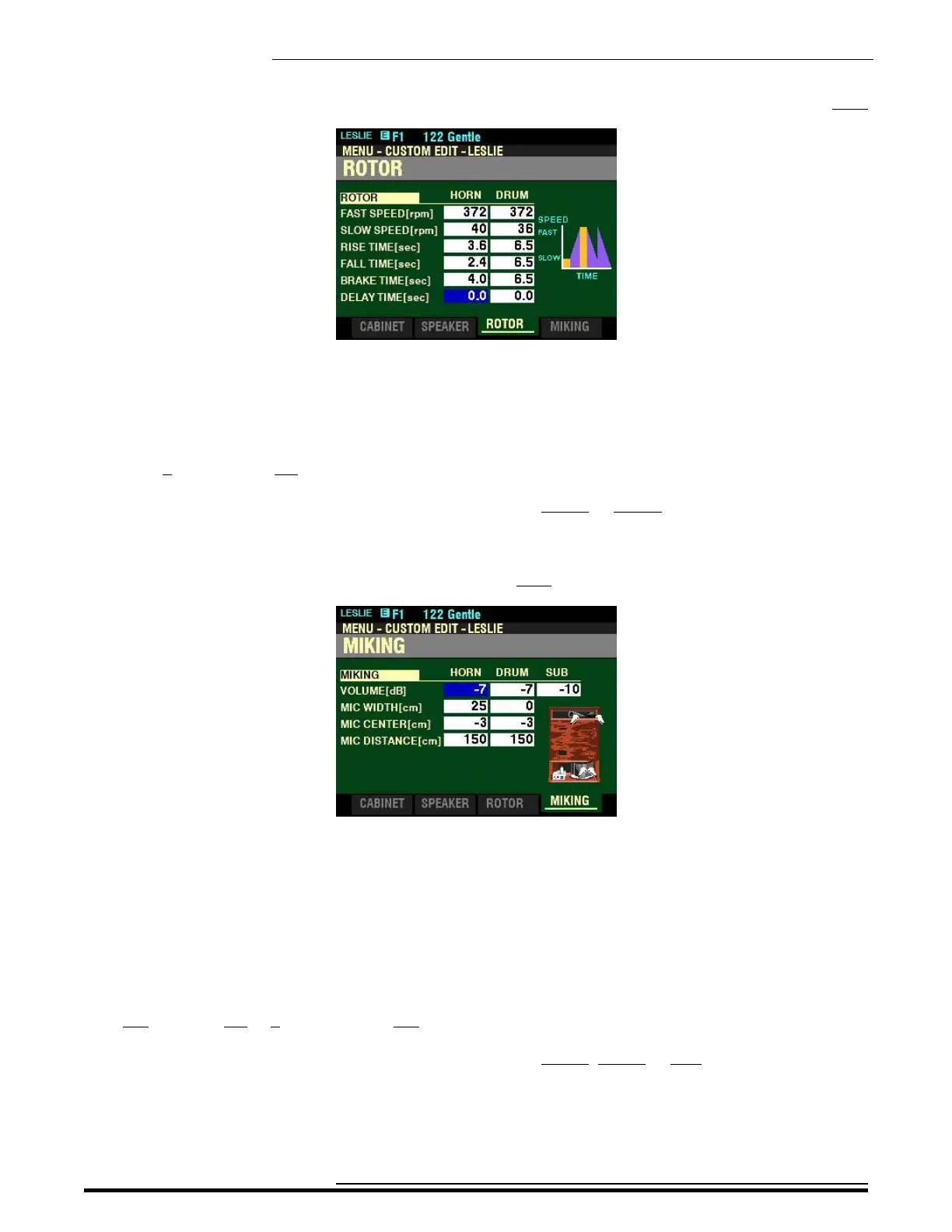
From the screen shown at the bottom of the previous page, press the DIRECTION “q” button once.
The box to the right of “DELAY TIME[sec]” should be highlighted.
DELAY TIME - HORN / DRUM
These allow you to adjust the time to start changing the speed, when the Mode is switched. You can select
from 0 (no delay) to 1.0 second.
Use the DIRECTION “t” and “u” buttons to select HORN or DRUM.
Turn the VALUE knob to select the Delay Time you prefer.
From the above screen, press the PAGE “u” button once.
The box to the right of “VOLUME[db]” should be highlighted.
MIKING - Virtual Microphone Settings
These Parameters allow you to replicate various Microphone placements of a Leslie Speaker Cabinet.
VOLUME - HORN / DRUM / SUB BASS
These allow you to adjust the volume levels of the Horn Rotor, Drum Rotor and Sub Bass. You can select
-Inf and from -76 to 0 decibels (db). -Inf is silent.
Use the DIRECTION “t” and “u” buttons to select HORN, DRUM or SUB.
Turn the VALUE knob to select the Volume you prefer.
NOTE: The Sub Bass sound is “dry” - not modulated.
HA<O> SKX PRO Reference Guide



 To Next Page