50
Allocating Voice Sections
7. Turn the VALUE knob to the left.
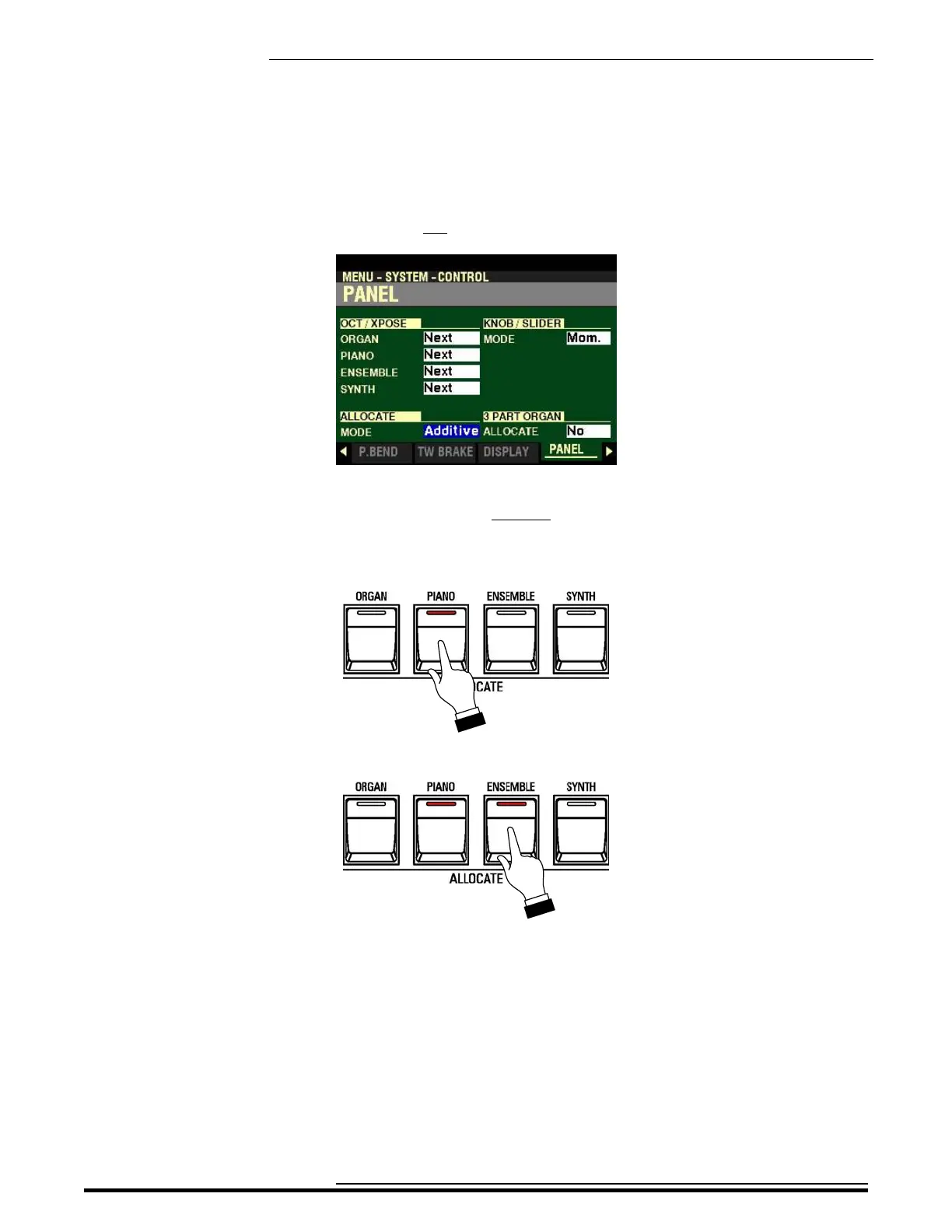
The highlighted box should now show Additive. This means the ALLOCATE buttons will add
to each other instead of canceling each other.
8. Press the PIANO button to turn it “ON.”
9. Press the ENSEMBLE button.
Notice the PIANO button is still “ON.”
10. Play some notes on the UPPER Keyboard. You will now hear the ENSEMBLE Voice together
with the PIANO Voice.
HA<O> SKX PRO Reference Guide



 To Next Page