232
Error Massage and Error Display
Error
overview
Error Description Solution and reference
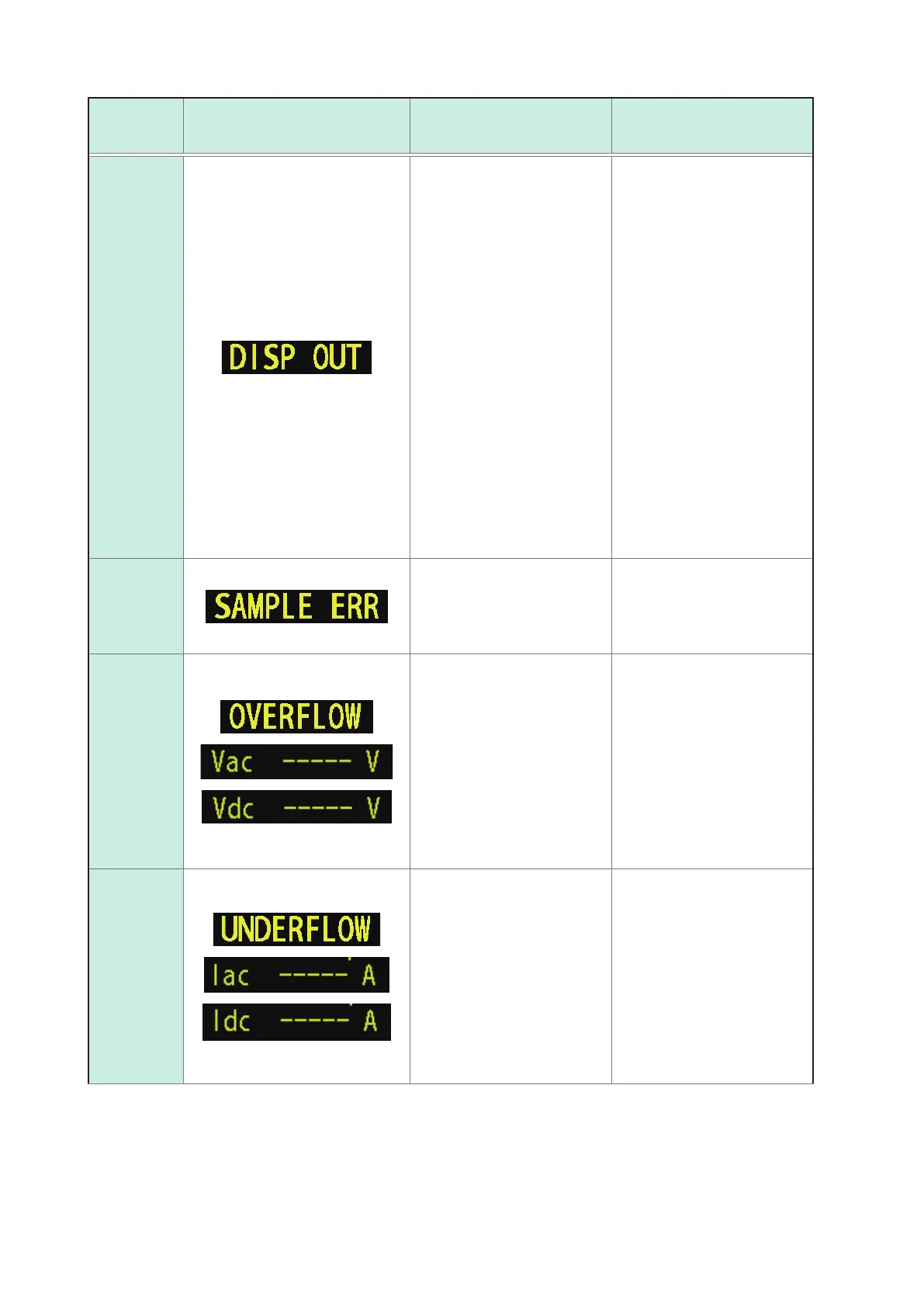
Measured value out of display range
This message will be dis-
played in the measured value
display area if the measured
value falls outside the screen
display range.
This error may result from the
following causes:
• The sample has not been
connected properly.
• The display range has been
exceeded due to a user-
specied correction coef-
cient (p. 121).
• Open correction, short cor-
rection, or load correction is
being performed with an erro-
neous value (p.
99, p. 105,
and p. 112).
If you suspect any of the
above causes, recongure the
settings.
If use of properly congured
settings does not eliminate
the error, measurement is
not possible because the
measured value exceeds the
instrument’s display range.
Internal
circuit error
This message will be dis-
played in the measured value
display area if an internal cir-
cuit error prevents measure-
ment from completing.
The instrument needs to be
repaired.
Contact your authorized Hioki
distributor or reseller.
Greater than the measured
value upper limit
This message will be dis-
played in the measured value
display area if the measured
value is greater than to the
range upper limit value.
• Change the measurement
range to a high-impedance
range.
See "Measurement range
(AC/DC)" (p. 45).
• If applying a DC bias to
perform resistance measure-
ment, turn off the DC bias.
See "DC bias (superimpos-
ing a DC voltage on the
measurement signal)(AC)"
(p. 59)
Less than the measured value
lower limit
This message will be dis-
played in the measured value
display area if the measured
value is less than the range
lower limit value.
• Change the measurement
range to a low-impedance
range.
See "Measurement range
(AC/DC)" (p. 45).
• If applying a DC bias to
perform resistance measure-
ment, turn off the DC bias.
See "DC bias (superimpos-
ing a DC voltage on the
measurement signal)(AC)"
(p. 59)



 To Next Page