EasyManua.ls Logo

Honeywell DR4500A - User Manual

Honeywell DR4500A
266 pages
Print Icon
To Next Page IconTo Next Page
Loading...
Honeywell Field Solutions
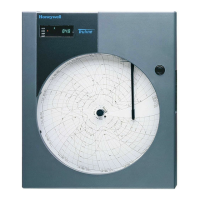
DR4500A Classic Series Circular Chart
Recorder With or Without Control
Product Manual
Doc. No.: 44-45-25-35
Release: M
Last Revision Date: April 2017

Table of Contents

Questions and Answers

  • K
    Kevin StokesAug 18, 2025
    What to do if Honeywell Recording Equipment shows FAILSAFE error?
    • S
      Shelby OconnorAug 19, 2025
      The FAILSAFE error message appears when the Honeywell Recording Equipment enters failsafe mode, often due to a failed power-up or background test when control is enabled. To resolve this, use the 'Device Status' check to identify the specific reason for the failsafe indication. Then, find the corresponding error message and follow the recommended solutions for that particular error.
  • R
    Richard DennisAug 21, 2025
    Why does my Honeywell Recording Equipment display EE FAIL?
    • K
      Karina BeltranAug 21, 2025
      The EE FAIL error on your Honeywell Recording Equipment indicates an inability to write to nonvolatile memory. This often occurs when a parameter change is not accepted. To fix this, verify the accuracy of the parameter you are trying to change and re-enter it. You may also try changing a different configuration setting.
  • R
    rrobinsonAug 23, 2025
    What to do if Honeywell DR4500A Recording Equipment shows RAM TEST error?
    • A
      Aaron GreenAug 23, 2025
      If your Honeywell Recording Equipment displays a RAM TEST error, it indicates a RAM failure. First, try cycling the power to the device. Then, check the 'Device Status' to see if the error has cleared. If the error persists, the main printed circuit board may need to be replaced.
  • V
    veronicabensonAug 26, 2025
    What does it mean when Honeywell DR4500A Recording Equipment displays PV LIMIT?
    • J
      Jeffrey KnightAug 26, 2025
      A PV LIMIT error on the Honeywell Recording Equipment means the Process Variable is out of the acceptable range (±10% of range). Ensure the pen input configuration is correct and check if the displayed PV value exceeds the input limits.
  • S
    Sean WilliamsAug 30, 2025
    What to do if Honeywell DR4500A displays CNFG ERR?
    • S
      Steven JohnsonAug 30, 2025
      If your Honeywell Recording Equipment displays CNFG ERR, it means the configuration data is in error. To fix this, carefully check all configuration prompts for accuracy, referring to the configuration section for valid selections and limits. Change any configuration item, check 'Device Status' to see if CONFTEST = PASS, then return the configuration item to its original value.
  • T
    Thomas PetersonSep 1, 2025
    What should I do if my Honeywell DR4500A Recording Equipment shows CONFTEST error?
    • B
      Beth MooreSep 1, 2025
      If your Honeywell Recording Equipment shows CONFTEST error, it indicates that the configuration data is in error. To resolve this, verify the accuracy of all configuration prompts, referring to the configuration section for valid selections and limits. Change any configuration item, check 'Device Status' to see if CONFTEST = PASS, then return the configuration item to its original value.
  • D
    David MoranSep 3, 2025
    What does CAL TEST error mean on Honeywell Recording Equipment?
    • V
      vhaysSep 3, 2025
      The CAL TEST error on your Honeywell Recording Equipment indicates that the working calibration constants are in error. To resolve this, try changing to a different input type. Then, check the 'Device Status' to see if FACT CRC = PASS. If it passes, return to the original input type. If it fails, perform a field calibration.
  • S
    Stephanie SpencerSep 5, 2025
    What does RV LIMIT mean on Honeywell Recording Equipment?
    • M
      Maurice SmithSep 6, 2025
      The RV LIMIT error on Honeywell Recording Equipment indicates that the result of the formula (RV = INP2 X RATIO + BIAS) is beyond the range of the remote variable. Ensure the input signal is correct, and verify the ratio and bias settings. You can also go to CONTROL prompt REMOTE SOURCE and change REMOTE to 1LOCAL.
  • B
    Brett LopezSep 8, 2025
    What does CAL1 ERR mean on my Honeywell DR4500A Recording Equipment?
    • C
      clarkrachelSep 8, 2025
      The CAL1 ERR on your Honeywell Recording Equipment indicates a working CAL TEST failure related to Control 1, Input 1, or Input 2. To address this, try changing to a different input type. Then, check the 'Device Status' to see if FACT CRC = PASS. If it passes, return to the original input type. If it fails, perform a field calibration of Control Output #1, Input 1, or Input 2.
  • S
    sherrylopezSep 12, 2025
    What does CAL2 ERR mean on Honeywell DR4500A?
    • D
      dawn23Sep 12, 2025
      The CAL2 ERR error on your Honeywell Recording Equipment indicates a working CAL TEST failure related to Control 2, Output. To resolve this, perform a field calibration of Control Output 2.

Summary

2. Installation

2.5 Wiring Prerequisites

Outlines precautions and requirements for electrical wiring and grounding.

2.6 Input Wiring Procedures

Provides instructions for wiring the recorder's inputs based on model number.

2.7 Output Wiring Procedures

Provides instructions for wiring the recorder's outputs.

3. Configuration

3.6 Input Set Up Group

Parameters for configuring recorder inputs 1 and 2.

3.10 Control Set Up Group

Parameters for controlling the process and recorder functions.

3.11 Tuning Parameters Set Up Group

Parameters for adjusting tuning constants for optimal response.

3.14 Alarms Set Up Group

Parameters for configuring the recorder's alarm functions.

3.18 Lockout Set Up Group

Parameters to prevent unauthorized changes to configuration and calibration.

4. Configuration Parameter Definitions

4.2 Input Parameters Set Up Group

Definitions for parameters related to recorder inputs 1 and 2.

4.6 Control Parameters Set Up Group

Definitions for parameters controlling process and recorder functions.

4.7 Tuning Parameters Set Up Group

Definitions for parameters adjusting tuning constants for optimal response.

4.10 Alarms Set Up Group

Definitions for parameters related to alarm functions.

4.14 Lockout Parameters Set Up Group

Definitions for parameters to prevent unauthorized changes.

5. Operation

5.4 Monitoring Your Recorder

How to monitor recorder indicators, displays, and error messages.

5.5 Operator Functions

Actions an operator can initiate on the recorder.

5.7 Setpoints

Procedures for configuring and changing setpoints.

5.9 Using Two Sets of Tuning Constants (PID Values)

Procedure for using and switching between two sets of PID tuning constants.

5.11 Alarm Setpoints

Procedure for displaying and changing alarm setpoints.

6. Setpoint Ramp;Soak Programming and Operation

Entering the Setpoint Program Data

Procedure for entering setpoint program data using the keypad.

SP RAMP1 and SP RAMP2 Set Up Group

Prompts for configuring setpoint ramps for control loops 1 and 2.

Run;Monitor the Program

Instructions for running, monitoring, holding, and ending setpoint programs.

7. Input Calibration

Calibration Set Up and Wiring for PV Inputs

Details jumper positions and wiring for PV input calibration.

Calibration Procedure

Step-by-step procedure for calibrating all input types.

8. Output Calibration

Current Proportional Output;Aux Out 2 and 3 Calibration

Procedure for calibrating current proportional and auxiliary outputs.

Position Proportional Output Calibration

Procedure for calibrating position proportional output control.

Auxiliary Output Calibration

Procedure for calibrating the auxiliary output.

9. Troubleshooting; Service

Self Diagnostics

Details power-up tests and error messages for system diagnostics.

Honeywell DR4500A Specifications

General IconGeneral
ModelDR4500A
Power Supply100-240 VAC, 50/60 Hz
Operating Temperature0 to 50°C (32 to 122°F)
Input TypeThermocouple, RTD, mV, V, mA
Chart Size10 inch (254 mm)

Related product manuals