ECC800 Data Center Controller
User Manual (for ECC800-Pro)
Copyright © Huawei Technologies Co., Ltd.
Mailbox Server
IP Address
Encryption
Mode and
SMTP port
domain name
at the position
of the blinking
cursor and
press Enter to
obtain email
server IP
addresses.
email client
authorization
password at
Password for
163 Mail, 126
Mail, and QQ
Mail.
If the email
type is not in
the list, set
parameters by
referring to
the help
information of
the email type.
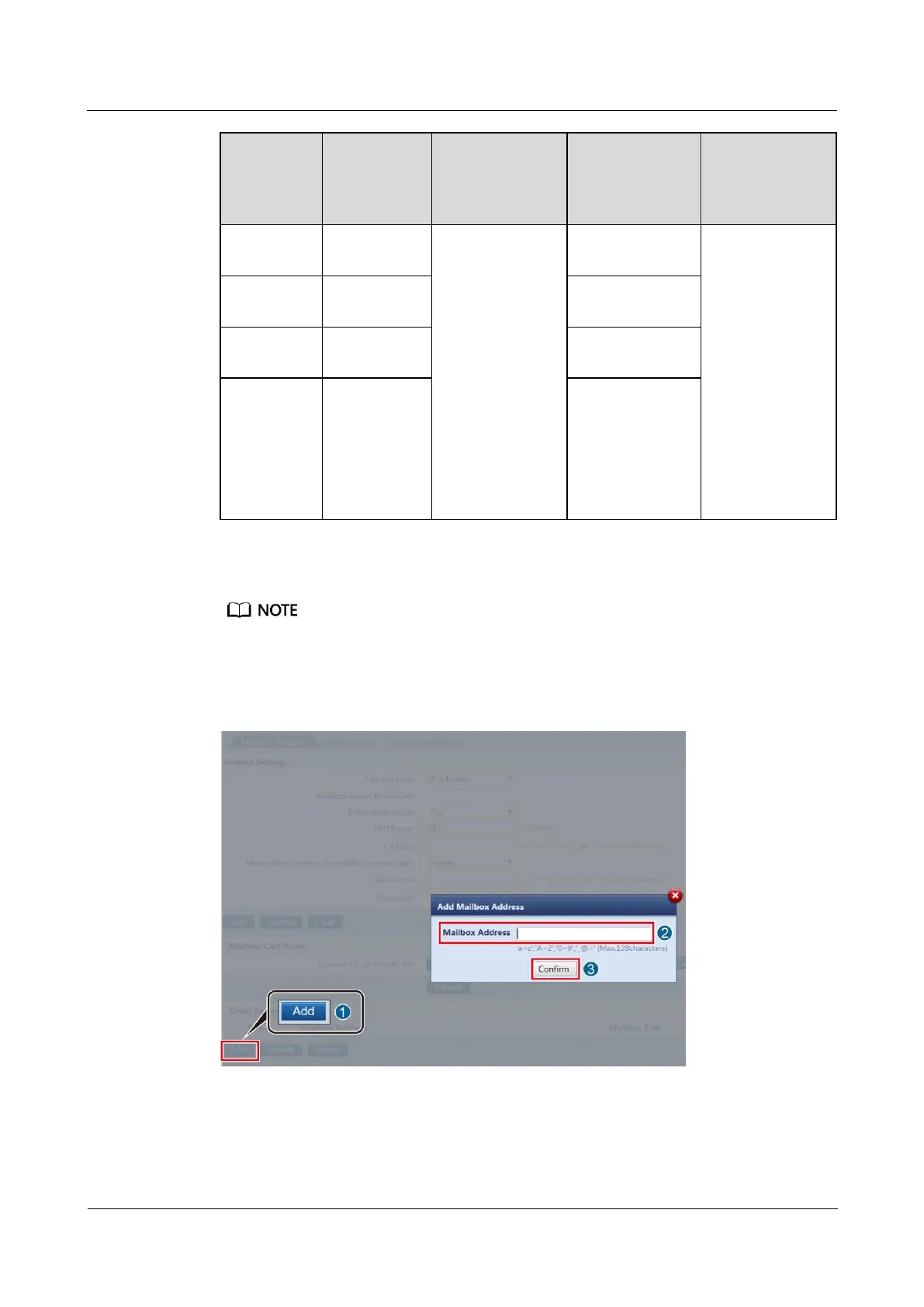
Step 3 Add an email address to receive emails.
The email address is used only for configuring the email function and is not used for other purposes. The
address is encrypted during transmission in the ECC800-Pro to ensure that the personal data of users is
fully protected.
Figure 5-5 Adding an email address to receive emails



 To Next Page