ECC800 Data Center Controller
User Manual (for ECC800-Pro)
Copyright © Huawei Technologies Co., Ltd.
output is open.
Closed: The dry
contact output is
closed.
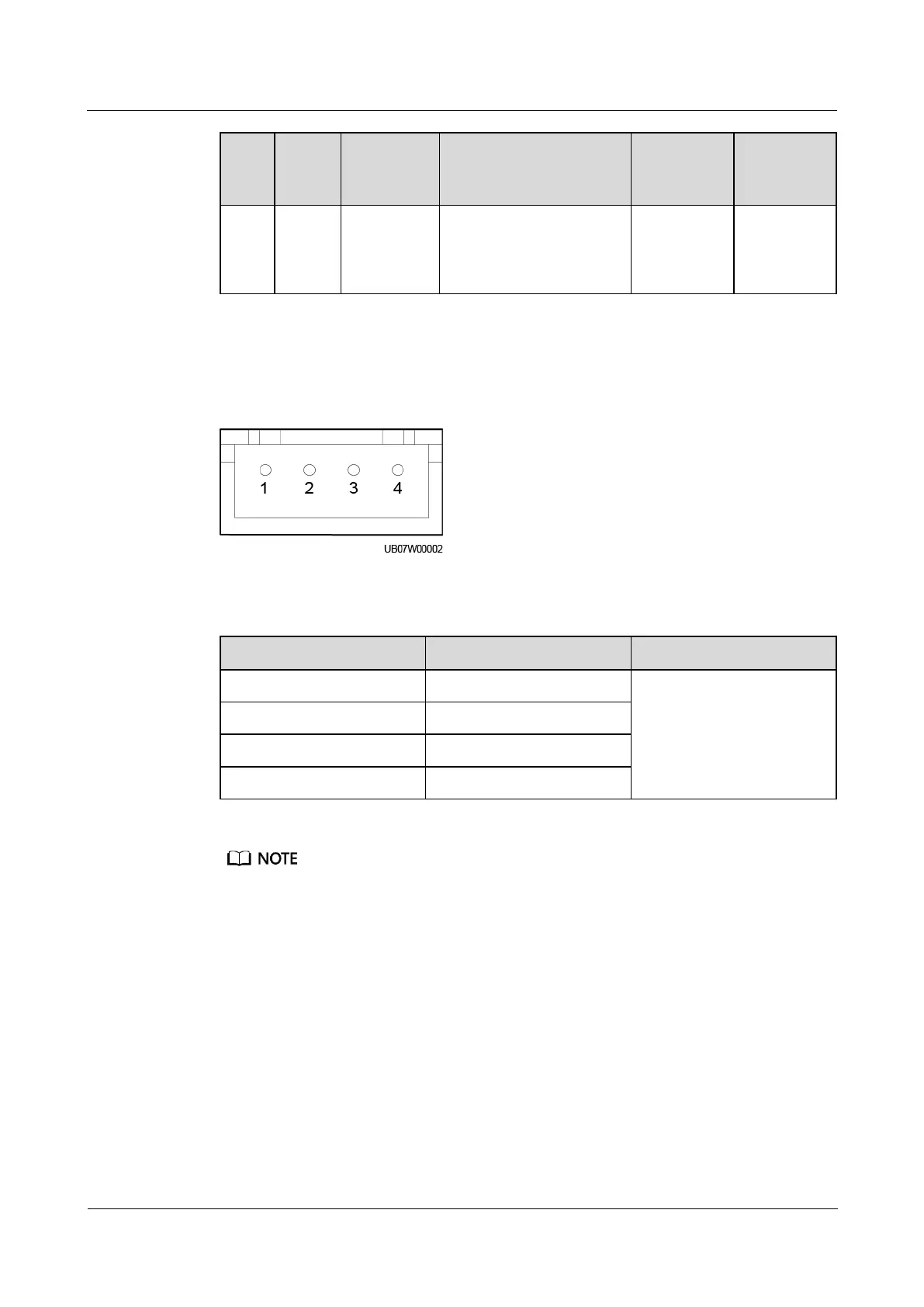
HALL Current Monitoring Port
Figure 3-50 HALL current monitoring port pins
Table 3-76 HALL current monitoring port pin definitions
Detect the charge and
discharge currents of four
battery strings or eight
battery routes.
If the battery string is configured with the neutral wire, measure the currents of the positive and
negative battery string cables. If the battery string is not configured with the neutral wire, measure
the current of either the positive or negative battery string cable. The following uses the scenario
where the battery string is configured with the neutral wire as an example.
When an iBOX manages multiple battery strings, first connect the Hall effect sensors on the positive
and negative cables of battery string 1 respectively to the corresponding ports on the iBOX. Then
connect the Hall effect sensors on battery string 2 to the iBOX in the same way, and so on.
If the positive or negative battery string cable is too thick to be routed through the Hall effect sensor,
or the measurement range of the Hall effect sensor is not enough, use multiple Hall effect sensors to
monitor the current of one battery string. The iBOX supports the sum of the monitoring results of
multiple Hall effect sensors, which is set through Multi-Hall cur. setting.
The value of Multi-Hall cur. setting equals the number of positive or negative Hall effect sensors in
a single battery string and should be greater than or equal to 1.



 To Next Page