EasyManua.ls Logo

Huawei ECC800 - Page 87

Huawei ECC800
321 pages
Print Icon
To Next Page IconTo Next Page
To Previous Page IconTo Previous Page
Loading...
ECC800 Data Center Controller
User Manual (for ECC800-Pro)
3 Device Description
Copyright © Huawei Technologies Co., Ltd.
76
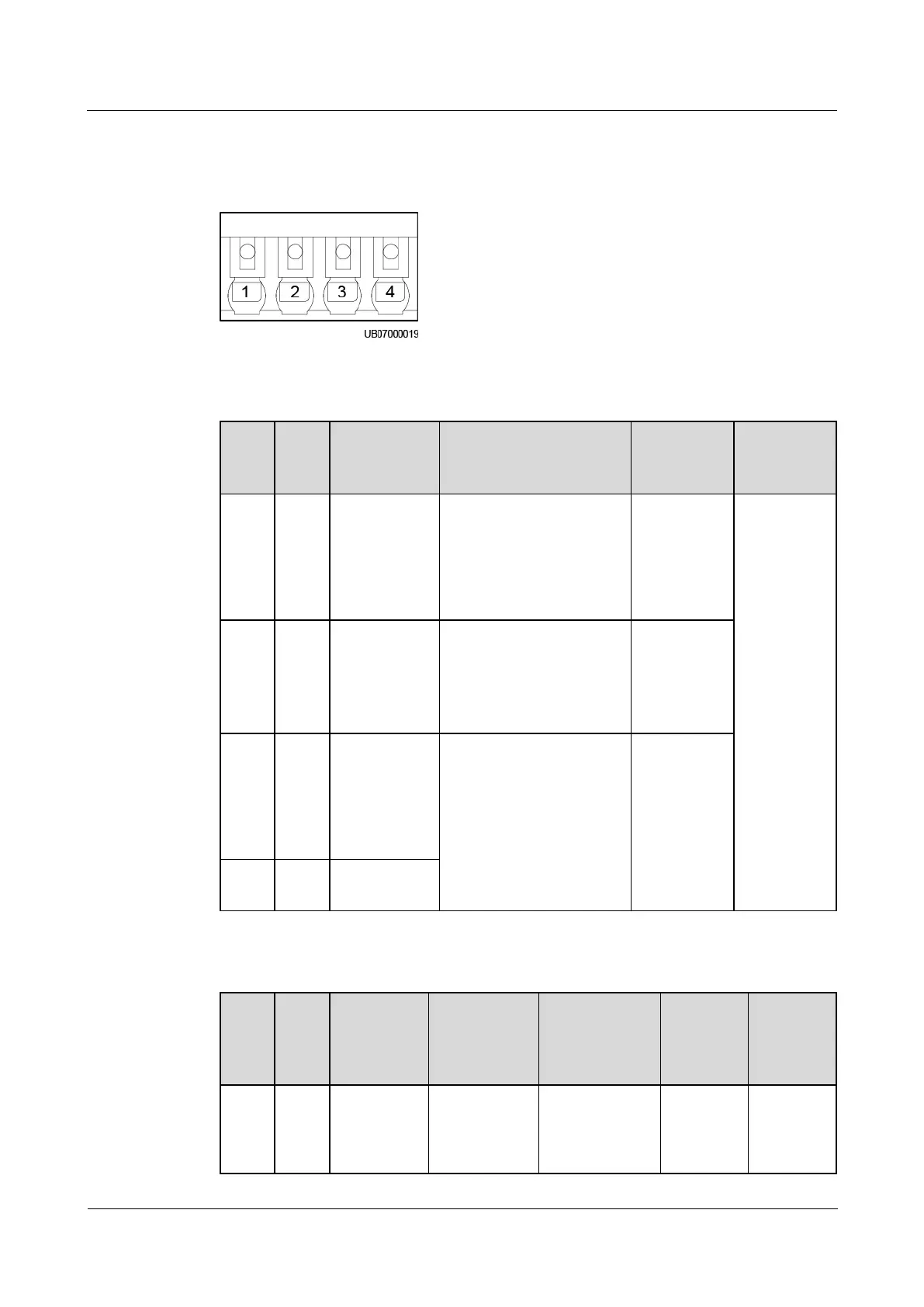
BCB Port
Figure 3-51 BCB port pins
Table 3-77 BCB_1BCB_4 port pin definitions
Pin
Defi
nitio
n
Signal
Description
Status Description
Initial
Status
Descriptio
n
1
OL
Monitors
whether the
BCB
connects to
the signal
input port.
Grounded: BCB
connected.
Disconnected: BCB
not connected.
Disconnecte
d
The four
BCBs can
separately
manage
tripping of
four battery
routes.
2
STA
Monitors the
battery circuit
breaker
Grounded: The battery
circuit breaker is ON.
Disconnected: The
battery circuit breaker
is OFF.
Disconnecte
d
3
DRV
Controls
battery circuit
breaker trip
and outputs
12 V driving
signals
0 V: There is no
driving signal for BCB
tripping.
12 V: There is a
driving signal for BCB
tripping.
0V
4
GND
Secondary
side ground
Table 3-78 BCB_IN and BCB_OUT cascading port pin definitions
Pin
Defi
nitio
n
BCB_IN
Signal
Descriptio
n
BCB_OUT
Signal
Description
Status
Description
Initial
Status
Descripti
on
1
OL
Specifies
whether the
BCB
connects to
Specifies
whether the
cascaded
BCBs
Grounded:
BCB
connected.
Disconnecte
Disconnec
ted
Receives
BCB
commands
sent by the

Table of Contents

Related product manuals