v 2.3 — September 2015 Altanium Delta3
62 Graphical View Screen Overview
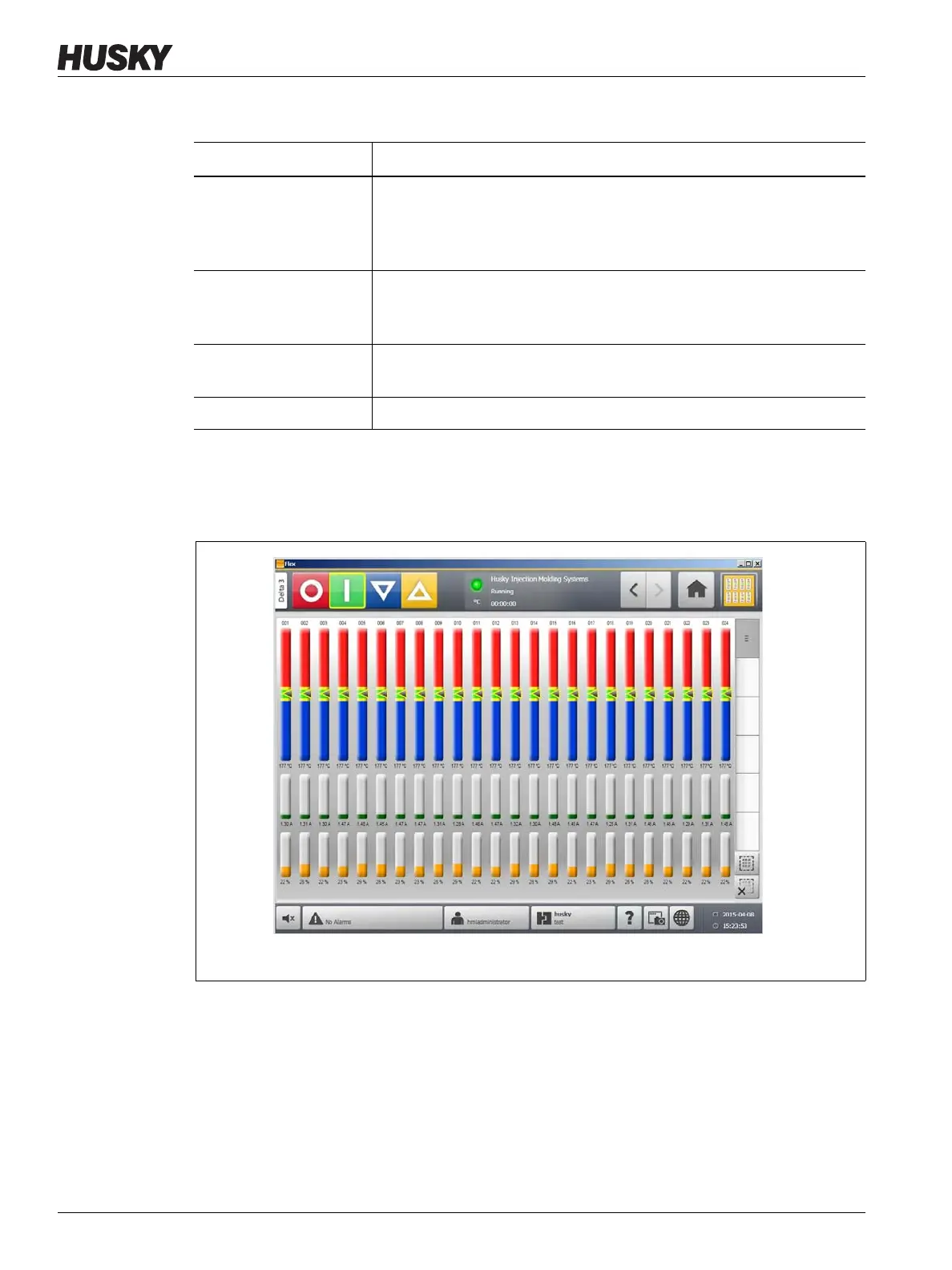
The Graphical View screen displays a maximum of 48 zones of information in split screen
mode and 24 zones in full screen mode. Touch and drag the scroll bar to bring additional
zones into view. The system always displays up to 24 or 48 zones at one time, depending on
the screen mode.
Table 7-1 Graphical View Screen Button Descriptions
Button Description
Config Button Touch this button to toggle between displaying zones in split or full
screen mode. In split screen mode, zone graphs are displayed in two
groups, one on the top and one on the bottom. In full screen mode the
zone graphs take up the whole viewing area.
Scroll Bar Use the scroll bar to scroll between pages within a screen. If all of the
available data fits with in a single page, then the scroll bar will not be
displayed.
Select All Touch this button to select all zones in the system. This will navigate to
the Quick Set screen
Clear All Touch this button to clear all zone selections.
Figure 7-4 Graphical View Screen - Full Screen Mode



 To Next Page