Page | 28
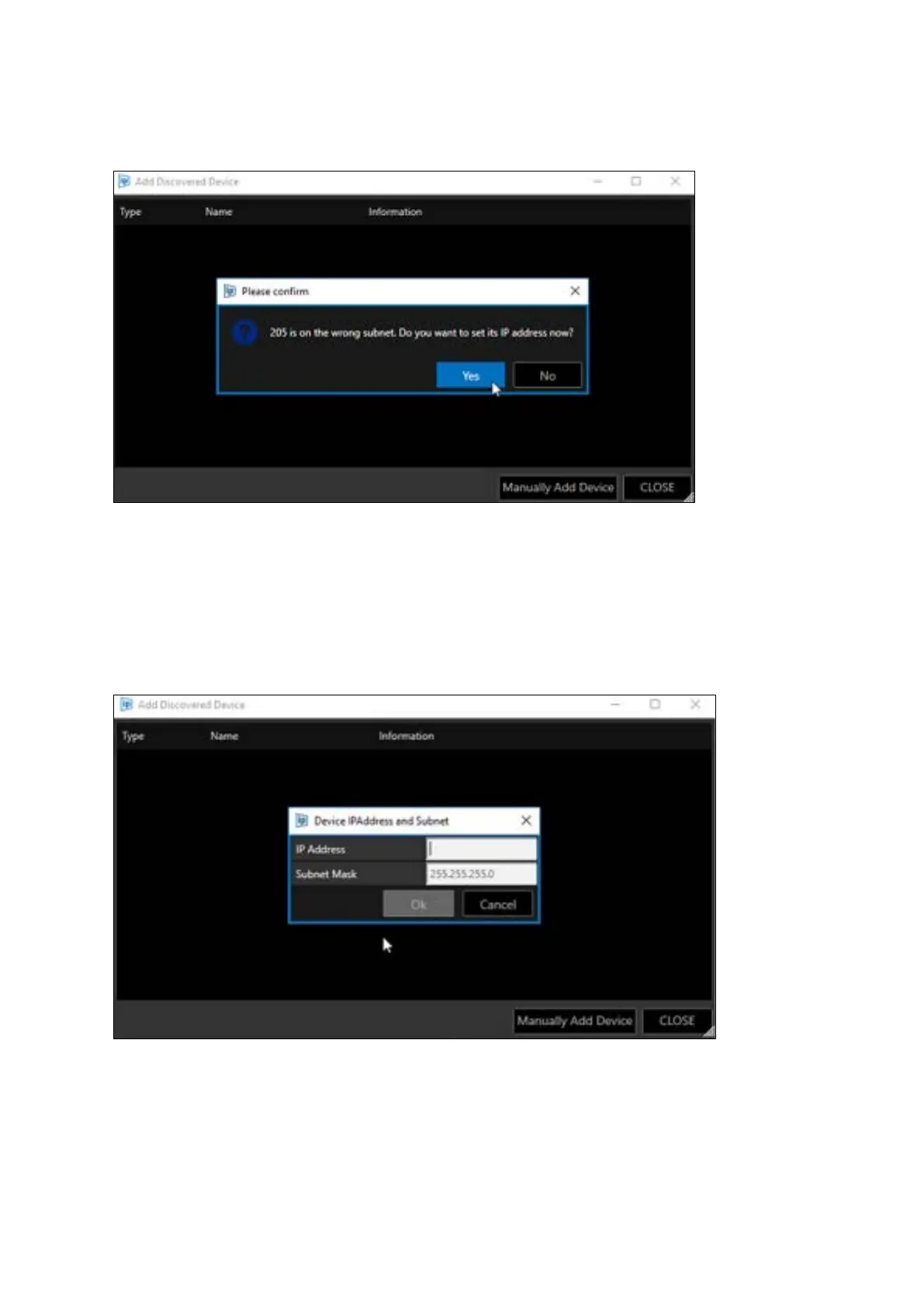
If a device is added but it is on the wrong subnet, a window will open to allow the user to edit the
device’s IP address:
Click “Yes” to confirm and the Device IPAddress and Subnet window will open.
Edit the devices IP address and subnet mask. Click “Ok”:
Please Note: If you do not edit the Subnet Mask to match that of the appropriate network the device
will be added to the Devices window but you will not be able to use that device.
Take care to enter the IP address and Subnet Mask into the corresponding field.



 To Next Page