CAB DISPLAY MODULE (CDM)
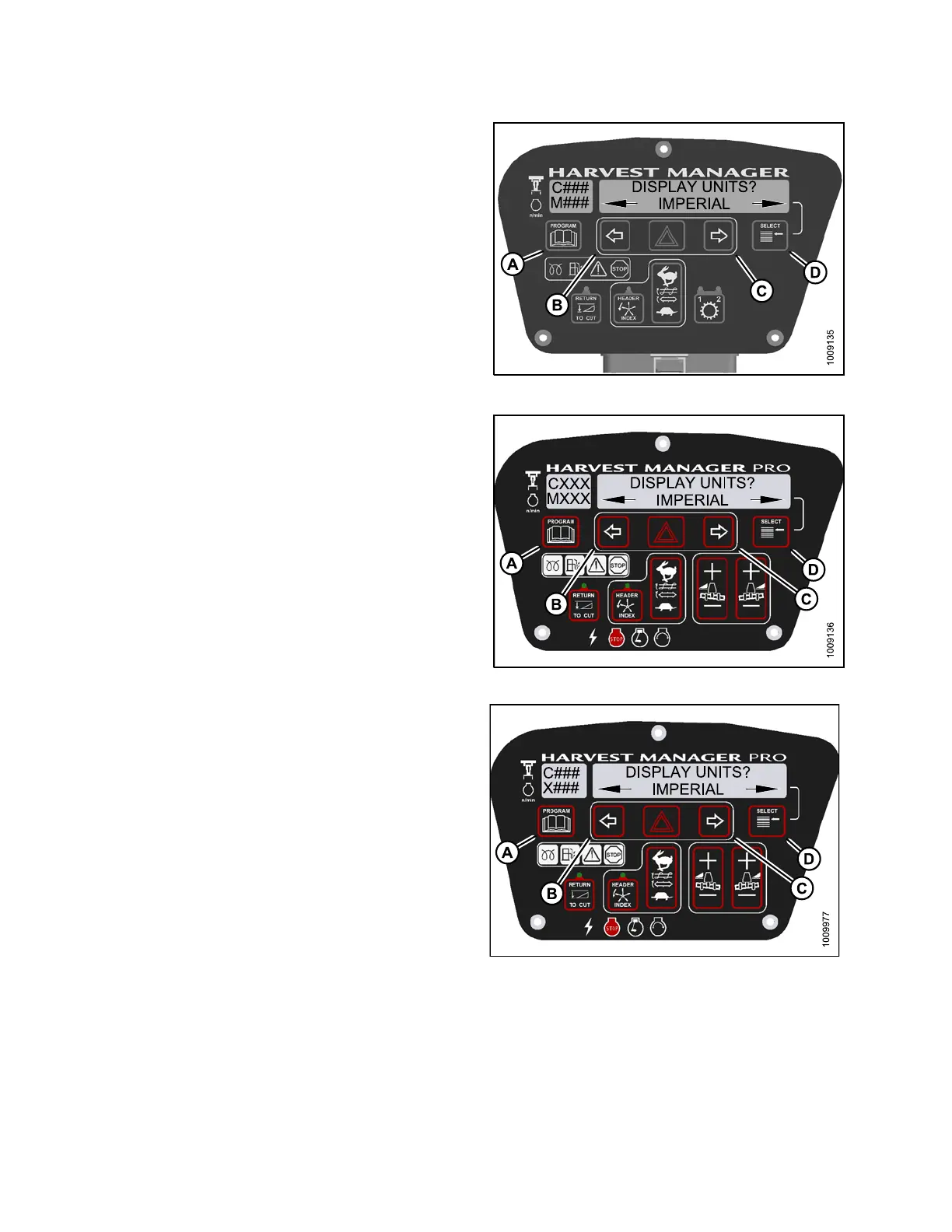
5. Press SELECT (D) until DISPLAY UNITS? is displayed
on the upper line.
• Default setting is displayed on the lower line.
6. Press left (B) or right (C) arrow to select either METRIC
or IMPERIAL speed display.
7. Press PROGRAM (A) to exit Programming Mode or
press SELECT (D) to pr oc ee d to next CAB DISPLAY
SETUP? action.
Figure 4.1
8: M105 Display Units
Figure
4.19: M155 Display Units
Figure 4.20: M205 Display Units
147962 162 Revision A



 To Next Page