CAB DISPLAY MODULE (CDM)
4.8.8 Activat
ing the Hydraulic Purge Using the Cab Display Module (CDM)
The hydraulic purge removes air from the hydraulic pump system after it has been repaired or changed.
NOTE:
Engine MUST be running to perform this procedure.
1. Turn igniti
on key to RUN, or start the engine.
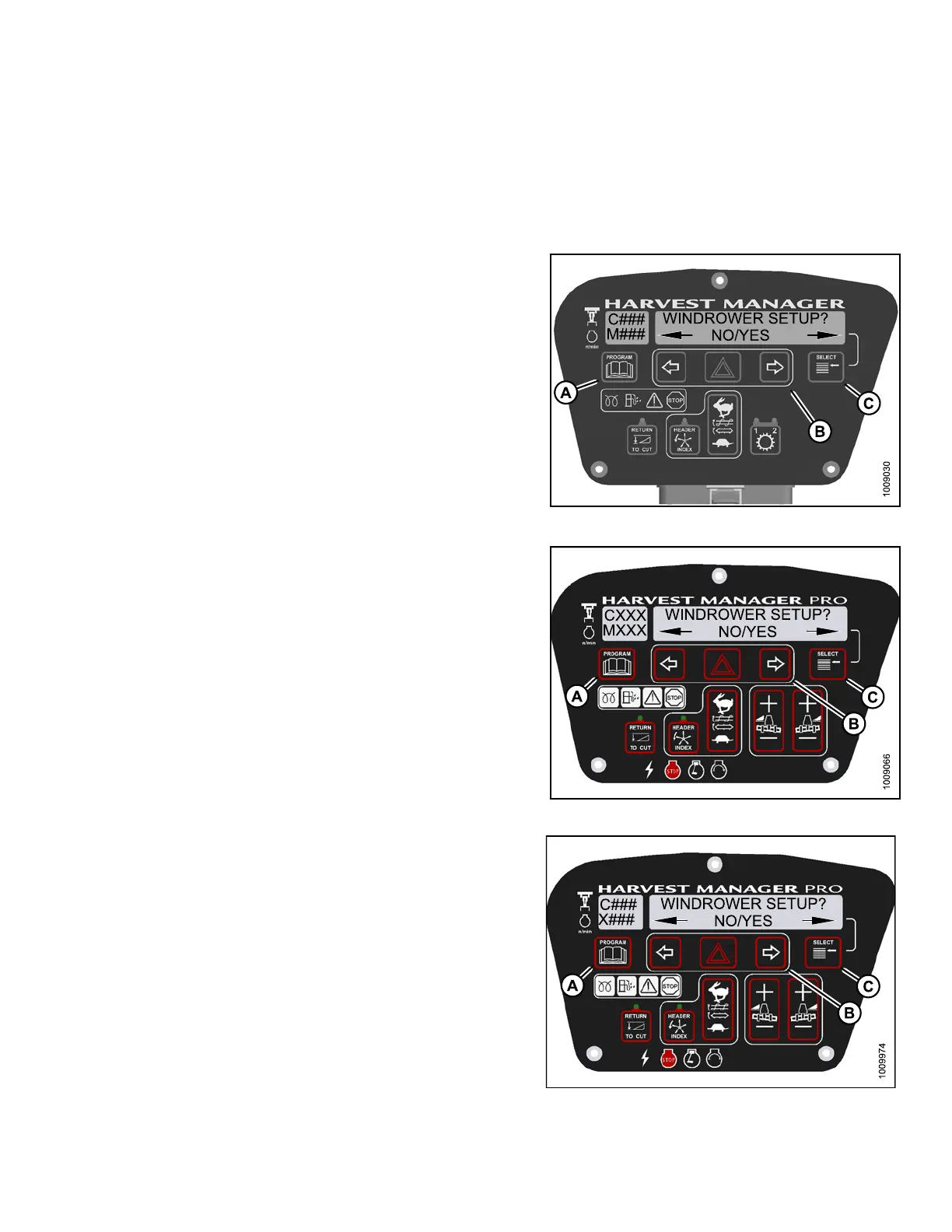
2. Press PROGR
AM (A) and SELECT (C) on cab display
module (CDM
) to enter Programming Mode.
•WINDROWERS
ETUP? is displayed o n t he
upper line
.
Figure 4.327: M105 CDM Programming Buttons
Figure 4.328: M155 CDM Programming Buttons
F
igure 4.329: M205 CDM Programming Buttons
147962 293 Revision A



 To Next Page