CAB DISPLAY MODULE (CDM)
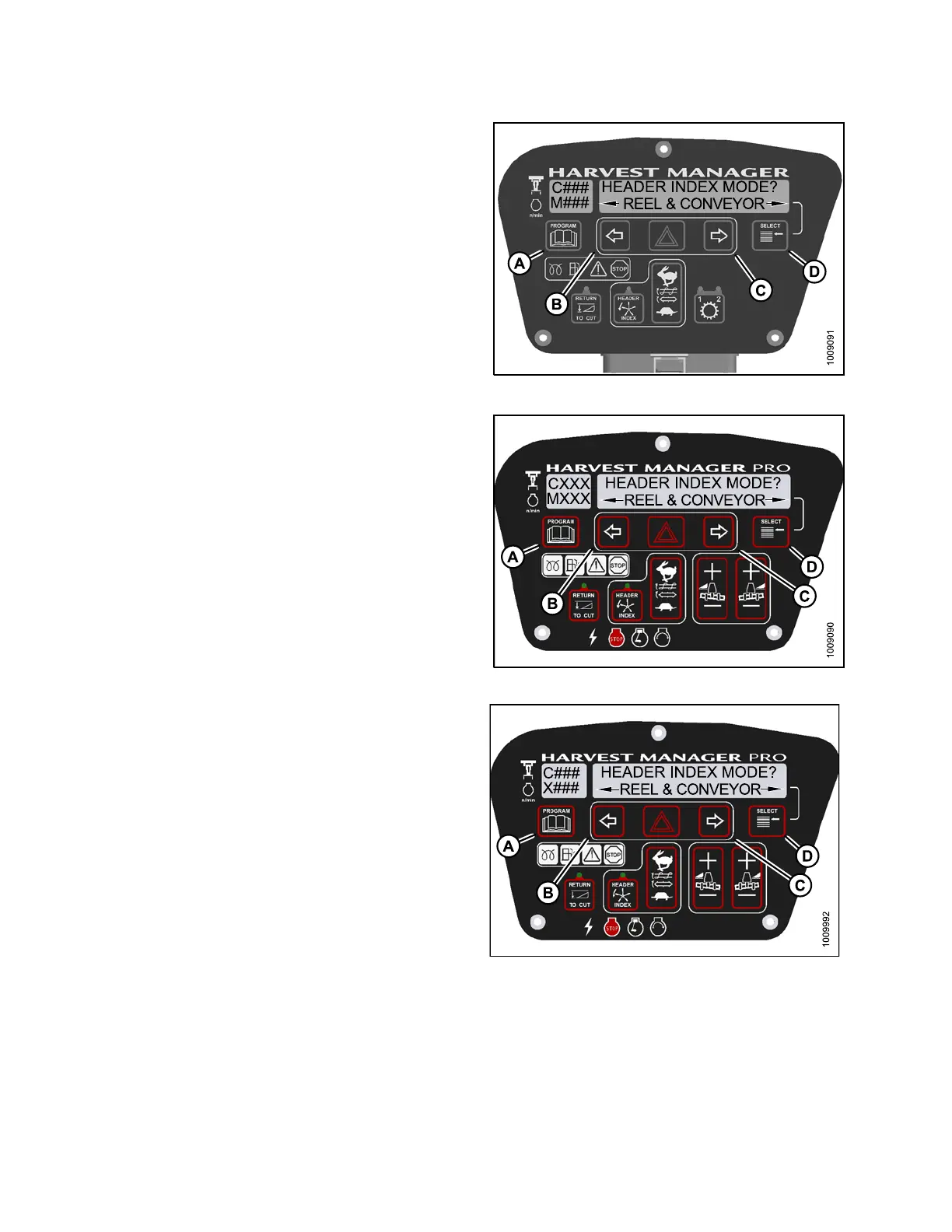
4. Press SELECT (D) until HEADER INDEX MODE? is
displayed on the upper line.
• REEL & CONVEYOR or REEL ONLY is displayed
on the lower line.
5. Press left (B) or right (C) arrows to set h eader index
mode. Press SELECT (D).
6. Press PROGRAM (A) to exit Programming Mode or
press SELECT (D) to p roceed to next WINDROWER
SETUP action.
Figure 4.1
03: M105 Header Index Mode
Figure
4.104: M155 Header Index Mode
Figure 4.105: M205 Header Index M ode
4.4.10 Setting the Return to Cut Mode
N
OTE:
The header MUST be attached to the windrower to perform this procedure. The cab display module (CDM)
automatically adjusts its programming for each header.
147962 198 Revision A



 To Next Page