ASSEMBLING THE WINDROWER
M205 Self-Propelled Windrower
The M205 Self-Propelled Windrower is factory-equipped
with hydraulics and connections to run the R-Series Rotary
Disc Headers.
The R85 16-foot header is factory-equipped with the
hydraulic connections for attachment to the windrower.
The R85 13-foot header and the R80 13- and 16-foot
headers are shipped w ithout the motor and hoses installed
and the installation of a separate motor and hose bundle
is necessary.
If required, obtain Hydraulic Drive kit (MD #B5456) and
install it in accordance with the instructions supplied with
the kit.
Figure 3.248: M205 Hydraulic Drive Kit
(MD #B5456)
Refer to the following in structions based on the type of center-link insta lled o n your windrower:
• Attaching an R-Series HeaderHydraulic Center-Link with Optional Self-Alignment, page 133
• Attaching an R-Series H eader: Hydraulic Center-Link without Self-Alignment, page 138
Attaching an R-Series H eaderHydraulic Center-Link with Optional Self-Alignment
DANGER
To avoid bodily i
njury or death from unexpected startup of the machine, always stop the engine and remove
the key from the i
gnition before leaving the operator’s seat for any reason.
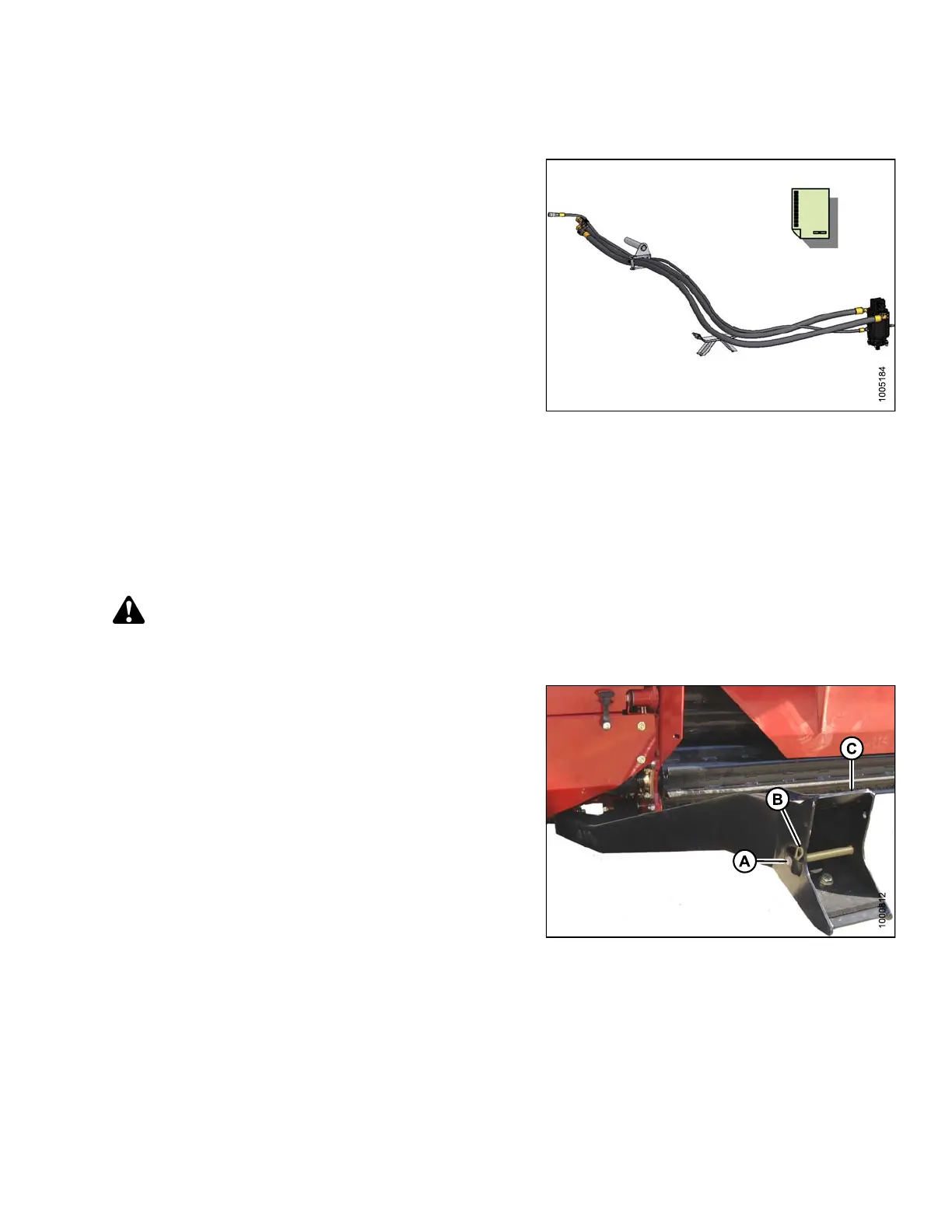
1. Remove hairpin (B) from clevis pin (A) and remove
clevis pin from the header boots (C) on both s ides of
the header.
Figure 3.24
9: Header Boot
147962 133 Revision A



 To Next Page