CAB DISPLAY MODULE (CDM)
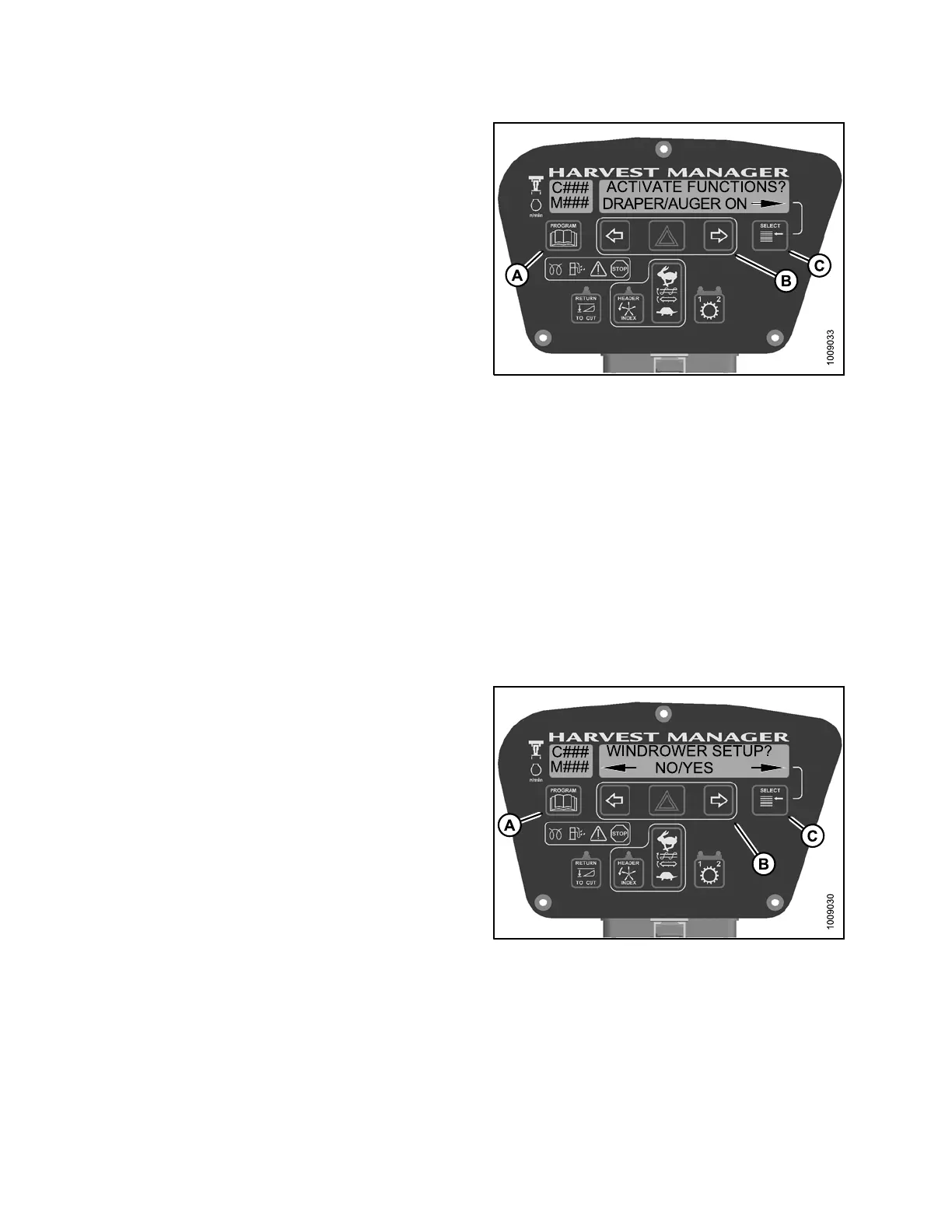
7. Press SELECT (C) until DRAPER/AU GER DRIVE ON
appears on the lower line.
8. Press and hold right (B) arrow to activate draper/auger.
Verify draper/auger is functioning properly.
9. Release right (B) arrow to deactivate draper/auger.
10. Press PROGRAM (A) to exit Programming
Mode or press SELECT (C) to proceed to next
ACTIVATE FUNCTION.
Figure 4.3
10: Draper/Auger
4.8.6 Test
ing t he Reel Drive Circuit Activate Function U sing the Cab
Display Mo
dule(CDM)onanM105
NOTE:
• The header MUST be attached to windrower to perform this procedure.
• The engine MUST be running to perform this procedure.
• An A40 or Draper Header is required to perform this procedure.
• Displaying reel speed on cab display module (CDM) requires installation of optional Expansion Module
(MD #B4666). For more information, refer to the windrower operator’s manual or the windrower
technical manual.
1. Turn ignition key to RUN, or start the engine.
2. Press PROGRAM (A) and SELECT (C) on cab display
module (CDM) to enter Programming Mode.
Figu
re 4.311: CDM Programming Buttons
147962 286 Revision A



 To Next Page