ASSEMBLING THE W INDROWER
3.19 Installing B eacons
1. Retrieve the two beacons from the shipment.
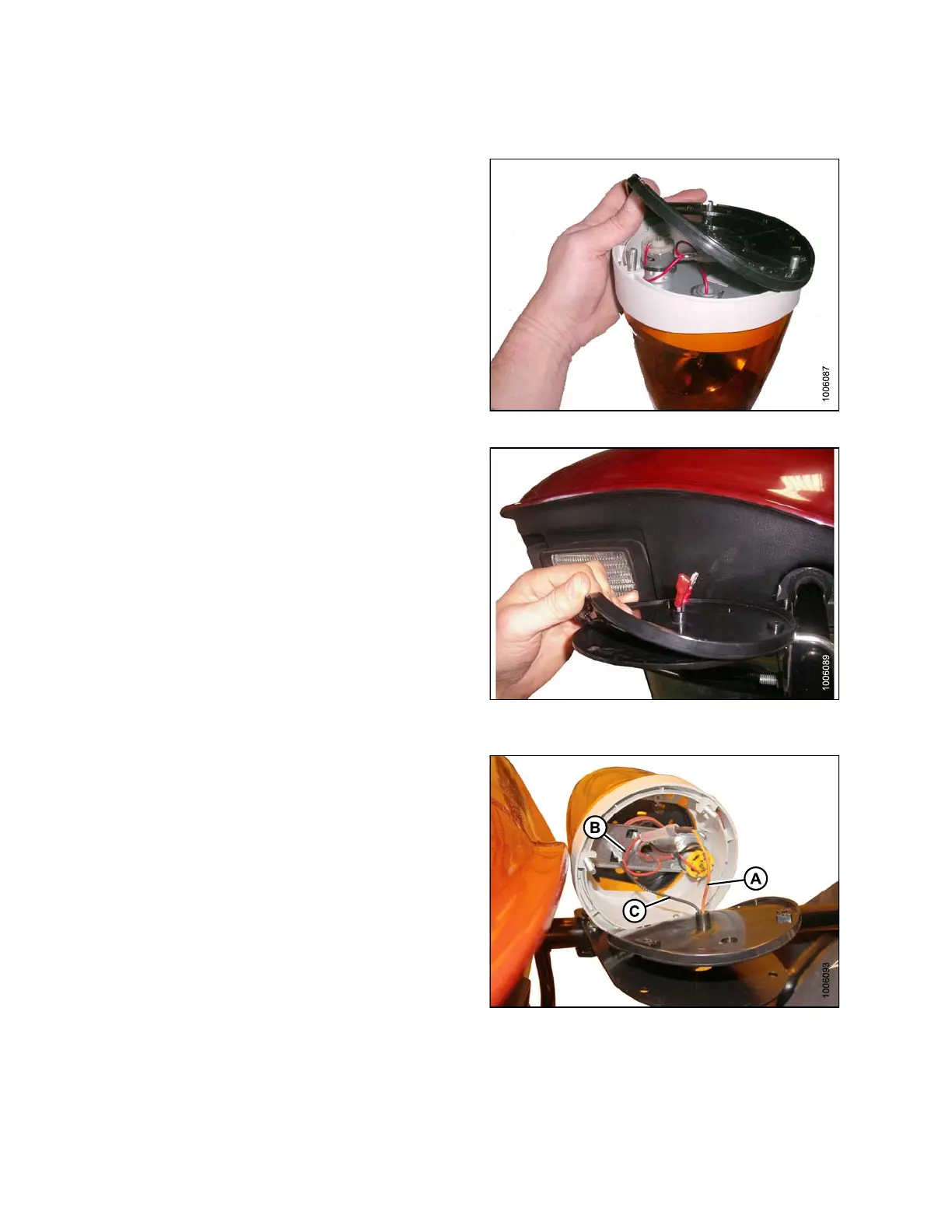
2. Remove the hardware and rubber base from one of the
beacons as shown.
Figure 3.1
47: Beacon Light
3. Feed the connectors from the harness through the
center hole in the rubb er bas e.
4. Place the base on the beacon bracket ensuring that
the mounting holes in the rubber base line up w ith the
holes in the bracket.
Figure 3
.148: Rubber Beacon Base on
Mounti
ng Bracket
5. Connect the orange wire (A) from the harness to the
redwire(B)inthebeacon.
6. Connect the black wire (C) from the harness to the
ground terminal in the beacon.
Figu
re 3.149: Beacon Light Wire Routing
147962 94 Revision A



 To Next Page