ASSEMBLING THE WINDROWER
3.11 Installing E xhaust Stack
1. Open the engine compartment hood.
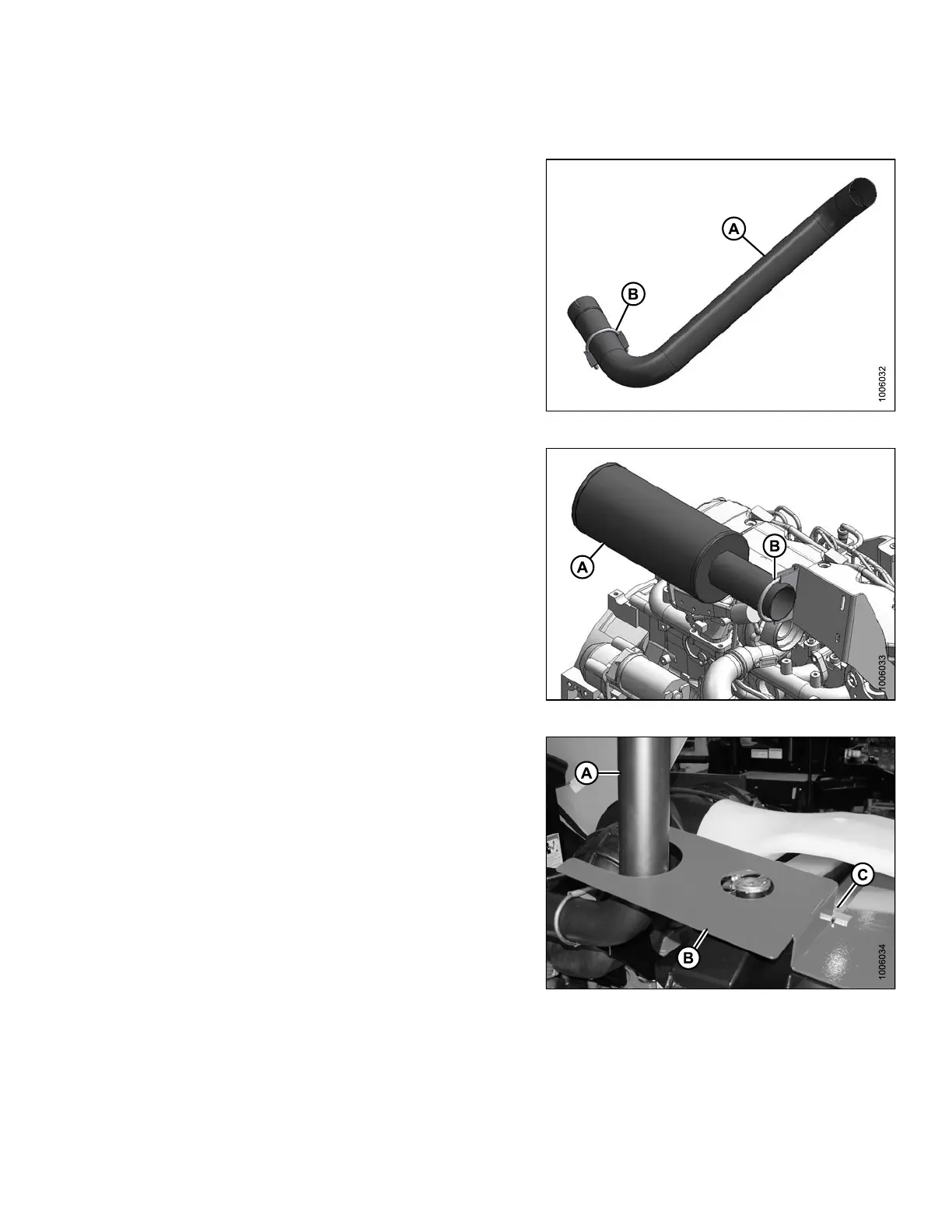
2. Retrieve the exhaust stack (A) and clamp (B)
(unpacked in 2.6 Removing Hand Rails and Exhaust
Stack, page 20).
3. Loosen the clamp (B) on the exhaust stack (A).
Figure 3.100: Exhaust Stack
4. Rem ove the covering from th e mu ffler (A), and loosen
the clamp (B) on the muffler.
Figure 3.101: Muffler
5. Position the stack (A) into the slot in the exhaust
shroud (B), and connect the stack to the muffler.
NOTE:
If the shroud (B) interferes with the stack (A),
loosen the wing nut (C) on the shroud and move
the shroud so the stack can be installed.
Figure 3.102: Exhaust Shroud
147962 69 Revision A



 To Next Page