PERFORMING PREDELIVERY CHECKS
5.11.1 Checki
ng Engine Warning Lights
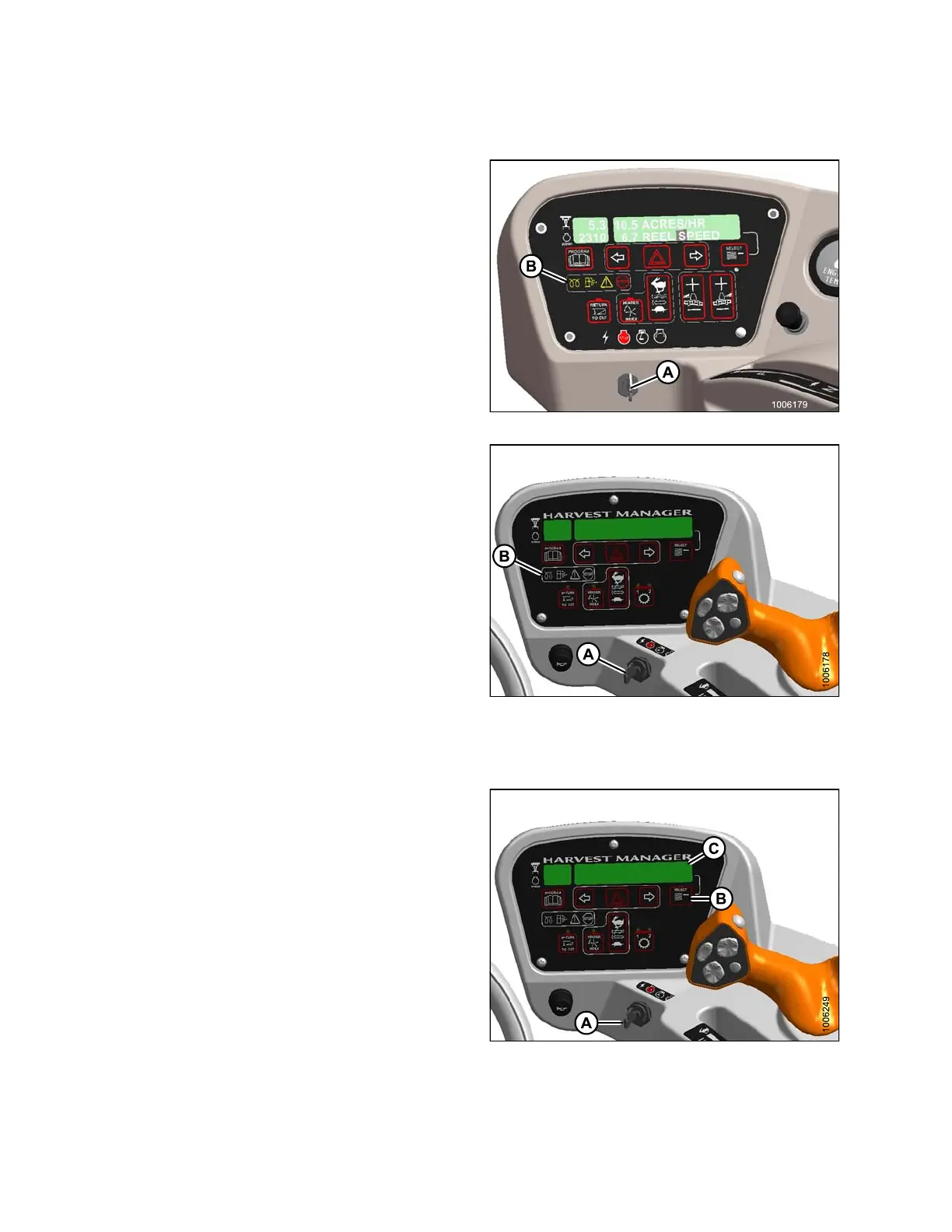
1. Turn ignition key (A) to RUN position. A single loud
tone will be audible and the engine warning lights (B)
will illuminate .
2. Turn ignition key (A) to OFF position.
Figure 5.22: M155/M205 Operator Console
Figure 5.23: M105 Operator Console
5.11.2 Checking Fuel Level on an M105
1. Turn the ignition key (A) to the RUN position.
2. Check the fuel level by pre ssin g the s elector switch (B)
on the cab display module (CDM) until the FUEL
LEVEL is displayed at (C). If required, add sufficient
fuel for a 15 minute run.
Fig
ure 5.24: Cab Display Module (CDM)
147962 336 Revision A



 To Next Page