CAB DISPLAY MODULE (CDM)
4.2.5 Adjusti
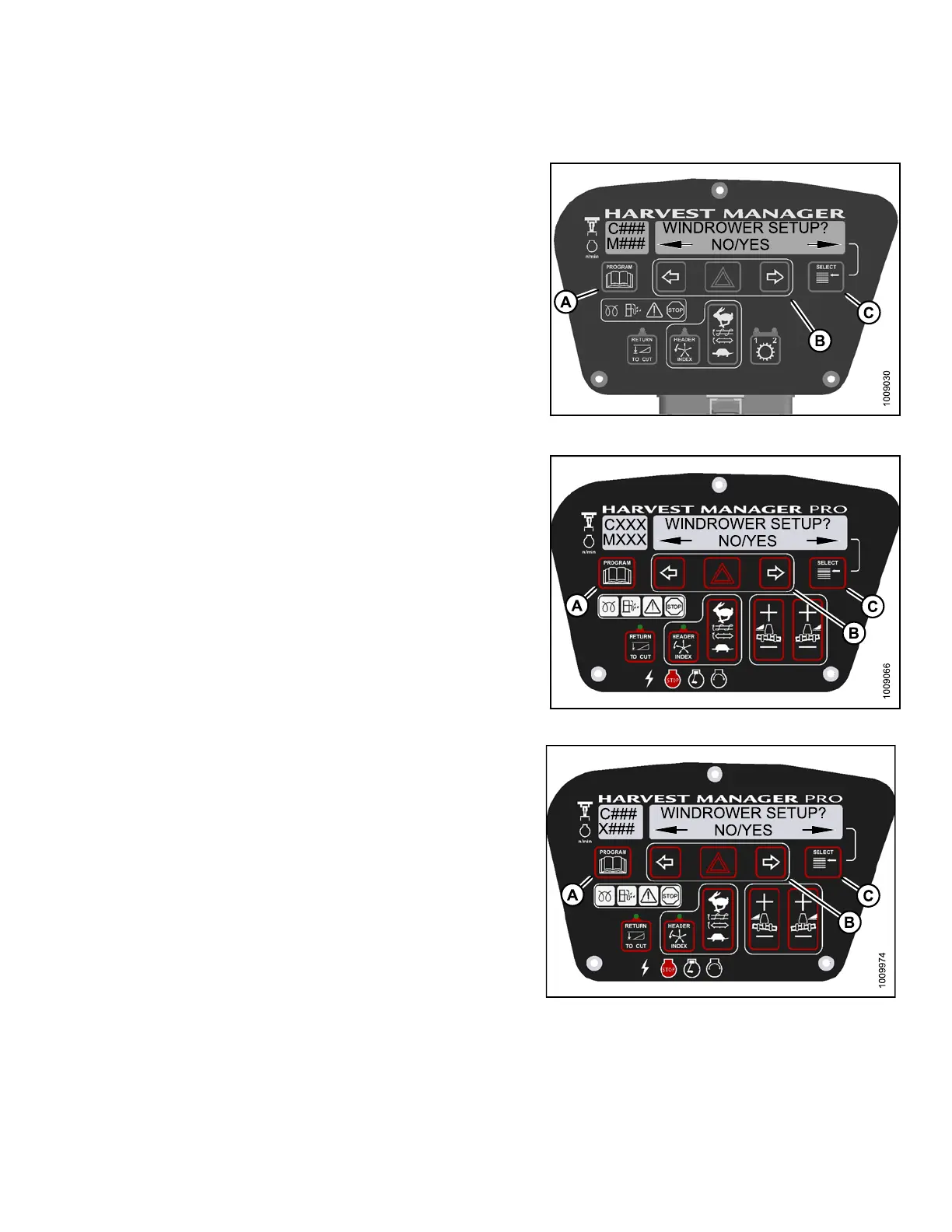
ng the Cab Display Contrast
1. Turn ignition key to RUN, or start the engine .
2. Press PROGRAM (A) and SELECT (C) on cab display
module (CDM) to enter Programming Mode.
• WINDROWER SETUP? is displayed on the
upper line.
• NO/YES is dis playe d on the lower lin e .
Figure 4.39: M105 CDM Programming Buttons
Figure 4.40: M155 CDM Programming Buttons
Figure 4.41: M205 CDM Programming Buttons
147962 169 Revision A



 To Next Page