ASSEMBLING THE WINDROWER
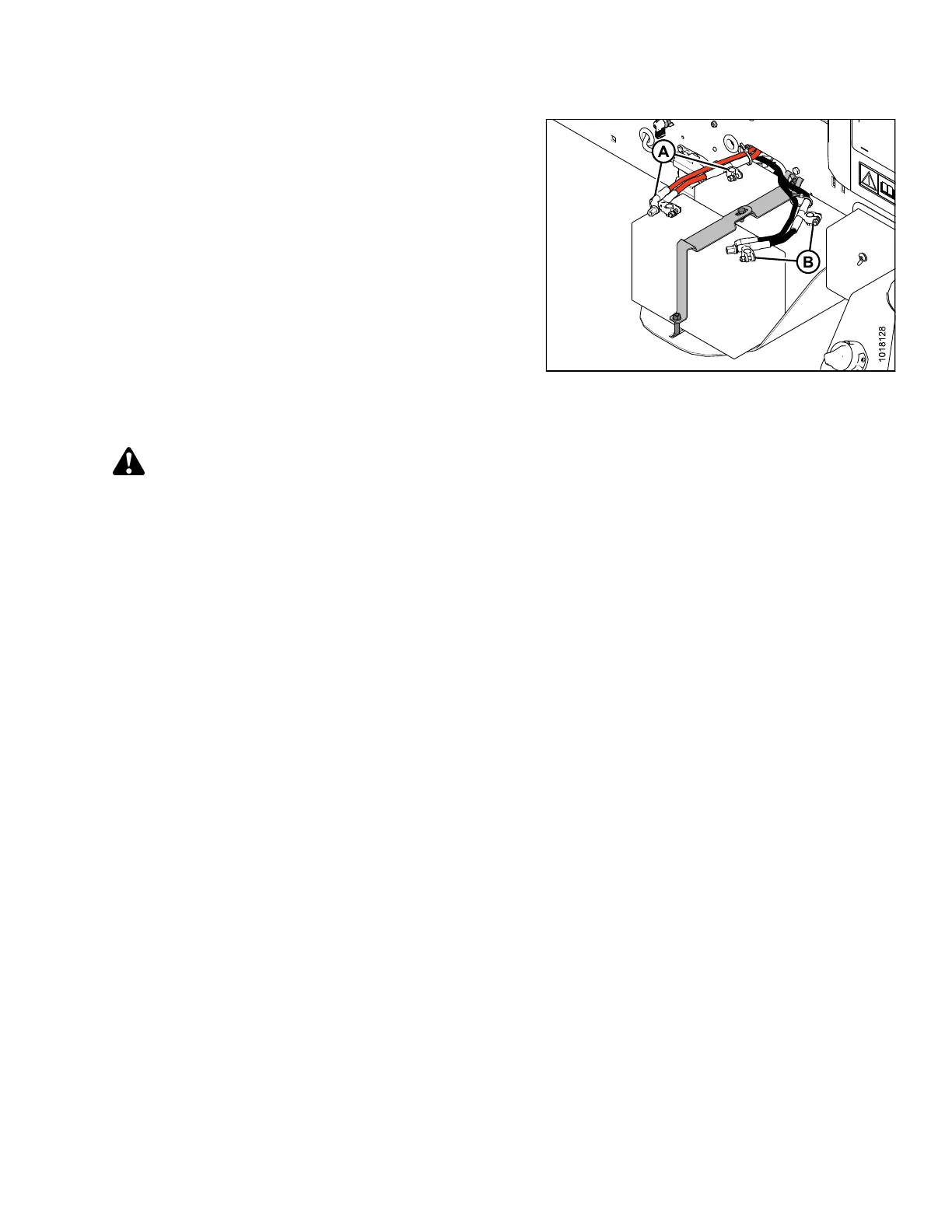
5. Remove the plastic caps from the battery posts.
6. Attac h the r ed positive (+) cable terminals to the
positive posts (A) on the batteries and tighten cla mps.
Reposition plastic covers onto clamps.
7. Attach the black negative (-) cable terminals to the
negative posts (B) on the batteries and tighten clamps.
Reposition plastic covers onto clamps.
8. Turn the battery switch to the POWER ON position.
9. Move the right-hand (cab-forward) maintenance
platform forward to the c l osed positi on.
Figure 3.109: Batteries
3.13.2 Connecting Batteries on an M105
DANGER
To avoid bodily injury or death from unexpected startup of the machine, always stop the engine and remove
the key from the ignition before leaving the operator’s seat for any reason.
147962 73 Revision A



 To Next Page