CAB DISPLAY MODULE (CDM)
4.4.7 Setting
theRotaryDiscOverloadSpeed
NOTE:
• The header MUST be attached to the windrower to perform this procedure. The cab display module (CDM)
automatically adjusts its programming for each header.
• The recommended disc overload speed is 75% of disc speed. For more information refer to the rotary disc
header operator’s manual to determine proper overload speed.
1. Turn ignition key to RUN, or start the engine .
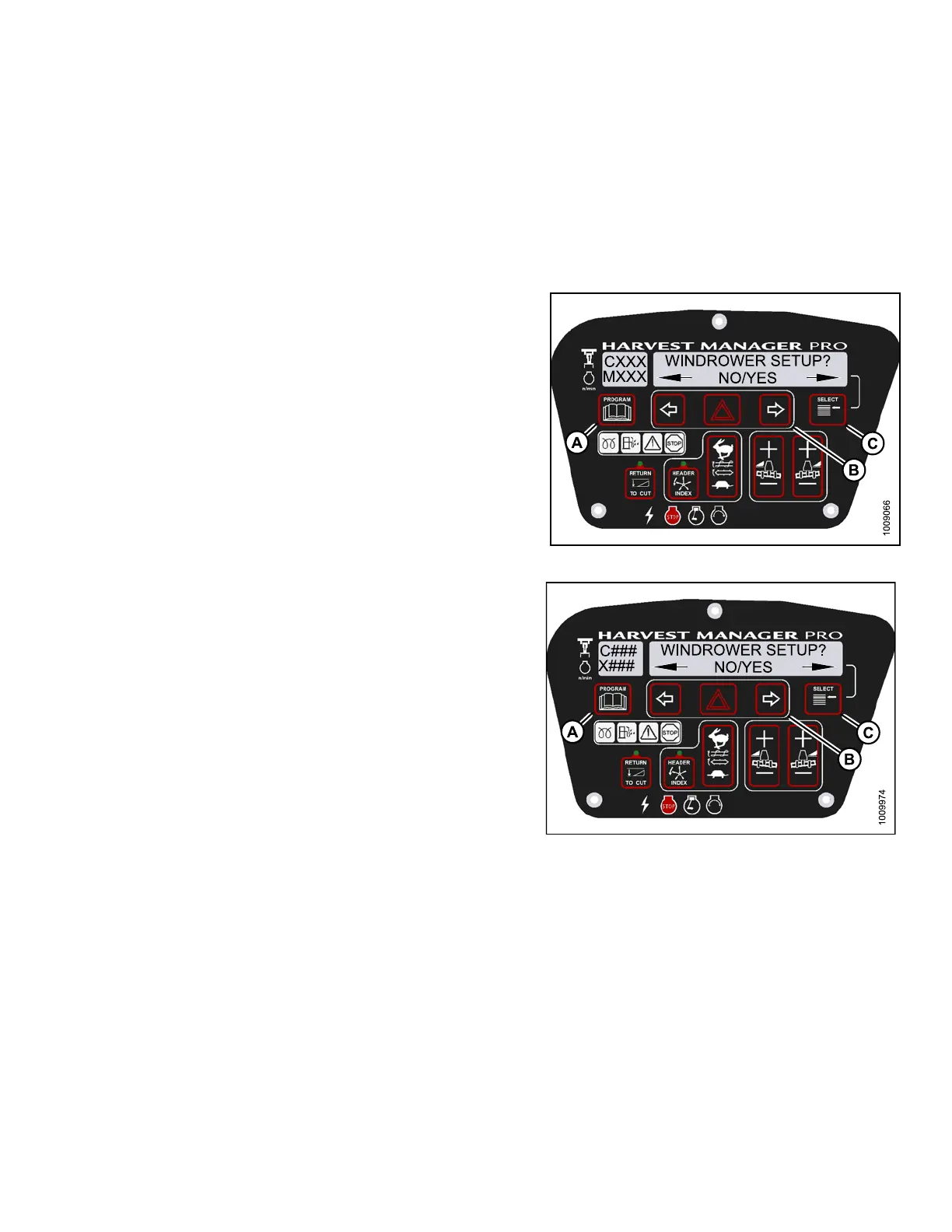
2. Press PROGRAM (A) and SELECT (C) on cab display
module (CDM) to enter Programming Mode.
• WINDROWER SETUP? is displayed on the
upper line. NO/YES is displayed on the lowe r line.
3. Press right (B)arrow to select YES. Press SELECT (C).
• SET KNIFE SPEED? is displayed.
Figure 4
.92: M155 CDM Programming Buttons
Figure 4.93: M205 CDM Programming Buttons
147962 193 Revision A



 To Next Page