PERFORMING PREDELIVERY CHECKS
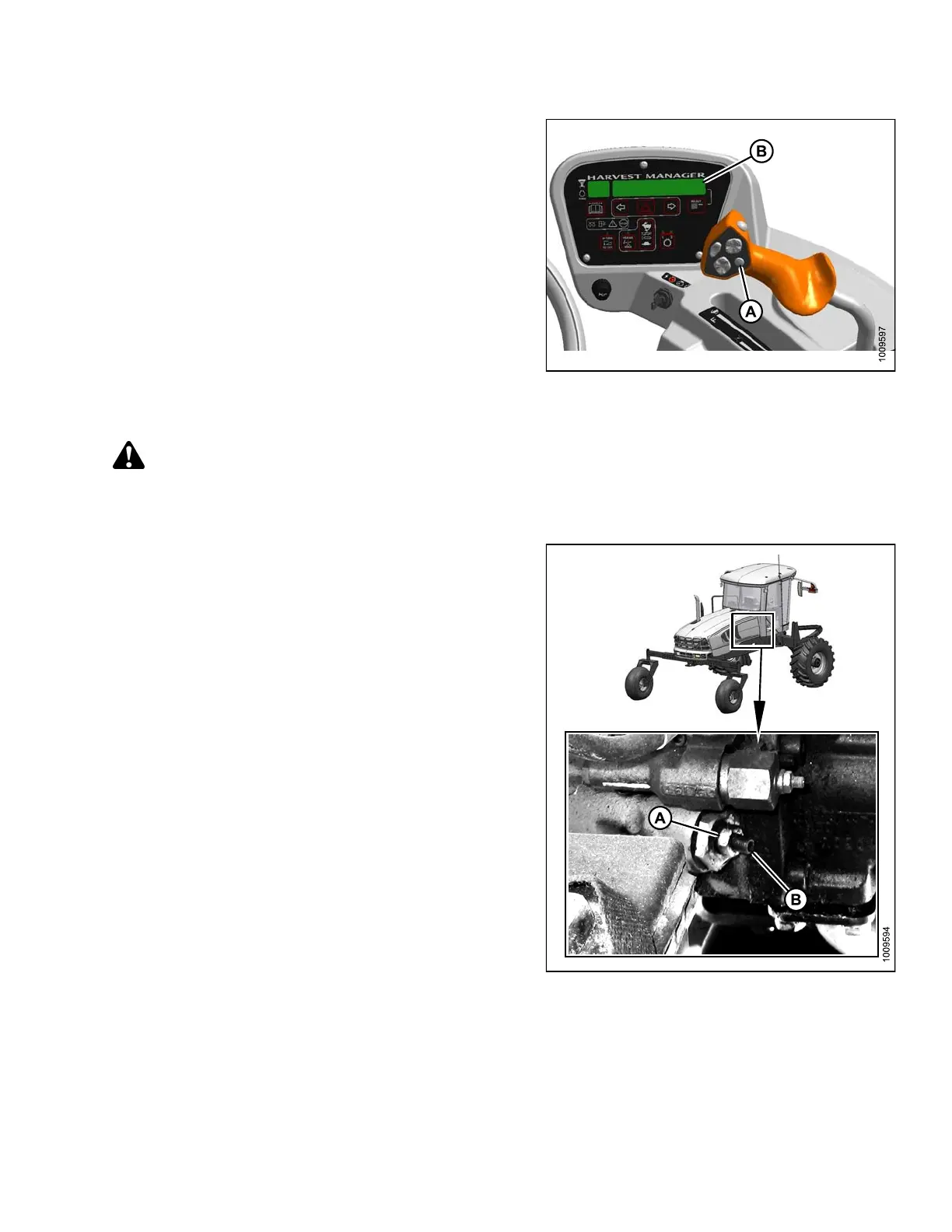
6. Press the selector button (A) on the ground speed
lever (GSL) until the CDM (B) displays the knife speed
in strokes per minute (spm). This indicates that the
optional sensors expansion module (MD #B4666)
is insta lled.
NOTE:
If the knife speed is not displayed, the module is
NOT installe d . Refer to Step 6., page 354.
7. Compare the reading to Table 5.5 Knife Speed Setting,
page 352.
8. Adjust the knife speed if required. Refer to Adjusting
Knife Speed, page 353.
Figure 5.49: M105 Operator Console
Adjusting Knife Speed
DANGER
To avoid bodily injury or death from unexpected startup of the machine, always stop the engine and remove
the key from the ignition before leaving the operator’s seat for any reason.
For windrowers equipped with the optional sensors
expansion module (MD #B4666):
1. Shut down the engine and open the engine
compartment hood.
2. Loosen jam nut (A).
NOTE:
Remove the protective cover from adjuster
screw (B) if necessary.
3. Turn adjuster screw (B) clockwise to decrease knife
speed or counterclockwise to increase knife speed.
NOTE:
One turn of adjuster screw (B) will change the
knife speed by approximately 116 strokes per
minute (spm) or the knife drive box pulley speed
by 58 revolutions per minute (rpm).
4. Tighten jam nut (A).
5. Close the engine compartment hood, start the engine,
and recheck the knife speed.
Figure 5.50: Knife Speed Adjuster Screw
147962 353 Revision A



 To Next Page