CAB DISPLAY MODULE (CDM)
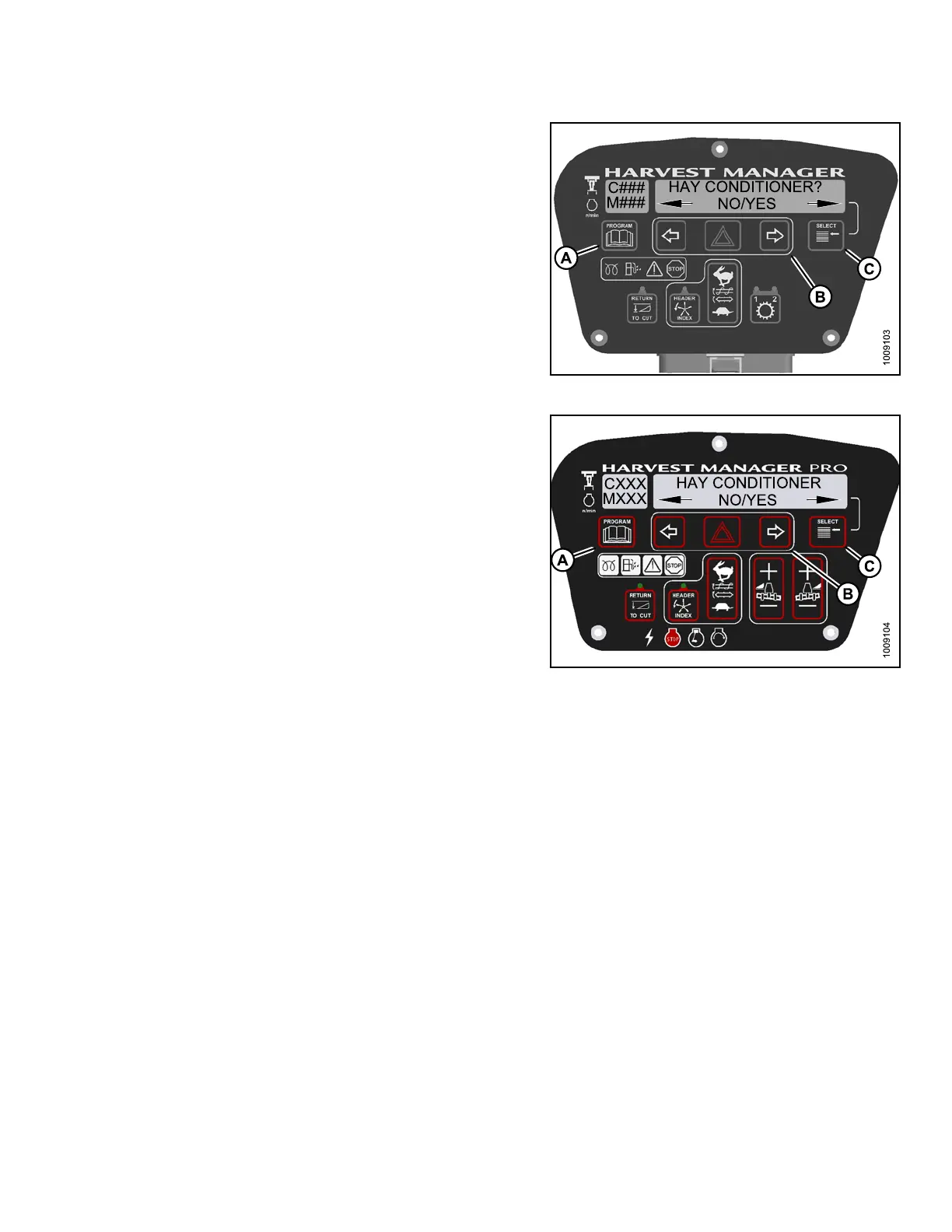
4. Press SELECT (C) until HAY CON DITIONE R? is
displayed on the upper line.
• NO/YES is dis playe d on the lower lin e .
5. Press right (B)arrow to select YES. Press SELECT (C).
6. Press PROGRAM (A) to ex it Programming Mode or
press SELECT (C) to proceed to next WINDROWER
SETUP action.
Figure 4.1
32: M105 Hay Conditioner
Figure
4.133: M155 Hay Conditioner Shown –
M205 S
imilar
4.4.1
5 Displaying Reel Speed
NOTE:
• This procedure is for draper and auger headers. It does not apply to rotary disc headers.
• The header MUST be attached to the windrower to perform this procedure. The cab display module (CDM)
automatically adjusts its programming for each header.
147962
21
1
Revision A



 To Next Page