CAB DISPLAY MODULE (CDM)
4.3.3 Calibra
ting the Header Float Sensors
NOTE:
• The header MUST be at tached t o the windrower to pe rf orm this procedure. The cab displa y module (CDM)
automatically adjusts its programming for each header.
• The Operator can use the lef t or right FLOAT buttons on the cab display module (CDM) to pe rfo rm this procedure.
1. Turn ignition key to RUN, or start the engine.
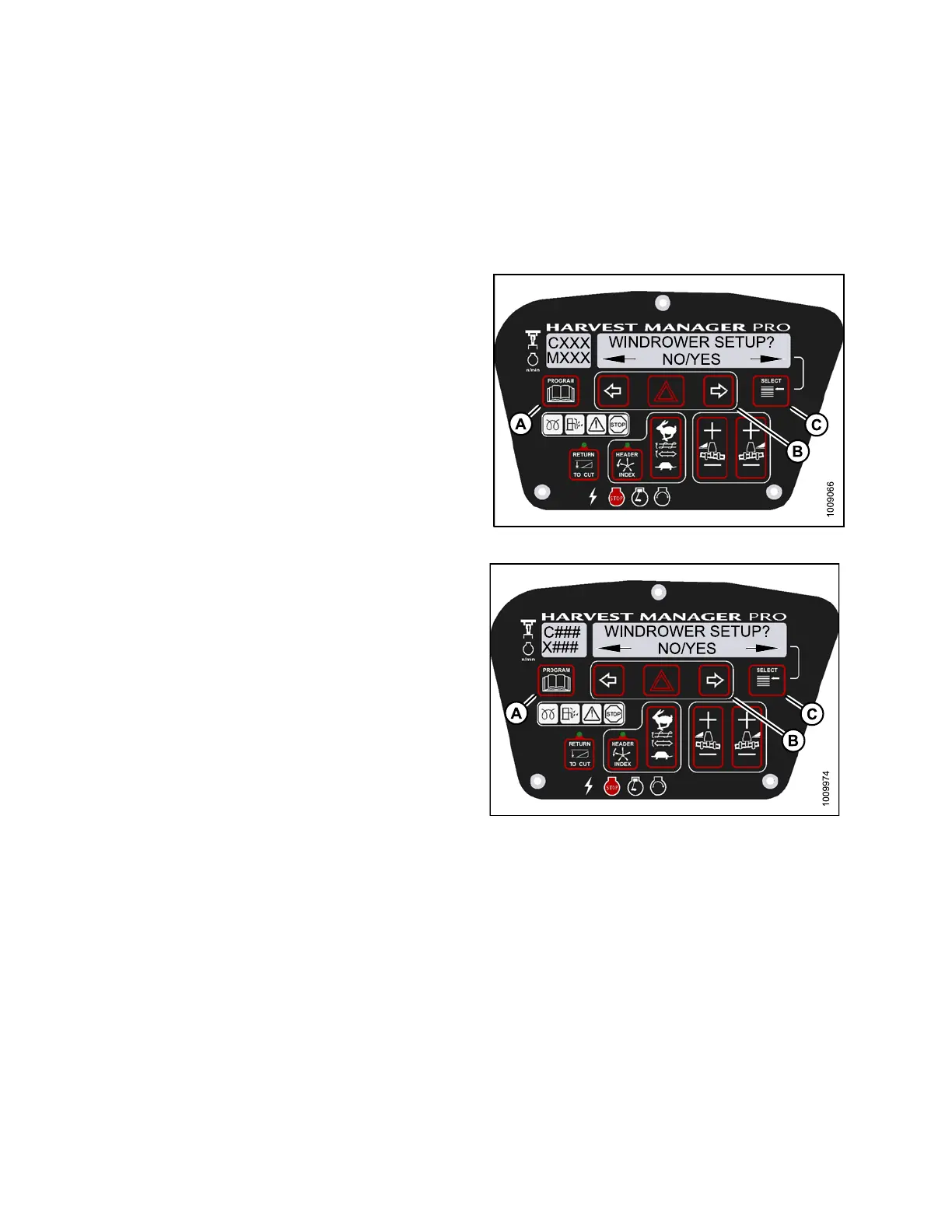
2. Press PROGRAM (A) and SELECT (C) on cab display
module (CDM) to enter Programming Mode.
• WINDROWER SETUP? is displayed on the
upper line.
3. Press SELECT (C) until CALIBRATE SENSORS? is
displayed on the upper line.
• NO/YES is displayed on the lower line.
Figure 4.
64: M155 CDM Programming Buttons
Figure 4.65: M205 CDM Programming Buttons
147962 180 Revision A



 To Next Page