ASSEMBLING THE WINDROWER
M205 Self-Propelled Windrower
To operate a D-Series header, the M205 Self-Propelled
Windrower must be equipped with a Draper Drive Basic kit
and a Completion kit.
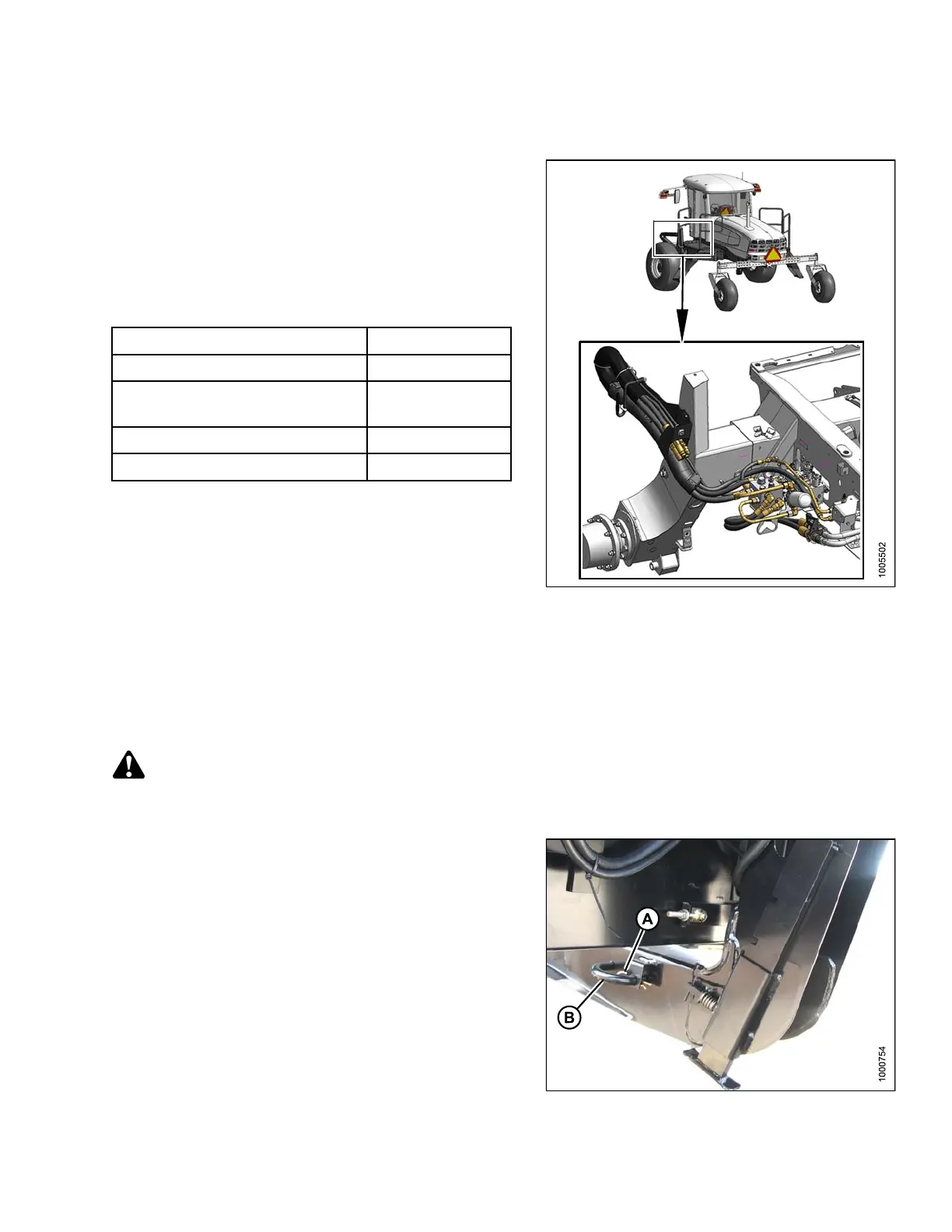
Windrowers equipped with D-Series hydraulics have four
header drive hoses on the left cab-forward side and up to
five reel drive hoses on the right side.
If necessary, obtain the following kits and install them in
accordance with the instructions supplied with the kits.
Kit Description Kit Number
Base Draper/Auger Drive Kit MD #B5491
Draper Header Reel Drive
Completion Kit
MD #B5496
Hydraulic Couplers Kit MD #B5497
Hydraulic Union Kit
MD #166844
ToattachaD-SeriesheadertoanM205,refertothe
following:
• Attaching a D -Series Header: Hydraulic Center-Link
with Optional Self-Alignment, page 99
• Attaching a D -Series Header: Hydraulic Center-Link
without Self-Alignment, page 104
Figure 3.160: M205 D raper Header Drive
Hydraulics
Attaching a D-Serie s Header: Hydraulic Center-Link with Optional Self-Alignment
NOTE:
Draper header boots must be installed onto the windrower lift linkage before starting this procedure. Refer to
3.21.1 Attaching Header Boots, page 97.
DANGER
To avoid bodily
injury or death from unexpected startup of the machine, always stop the engine and remove
the key from the
ignition before leaving the operator’s seat for any reason.
1. Remove hairpin (A) from pins (B), and remove pins
from both header legs.
Figure 3.161: Header Leg
147962 99 Revision A



 To Next Page