CAB DISPLAY MODULE (CDM)
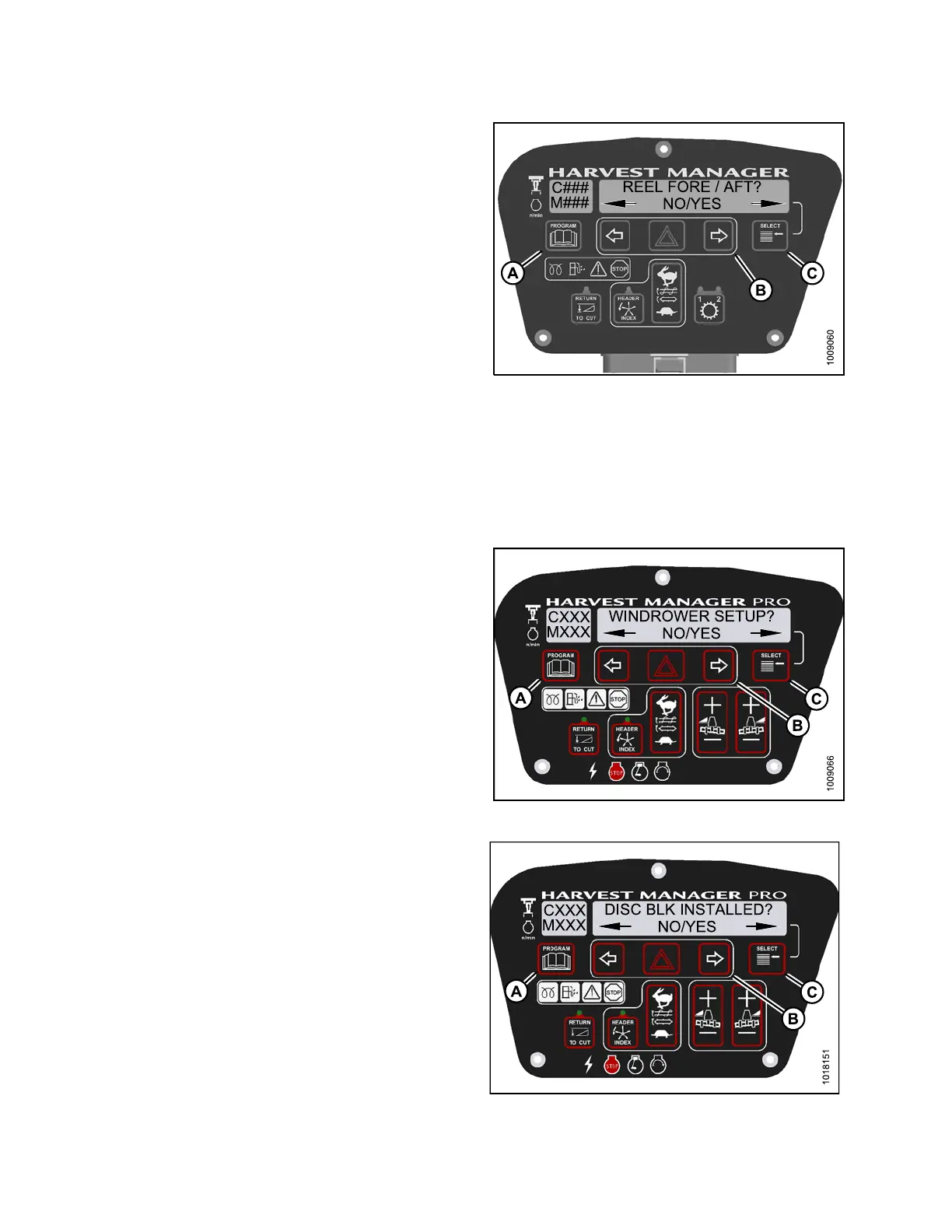
4. Press SE LECT (C) until REEL FOR E / AFT? is
displayed on the upper line.
• NO/YES is displayed on the lower line.
5. Press right (B) arrowto select YE S. PressSELE CT (C).
6. Press PROGRAM (A) to exit Programming Mode or
press SELECT (C) to p roceed to next WINDROWER
SETUP action.
Figure 4.7
9: Reel Fore-Aft
4.4.4 Acti
vating the Rotary Header Drive Hydraulics o n an M155
NOTE:
This procedure requires installation of the optional Rotary Header Drive H ydraulics (MD #B5510). For more
information, refer to the rotary disc header operator’s manual.
1. Turn ignition ke y to RUN, or start the e ngine. Refer to
3.15 St artin g Engine , pag e 84.
2. Press PROGRAM (A) and SELECT (C) on cab display
module (CDM) to enter Programming Mode.
• WINDROWER SETUP? is displayed on the
upper line.
• NO/YES is displayed on the lower line.
3. Press right (B) arrowto select YE S. PressSELE CT (C).
• SET K NIFE SPEED? is displayed on the upper line.
Figure 4.80: CDM P rogramming Buttons
4. Press
SELECT (C) until DISC BLK INSTALLED? is
displ
ayed on the upper line.
•NO/YE
S is displayed on the lower line.
5. Press
right (B) arrow to select YE S. Press SELECT (C).
6. Press
PROGRAM (A) to exit Programming Mode or
pres
s SELECT (C) to proceed to next W IND ROWER
SETU
P action.
Figure 4.81: Rotary Disc Hydraulics
147962 188 Revision A



 To Next Page