PERFORMING PREDELIVERY CHECKS
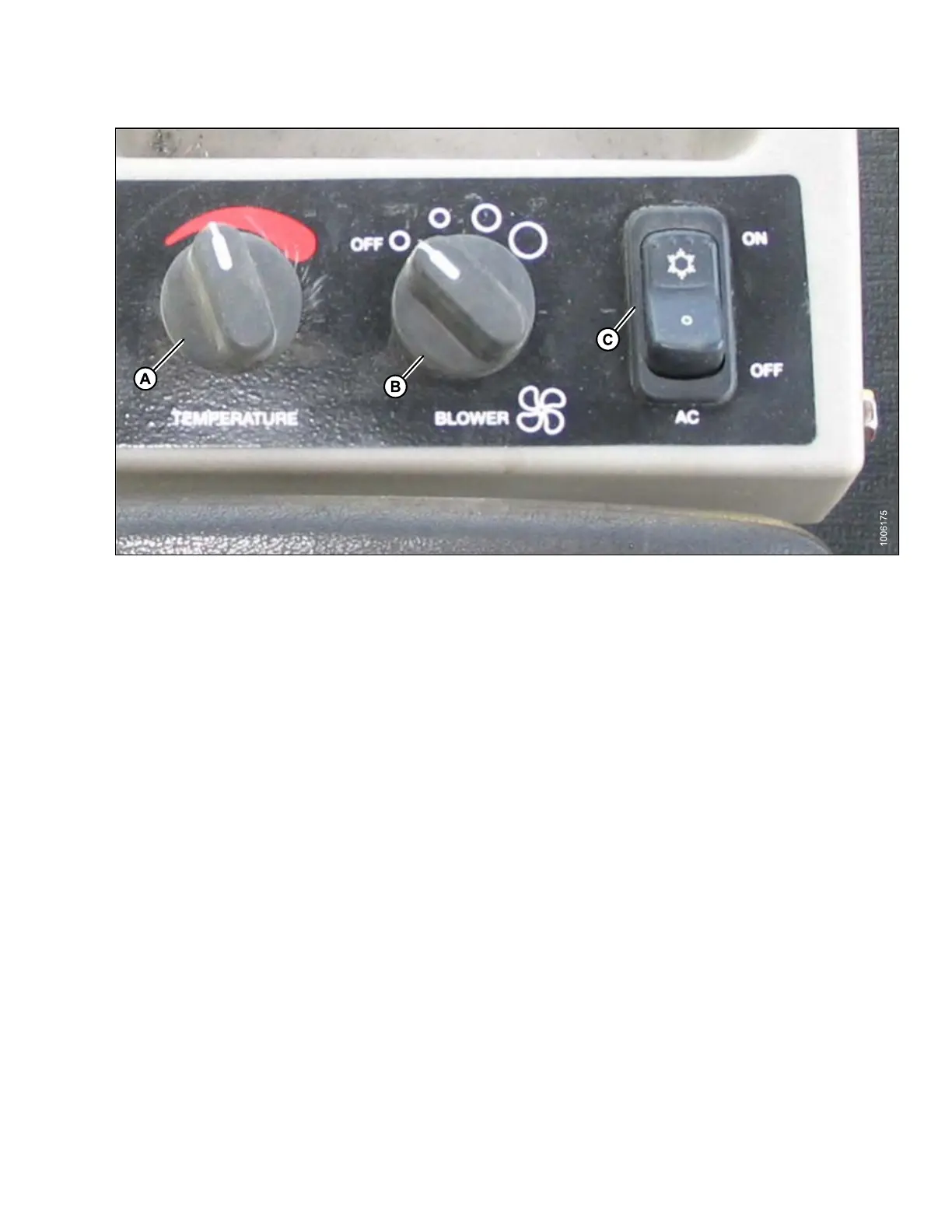
Figure 5.47: M105 A/C and Heater Controls
• Temperature control (A): Controls cab temperature. Turn knob clockwise to increase temperature, and turn
knob counterclockwise to decrease temperature.
• Blower switch (B): Controls blower speed. Switch settings are OFF, LO, MEDIUM, and HI.
• Air conditioning switch (C): Controls A/C system. When set to ON, A/C operates if blower switch (B) is switched
ON. When set to OFF, the A/C system does not operate.
IMPORTAN T:
To distribute oil throughout the A/C system, perform the following steps after starting a machine that has been
stored for more than one week:
3. Star
t engine and turn blower switch (B) to the first position, turn temperature control (A) to maximum heating,
and t
urn A/C switch (C) to OFF position.
4. Tur
n A/C switch (C) from OFF to ON position for one second, then back to OFF for 5 to 10 seconds. Repeat
thi
s step ten times.
5.
11.13 Setting and Adjusting Knife Speed
The knife speed is set by making manual adjustments to the knife drive pump and has been pre-set at the lowest
knife rpm. For optimum performance, adjust the knife speed according to the type and size of header you are
installing. Re fe r to Table 5.5 Knife Speed Setting, page 352.
NOTE:
Set the knife speed within the ranges specified for each header.
147962 351 Revision A



 To Next Page