CAB DISPLAY MODULE (CDM)
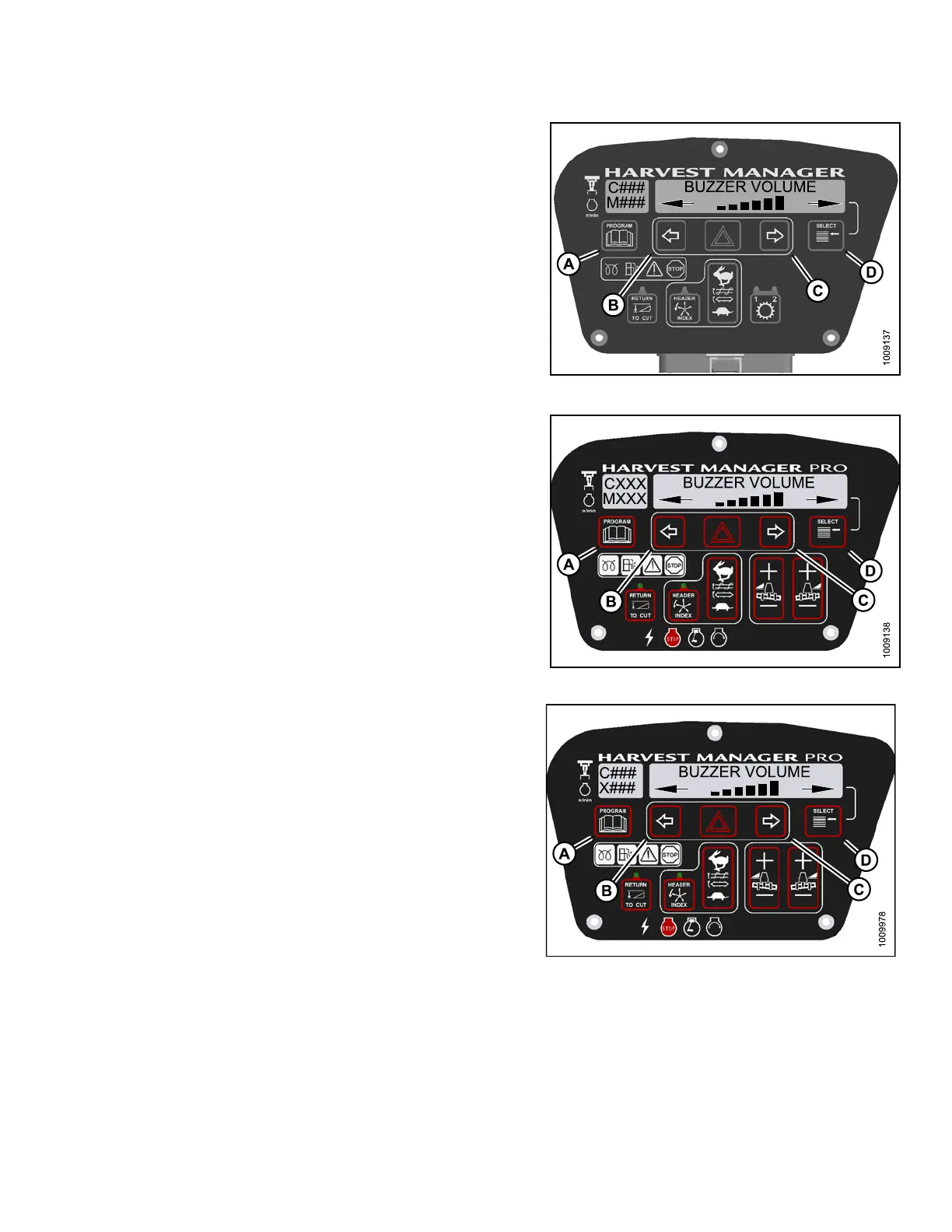
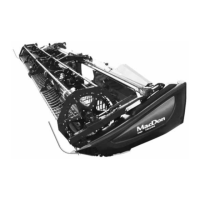
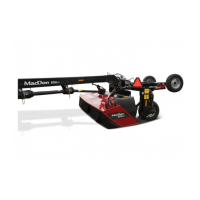
5. Press SELECT (D) until BUZZER VOLUME is
displayed on the upper line.
• Previous setting is displayed on the lower line.
6. Press left (B) or right (C) arrows to adjust
buzzer volume.
7. Press PROGRAM (A) to ex it Programming Mode or
press SELECT (D) to proceed to next CAB DISPLAY
SETUP? action.
Figure 4.2
7: M105 Buzzer Volume
Figure
4.28: M155 Buzzer Volume
Figure 4.29: M205 Buzzer Volume
147962 165 Revision A



 To Next Page