CAB DISPLAY MODULE (CDM)
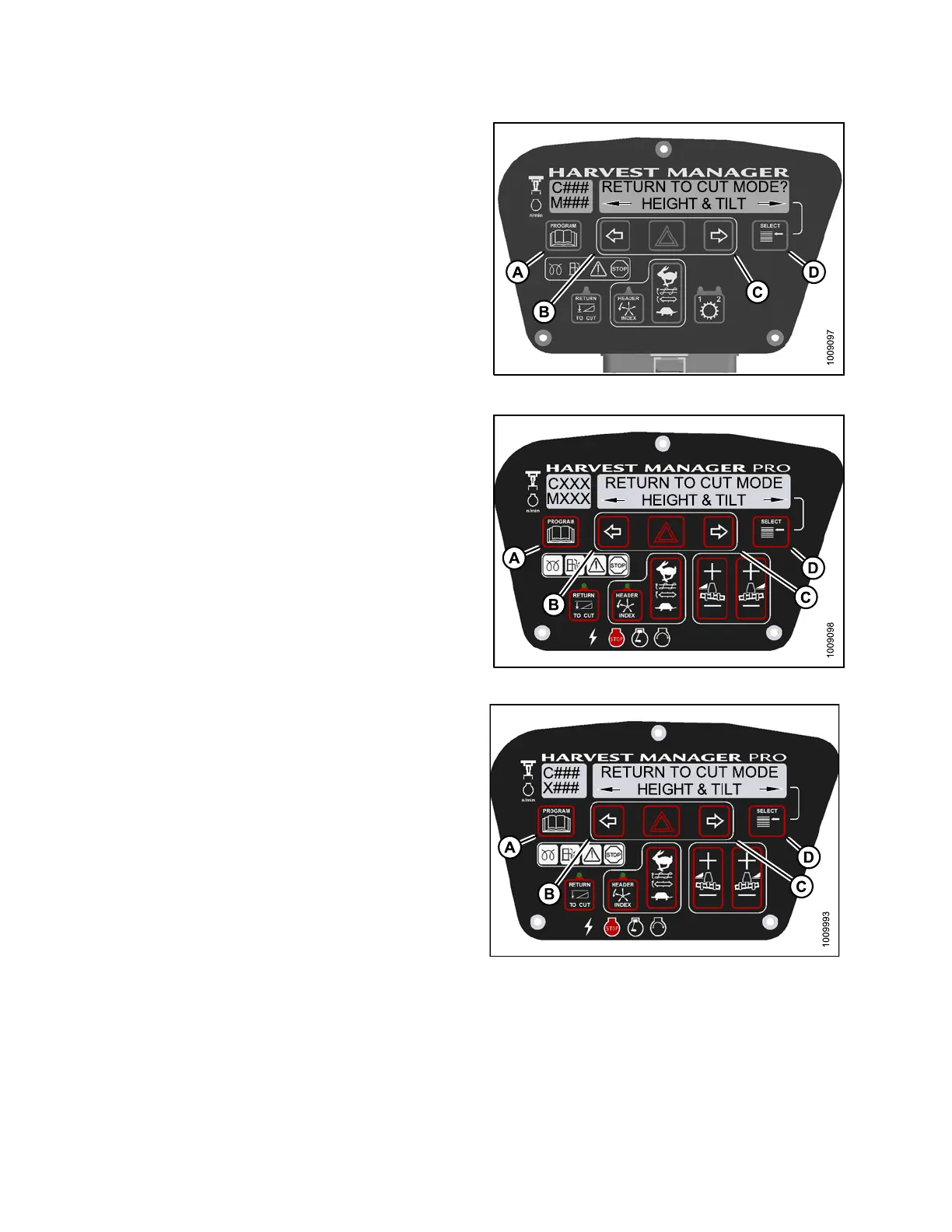
4. Press SELECT (D) until RE TURN TO CUT MODE? is
displayed on the upper line.
• HEIGHT & TILT or HEIGHT ONLY will be displayed
on the lower line.
NOTE:
RETURN TO CUT MODE will display HEIG H T ONLY
unless the optional Expansion Module (MD #B4666)
is installed. For more information, refer to the
windrower operator’s manual or the windrower
technical manual.
5. Press left (
B) or right (C) arrows to select return to cut
mode. Pres
s SELECT (D).
6. Press PROG
RAM (A) to exit Programming Mode or
press SELE
CT (D) to proceed to next W INDROWER
SETUP acti
on.
Figure 4.1
09: M105 Return to Cut Mode
Figure
4.110: M155 Return to Cut Mode
Figure 4.111: M205 Return to Cut Mode
147962 200 Revision A



 To Next Page