CAB DISPLAY MODULE (CDM)
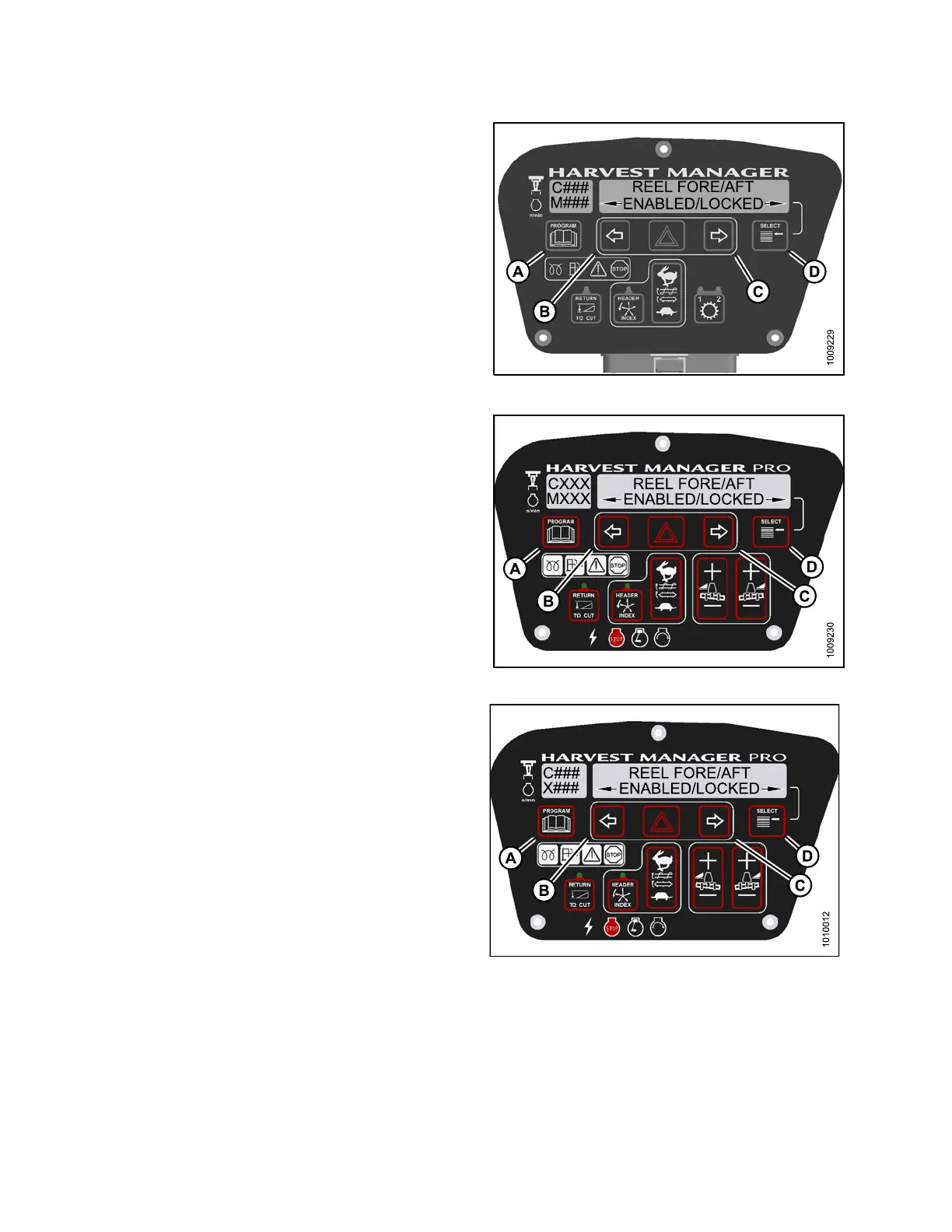
6. Press SELECT (D) until REEL FORE/AFT is displayed
on the upper line.
• ENABLED/L O C KED is displayed on the lower line.
7. Press left (B) arrow to enable R EEL FORE/AFT
control switch.
Press right (C) arrow to lock REEL FORE/AFT
control switch.
8. Press PROGRAM (A) to exit Programming Mode, or
press SELECT (D) to p roceed to next WINDROWER
SETUP action.
Figure 4.2
09: M105 Reel Fore-Aft Control Lock
Figure
4.210: M155 Reel Fore-Aft Control Lock
Figure 4.211: M205 Reel Fore-Aft Control Lock
147962
24
4
Revision A



 To Next Page