CAB DISPLAY MODULE (CDM)
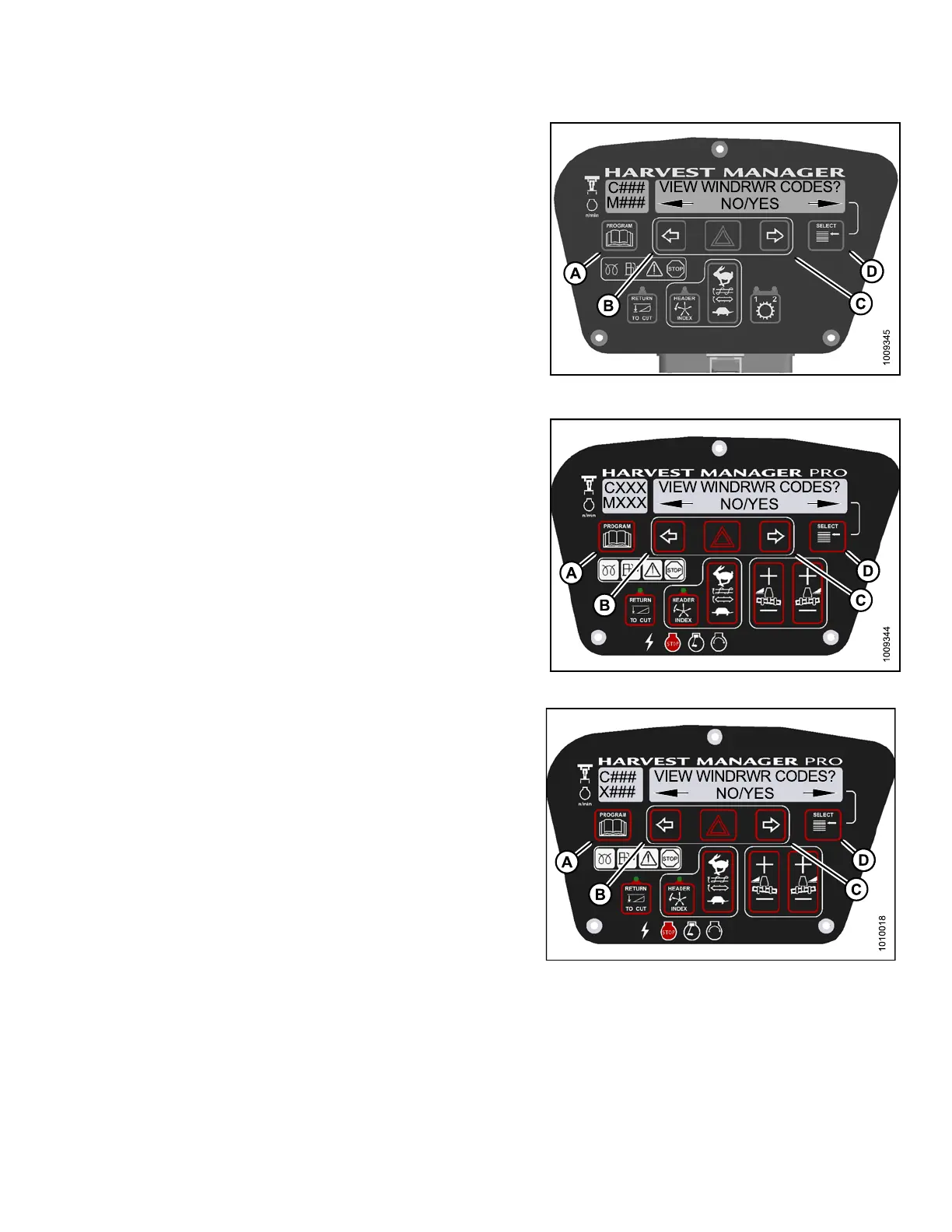
7. Press right (C) arrow to select YES. Press
SELECT (D).
• The most recent error code will be displayed.
8. Press and left (B) or right (C) arrow to cycle through the
last ten recorde d errors until EXIT WINDRWR CODES
is displa yed.
9. Press right (C) arrow to select YES. Press
SELECT (D).
10. Press PROGRAM (A) to exit Programming
Mode or press SELECT (D) to proceed to next
DIAGNOSTIC MODE.
Figure 4.2
36: M105 Windrower Codes
11. P res s right (C) arrow to select YES. Press
SELECT (D).
• The most recent error code will be displayed.
12. Press and left (B) or right (C) arrow to cycle through
the last ten recorded windrower error codes until EXIT
WINDROWER CODES is displayed.
13. Press righ t (C) arrow to select YES. Press
SELECT (D).
• VIEW ENGINE CODES is displayed on the
upper line.
• NO/YES is dis playe d on the lower lin e .
Figure 4.237: M155 Windrower Codes
Fig
ure 4.238: M 205 Windrower Codes
147962 255 Revision A



 To Next Page