CAB DISPLAY MODULE (CDM)
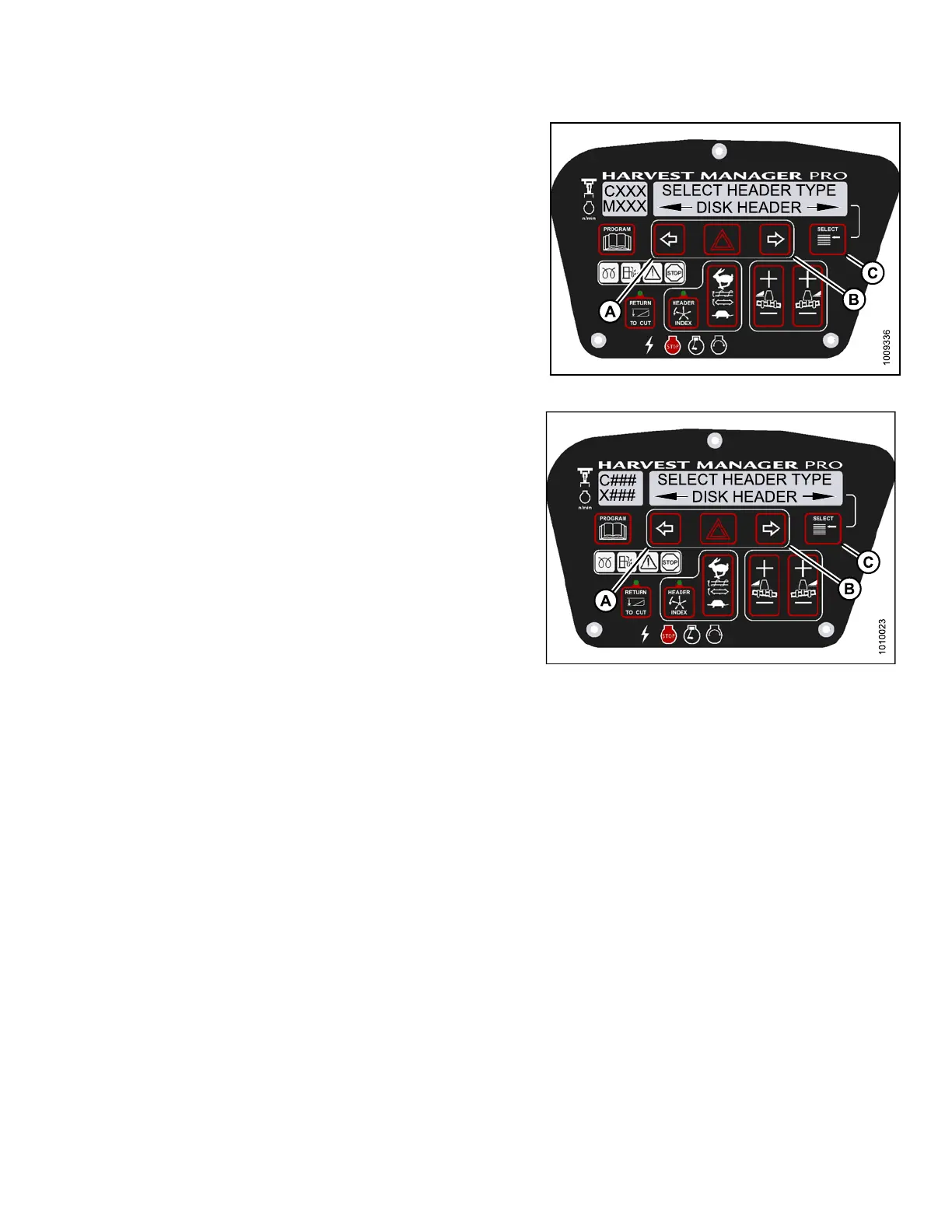
7. Press left (A) o r right (B) arrow to cyc le throu gh list of
header types.
8. When desired header type is displayed press
SELECT (C).
• EXIT FORCE HEADER? is displayed on the
upper line.
• NO/YES is dis playe d on the lower lin e .
9. Press right arrow(B) to select YES. Press SELECT (C).
Proceed t o next DIAGNOSTIC MODE or p res s
PROGRAM to exit programming mode.
Figure 4.2
65: M155 Header Type
Figure 4.266: M205 Header Type
147962 267 Revision A



 To Next Page