ENTERTAINMENT
09–20–30
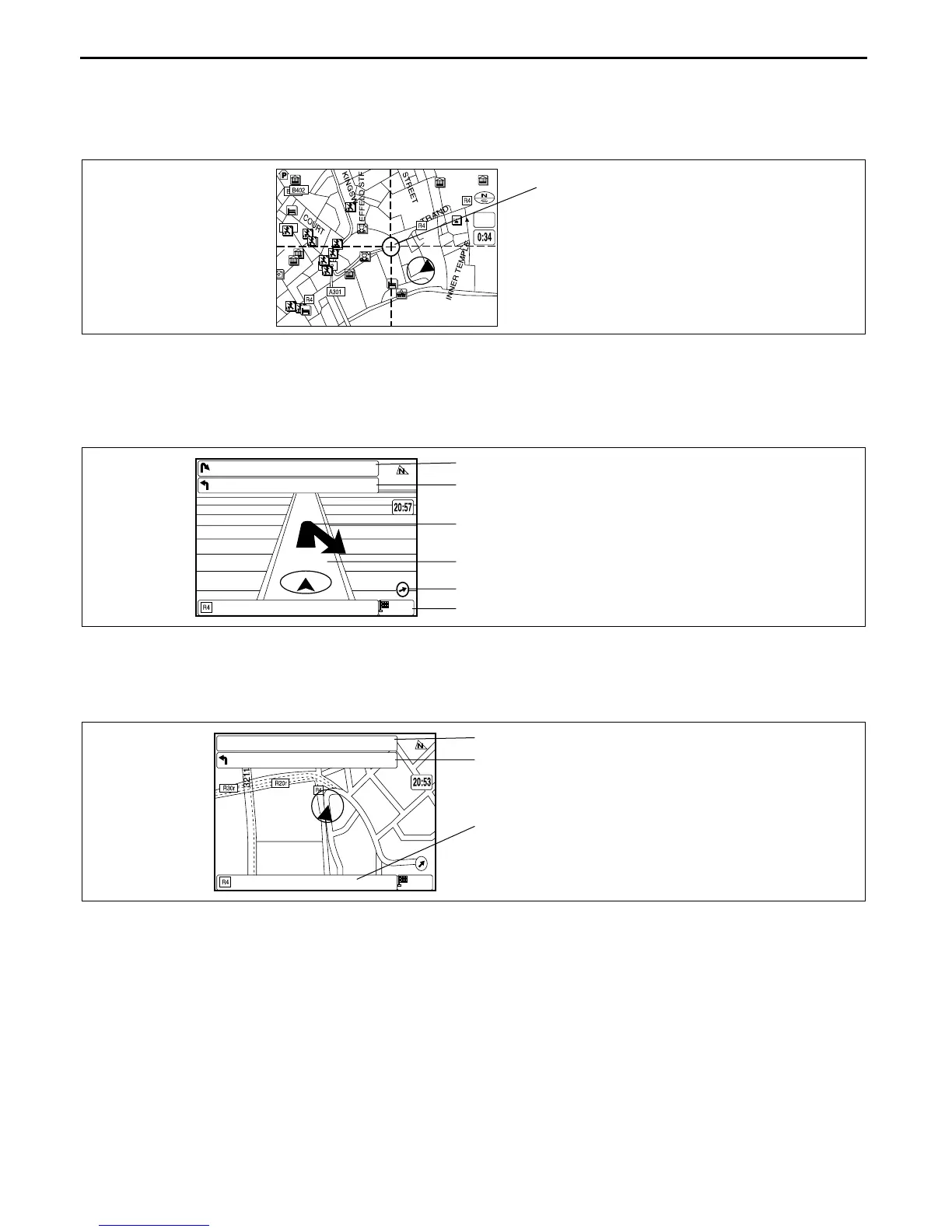
Scroll map mode
• The scroll map is displayed when operating the joystick on the current position map.
• This map can be scrolled with the crosshair cursor.
• By moving the crosshair cursor to a road and pressing [ENTER] button, the road name is displayed on the
screen.
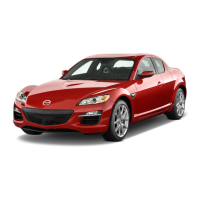
Guide mode
• Displays an enlarged view of the road using an arrow to indicate destination, and also displays route and
destination guidance information. (While in route guidance)
• By pressing the [POS] button, the display switches to the current position map.
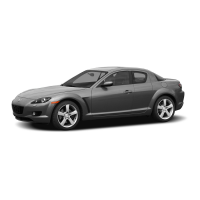
Intersection zoom map
• An enlarged map is displayed when approaching a roundabout or intersection. (While in route guidance.)
Activated by selecting Zoom (On) in setup mode.
1/20mi
CROSSHAIR CURSOR
CHU0920S118
300ft
0.2mil
E CHICAGO AVE
N STATE ST
N MICHIGAN AVE
300ft
1 mil
DISTANCE TO THE NEXT TURN
DISTANCE TO THE TURN AFTER THE NEXT TURN
ARROW GUIDANCE FOR THE NEXT TURN
DISTANCE TO THE NEXT TURN
DESTINATION DIRECTION
DESTINATION DISTANCE
CHU0920S119
DISTANCE TO THE NEXT TURN
DISTANCE TO THE AFTER THE NEXT TURN
CURRENT ROAD NAME
0ft
0.2mil
E CHICAGO AVE
N STATE ST
N MICHIGAN AVE 1 mil
CHU0920S120


 To Next Page