11.6 Sample racks
■■■■■■■■■■■■■■■■■■■■■■
108
■■■■■■■■
900 Touch Control
11.6.2 Rack adjustment
Instrument list: Sample Processor ▶ Edit ▶ Racks ▶ Edit ▶ Adjust
rack
If necessary, each sample rack can be finely adjusted, i.e. the rack offset is
determined in the direction of rotation. The adjustment of a rack is usually
not necessary. However, if the exact positioning of a robotic arm is neces-
sary for a high degree of accuracy (e.g. for very small sample beakers),
then a fine adjustment can be carried out.
Proceed as follows:
1
Open the dialog for rack adjustment
■ In the device properties of the Sample Processor, open the list of
the configured sample racks.
■ Select the attached rack and tap on [Edit].
The Sample rack / Edit rack data dialog is displayed.
■ Tap on the [Adjust rack] button.
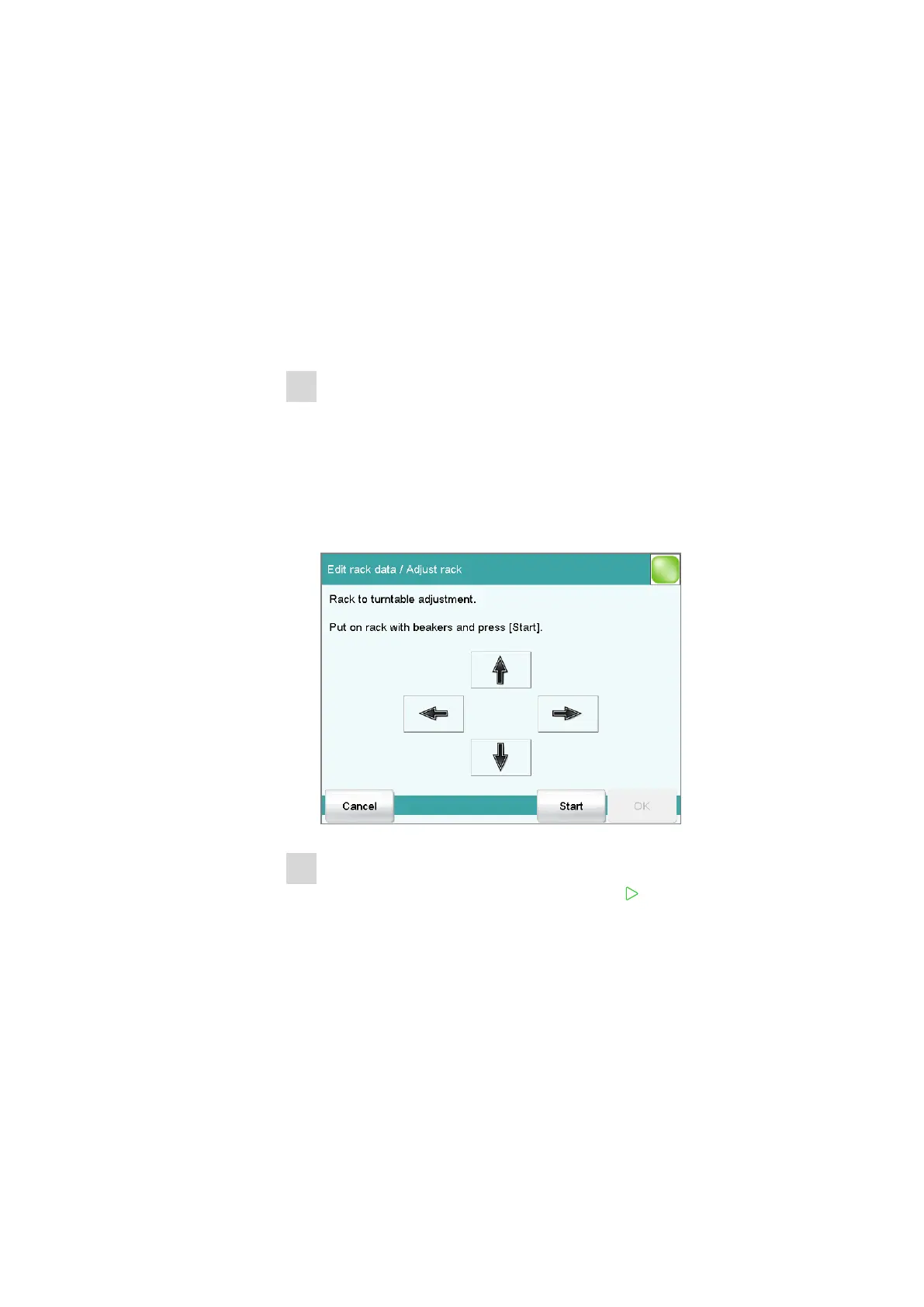
The Edit rack data / Adjust rack dialog is displayed:
2
Carry out the adjustment
■ Tap on the [Start] button (NOT on the [ ] fixed key).
The rack is being initialized. The rack then moves to position 1
and the lift is lowered to the work position.
■ If necessary, the lift position can be corrected with the arrow keys
[⇧] and [⇩].
■ Now use the arrow keys [⇦] and [⇨] to rotate the rack so that
the robotic arm or the center of the titration head is positioned
exactly above the center of rack position 1.
■ Finish the adjustment with [OK].















 To Next Page