11.6 Sample racks
■■■■■■■■■■■■■■■■■■■■■■
100
■■■■■■■■
900 Touch Control
11.6 Sample racks
Instrument list: Sample Processor ▶ Edit ▶ Racks
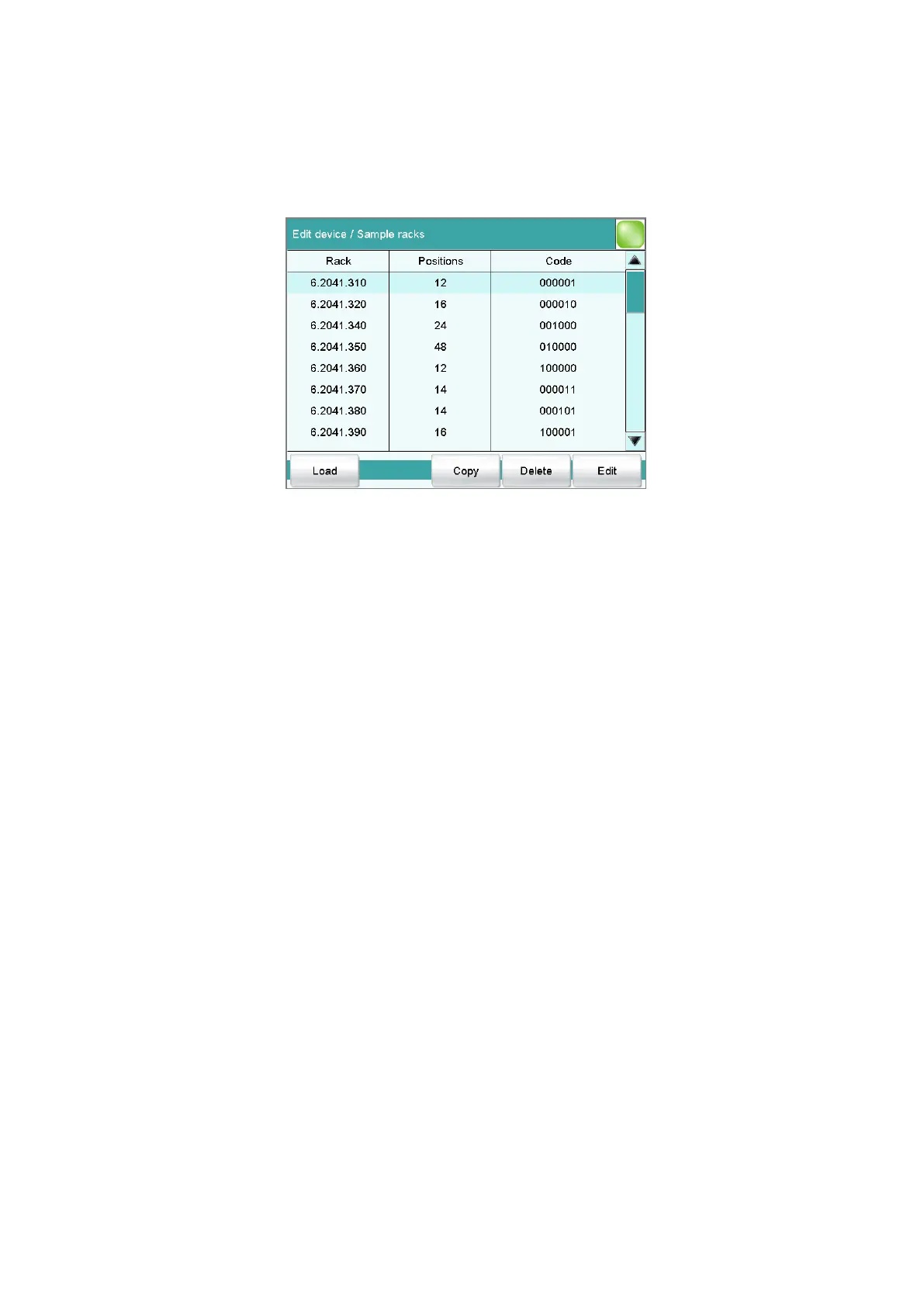
In the dialog Edit device / Sample racks, you will find the list of config-
ured racks. The attached rack is displayed in green. New racks can be loa-
ded or created and existing ones can be edited or deleted in this dialog
window.
The following data is displayed in the list:
■ Rack
Name of the sample rack. Metrohm standard racks are designated by
their order numbers.
■ Positions
Number of positions on the rack.
■ Code
The rack code corresponds to the arrangement of magnets on the base
of the rack and is read in by the Sample Processor in order to recognize
the rack.
[Load]
Load a new sample rack (see "Loading the sample rack", page 101).
[Copy]
Create a new sample rack by copying an existing rack (see "Creating a
new sample rack", page 102).
[Delete]
Delete the selected sample rack from the list.
[Edit]
Edit the data of the selected sample rack (see chapter 11.6.1, page 102).















 To Next Page