■■■■■■■■■■■■■■■■■■■■■■
11 Device manager
900 Touch Control
■■■■■■■■
79
11 Device manager
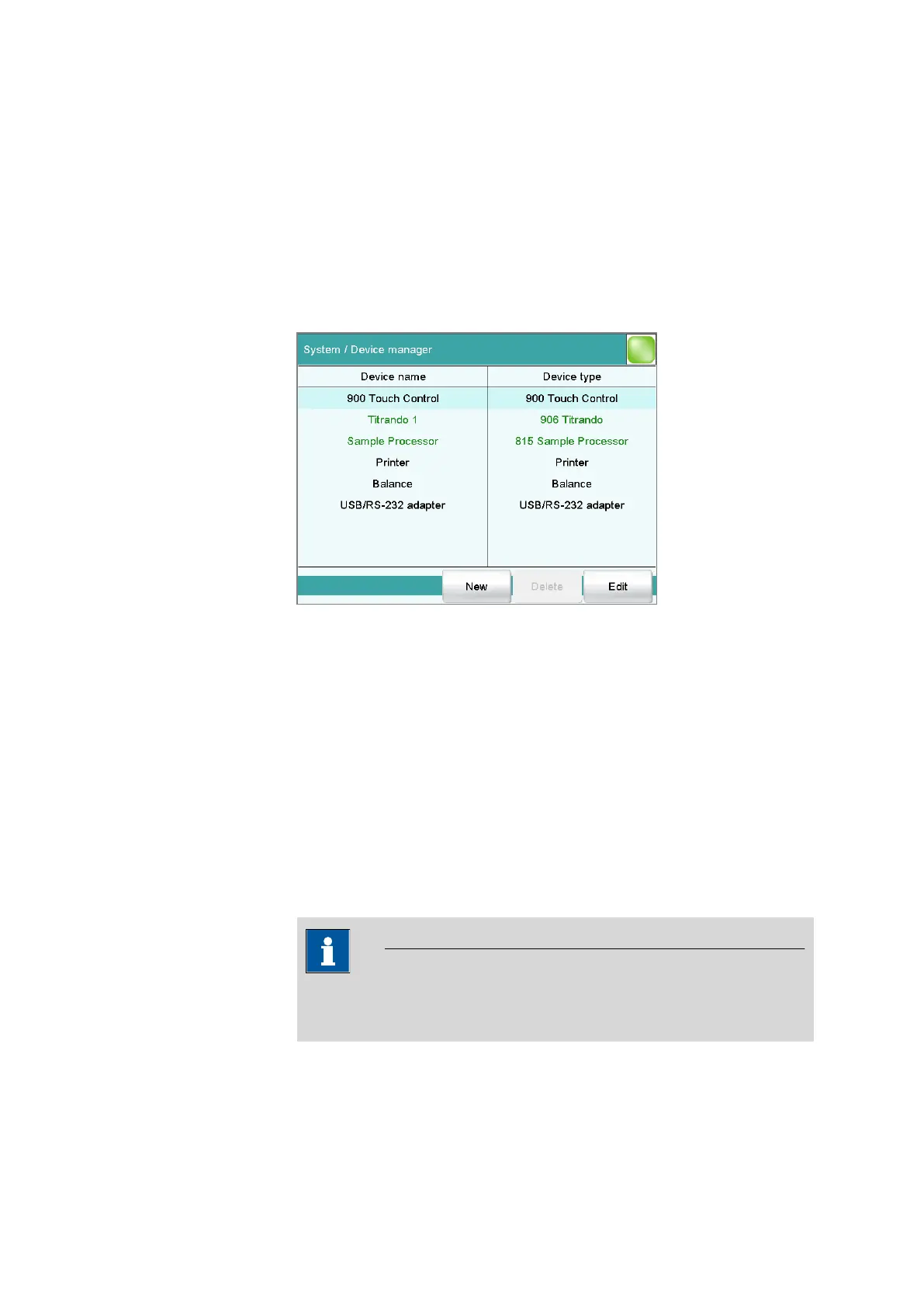
Main dialog: System ▶ Device manager
This chapter describes how you can configure the Touch Control, the con-
trol instruments (Titrando, Sample Processor etc.) and the connected
peripheral devices. A detailed description of the hardware installation can
be found in the installation manual for the control instrument.
The instrument list gives the name and type of every instrument. Con-
nected control instruments (Titrando, Dosing Interface, Sample Processor,
etc.) with the peripheral devices (dosing devices, stirrers, etc.) connected
to the MSB connector are entered in the list automatically. A USB/RS-232
adapter will also be automatically recognized and entered in the instru-
ment list with default settings. A printer is entered in the instrument list in
the default settings. You must enter a PC keyboard, a barcode reader or a
balance in the instrument list yourself.
[New]
Add a new device to the list (see chapter 11.1, page 80).
[Delete]
Delete the selected device from the list.
NOTICE
Devices which are recognized automatically cannot be deleted from the
list while they are still connected.
[Edit]
Configure the selected device (see chapter 11.2, page 80).















 To Next Page