■■■■■■■■■■■■■■■■■■■■■■
28 Manual control
900 Touch Control
■■■■■■■■
265
28.4 Stirring
Manual control ▶ Stir
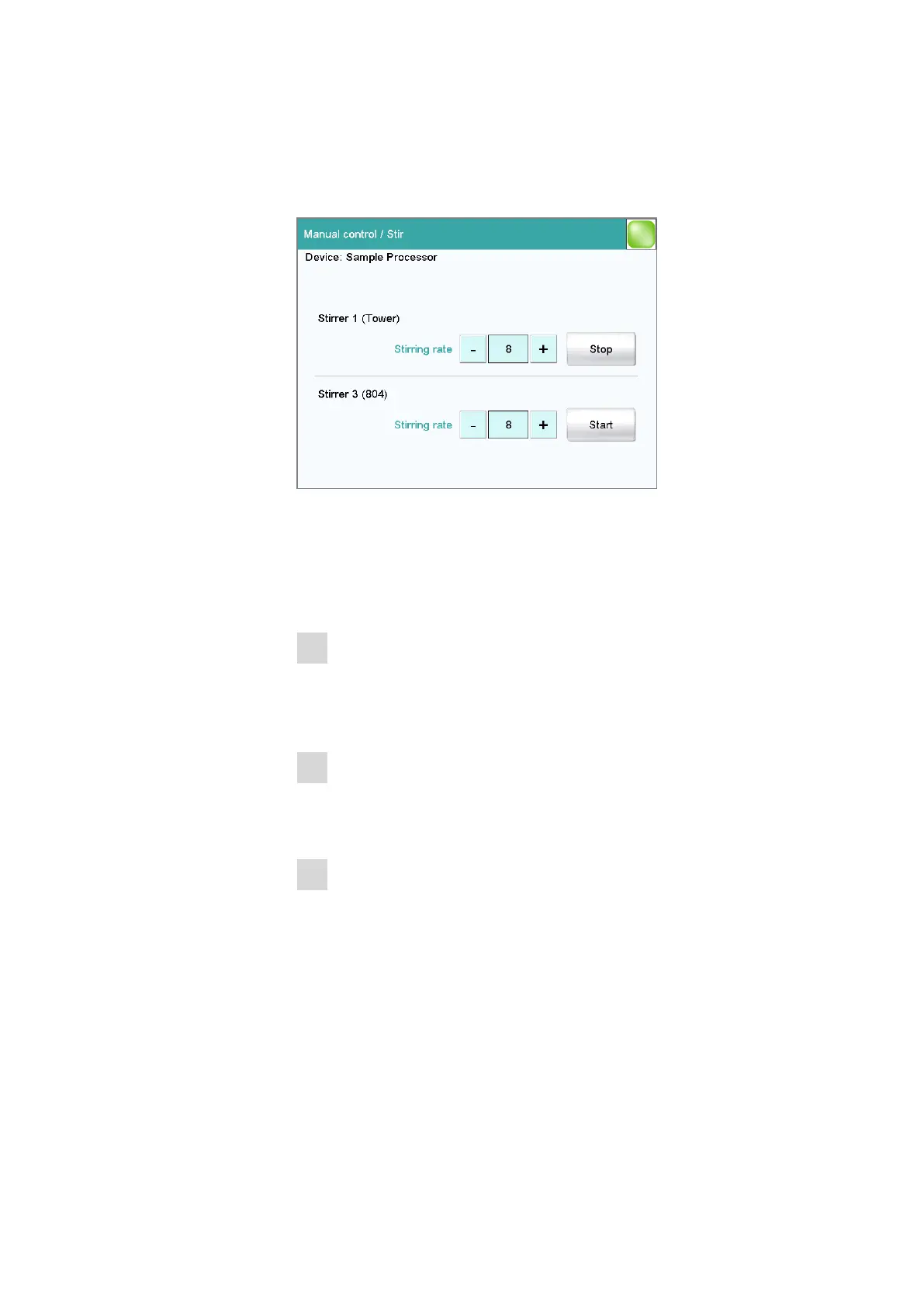
The MSB connector and type of stirrer is indicated for each connected stir-
rer.
You can control a connected stirrer manually with the function [Stir].
Proceed as follows:
1
Setting the stirring rate
■ Tap on the [–] or [+] button.
Each time one of the buttons is tapped, the stirring rate is reduced
or increased by one level.
2
Switching on the stirrer
■ Tap on [Start].
The stirrer is started.
3
Switching off the stirrer
■ Tap on [Stop].
The stirrer is stopped.
Parameter description
Stirring rate
Setting the stirring rate. It can be set in steps of –15 to +15. The default
setting 8 corresponds to 1000 rpm. The formula for calculating the rota-
tional speed is specified in chapter 32.4, page 494.















 To Next Page