■■■■■■■■■■■■■■■■■■■■■■
13 GLP manager
900 Touch Control
■■■■■■■■
131
[Delete]
Delete the selected test tool from the list.
[Edit]
Change the designation of the selected test tool.
13.3 GLP tests for measurement and titration
Main dialog: System ▶ GLP manager ▶ GLP tests HW/SW ▶ GLP
test "Measurement" / GLP test "Titration"
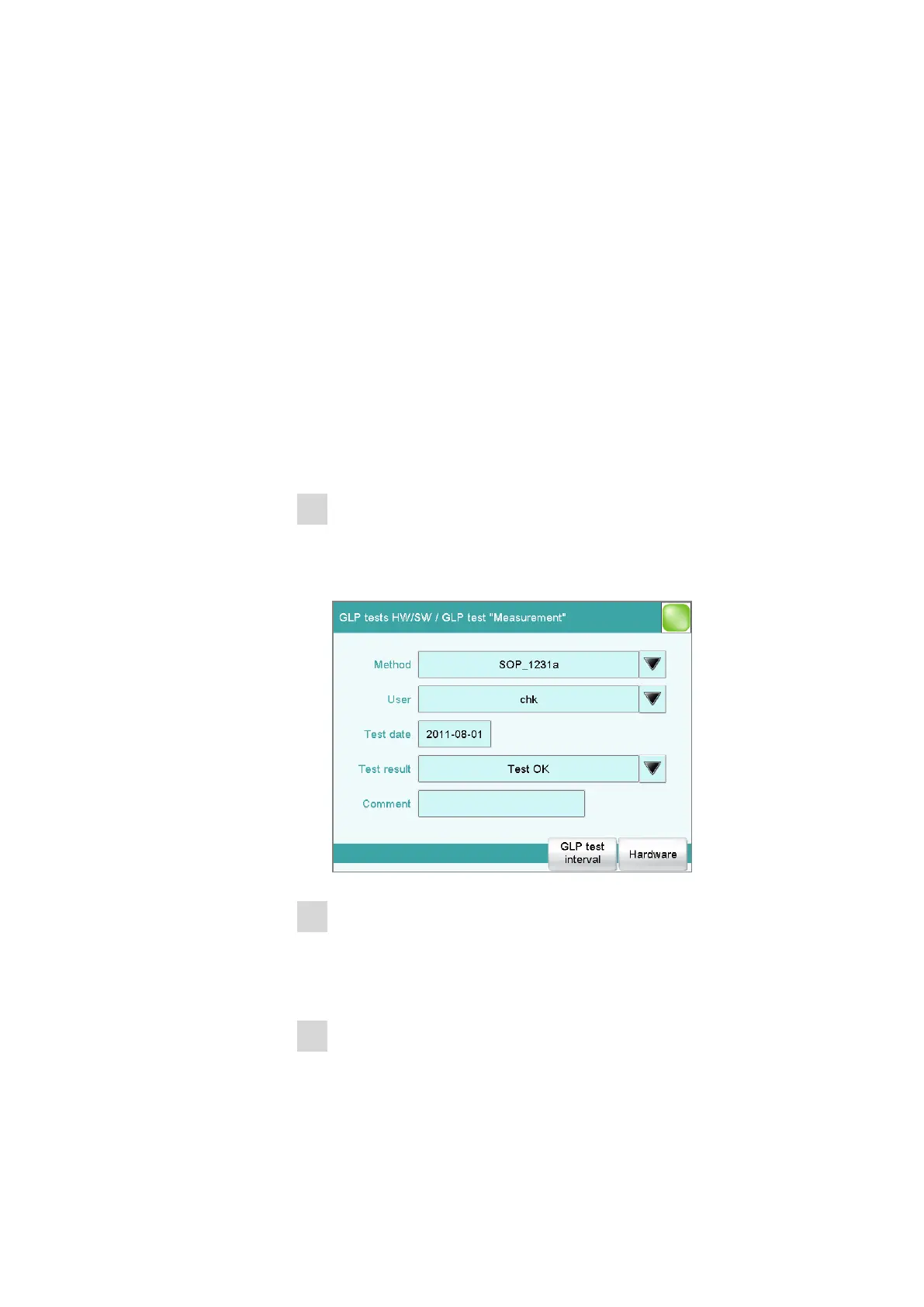
You can document the GLP tests for measurements and titrations in the
dialog GLP manager / GLP tests Hardware/Software and its subdia-
logs. The following procedure describes the GLP test "Measurement," but
also applies for the GLP test "Titration".
Proceed as follows:
1
Open the properties dialog
■ In the System / GLP manager dialog, tap on the [GLP tests
HW/SW] button and then on the [GLP test "Measurement"]
button.
2
Edit data
■ Define the test method, the test results, etc. (see "Dialogs "GLP
tests HW/SW / GLP test "Measurement"" and "GLP tests HW/SW /
GLP test "Titration""", page 132).
3
Define the hardware used
■ Tap on [Hardware].















 To Next Page