■■■■■■■■■■■■■■■■■■■■■■
25 Statistics
900 Touch Control
■■■■■■■■
233
25.1 Displaying details for a result
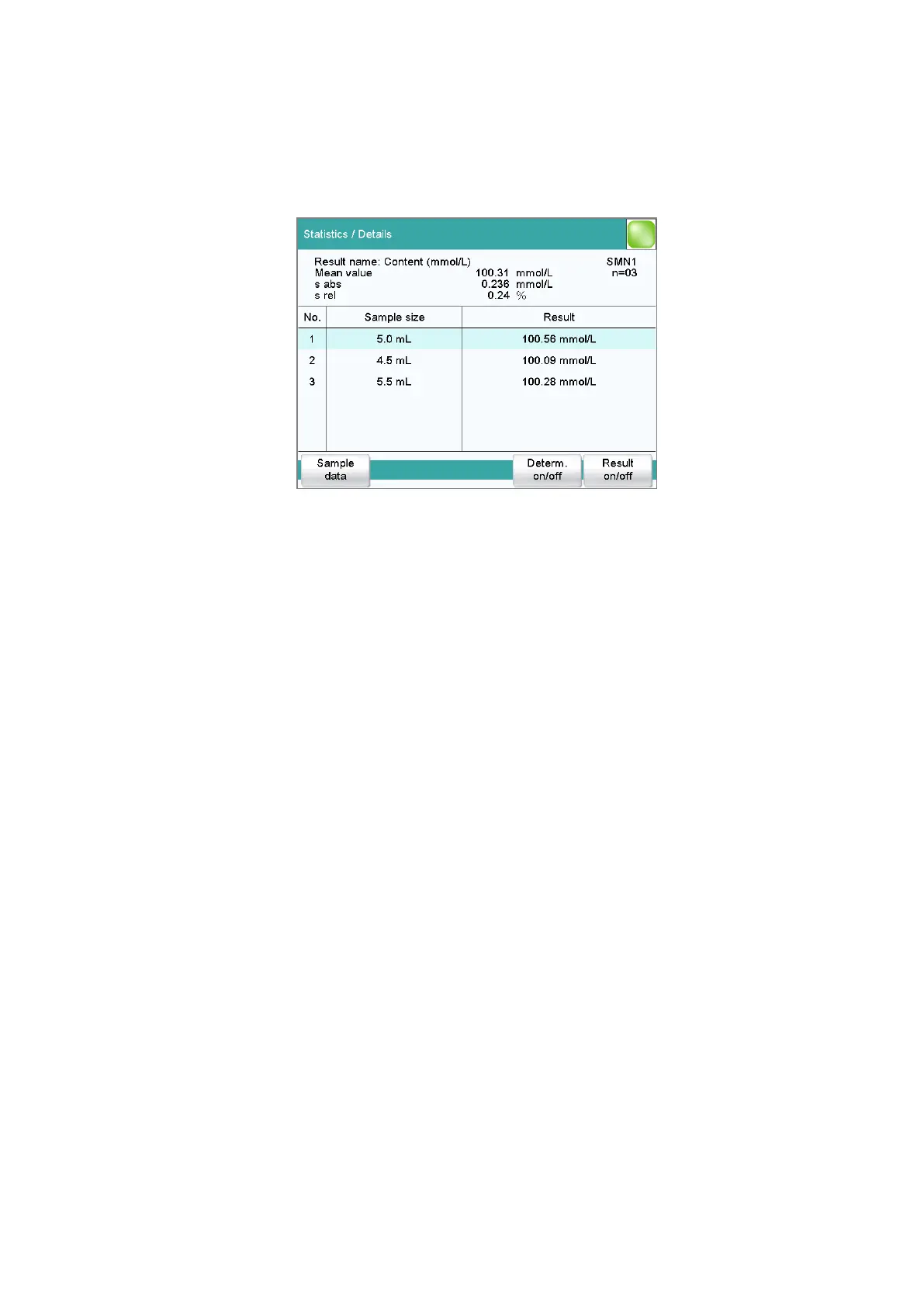
Results dialog: Statistics ▶ Details
In the dialog Statistics / Details, the following details are displayed:
■ Result name
■ Mean value
On the right-hand side of the dialog the number of single results from
which the mean value was calculated is displayed. In this example, it is
3.
■ Absolute standard deviation (s abs)
■ Relative standard deviation (s rel)
■ Result and sample size of each single determination
Results that could not be calculated are indicated with invalid and
ignored.
[Sample data]
Display the sample data of the selected determination.
[Determ. on/off]
Remove all of the results of the selected determination from the statistics.
All of the entries of this line are marked with an asterisk (*), the statistics
will be recalculated automatically.
[Result on/off]
Remove the selected result from the statistics. The result is marked with an
asterisk (*), the statistics will be recalculated automatically.















 To Next Page